Floral Compass: Navigate Nature - Flux.1.1 pro
提示
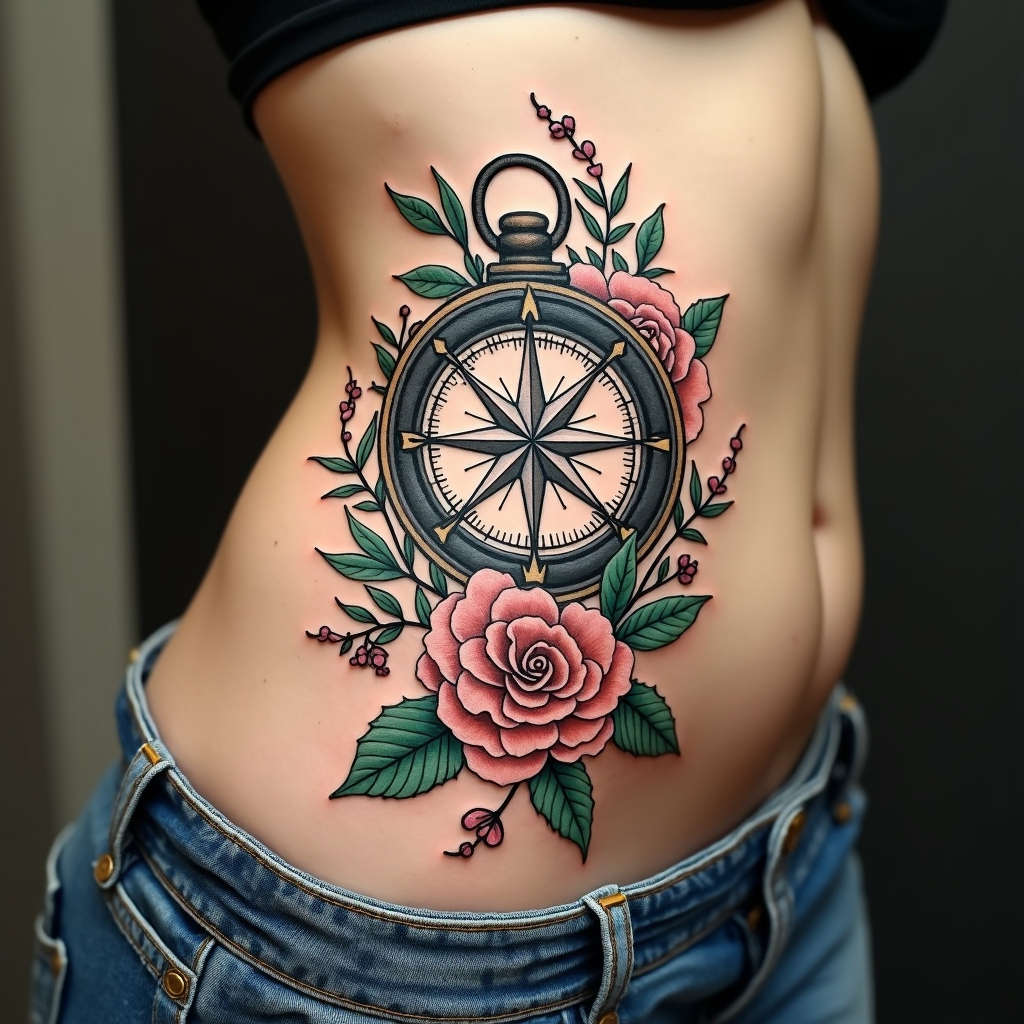
Create a tattoo design for the side of the abdomen featuring a stylized compass at its center, surrounded by intricate floral elements such as roses, peonies, and vines that weave gracefully around the compass. The compass should have ornate, vintage detailing, with a mix of sharp and soft lines, reflecting a traditional artistic style. The design should be medium to large in scale, allowing the compass to be approximately 6 inches in diameter, with the floral motifs extending outward to create a cohesive flow along the curves of the body. Use a color palette of deep navy, rich emerald green, and soft blush pink, contrasted with bold black outlines for depth. Incorporate delicate textures within the flowers and compass, giving them a lifelike quality. The overall mood should evoke a sense of adventure and connection to nature, symbolizing guidance and exploration.
Flux AI 圖像提示的詳細分析
分析使用 Flux AI 圖像生成器生成圖像所使用的詳細提示。
探索 Flux AI 圖像生成器的提示
如何通過 Flux.1.1 pro
遵循以下四個簡單步驟來創建您想要的圖片。
步驟 1:輸入您的文字 (可自由調整提示以獲得更好的結果)
步驟 2:選擇圖片的縱橫比
步驟 3:選擇您的 Flux 模型:
步驟 4:點擊生成按鈕並等待幾秒鐘獲取您的圖片
與提示相關的 Flux AI 工具 Flux.1.1 pro
發現來自 Flux AI 的高級工具,提升您的創意工作流程。