Neon Shadows: Cyberpunk Echoes - Flux.1.1 pro
Indicador
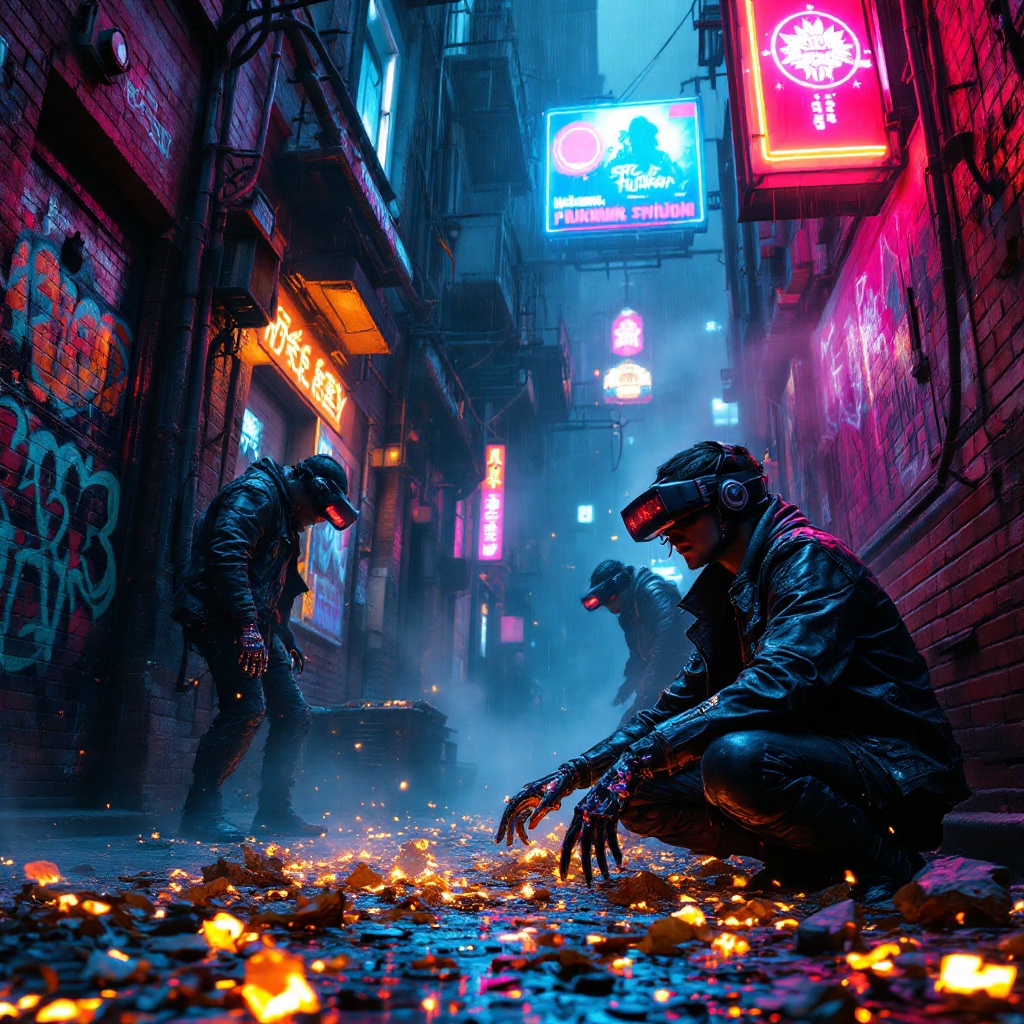
In a narrow, rain-slicked alleyway, vibrant neon signs flicker in hues of electric blue and hot pink, casting a surreal glow on the crumbling brick walls adorned with graffiti that pulses with digital life. Wisps of steam rise from grates, mingling with the hum of distant machinery, creating an atmosphere thick with anticipation. Augmented scavengers, clad in tattered leather jackets and augmented reality visors, sift through glowing digital remnants scattered on the ground—fragments of discarded tech and holographic data swirling like ghostly echoes. Their hands, enhanced with sleek cybernetic fingers, deftly manipulate the shimmering debris, while their eyes glint with a mix of curiosity and desperation. Above, a flickering hologram of a long-forgotten advertisement looms, casting an ethereal light, while shadows dance in the corners, hinting at secrets hidden within the vibrant chaos of this cyberpunk underworld.
Análisis Detallado del Prompt de Imagen de Flux IA
Analiza el prompt detallado utilizado para generar la imagen con Flux IA Image Generator.
Explorar Mensajes para Flux IA
Cómo generar una imagen por Flux.1.1 pro
Sigue estos cuatro sencillos pasos para crear la imagen que deseas.
Paso 1: Ingresa tu texto (No dudes en refinar tu prompt para mejores resultados)
Paso 2: Elige la relación de aspecto de la imagen
Paso 3: Selecciona tu modelo Flux:
Paso 4: Haz clic en el botón Generar y espera unos segundos para tu imagen
Herramientas Flux IA relacionadas para prompts sobre Flux.1.1 pro
Descubre herramientas avanzadas de Flux IA para potenciar tu flujo de trabajo creativo.