Neon Shadows: Cyberpunk Echoes - Flux.1.1 pro
prompt
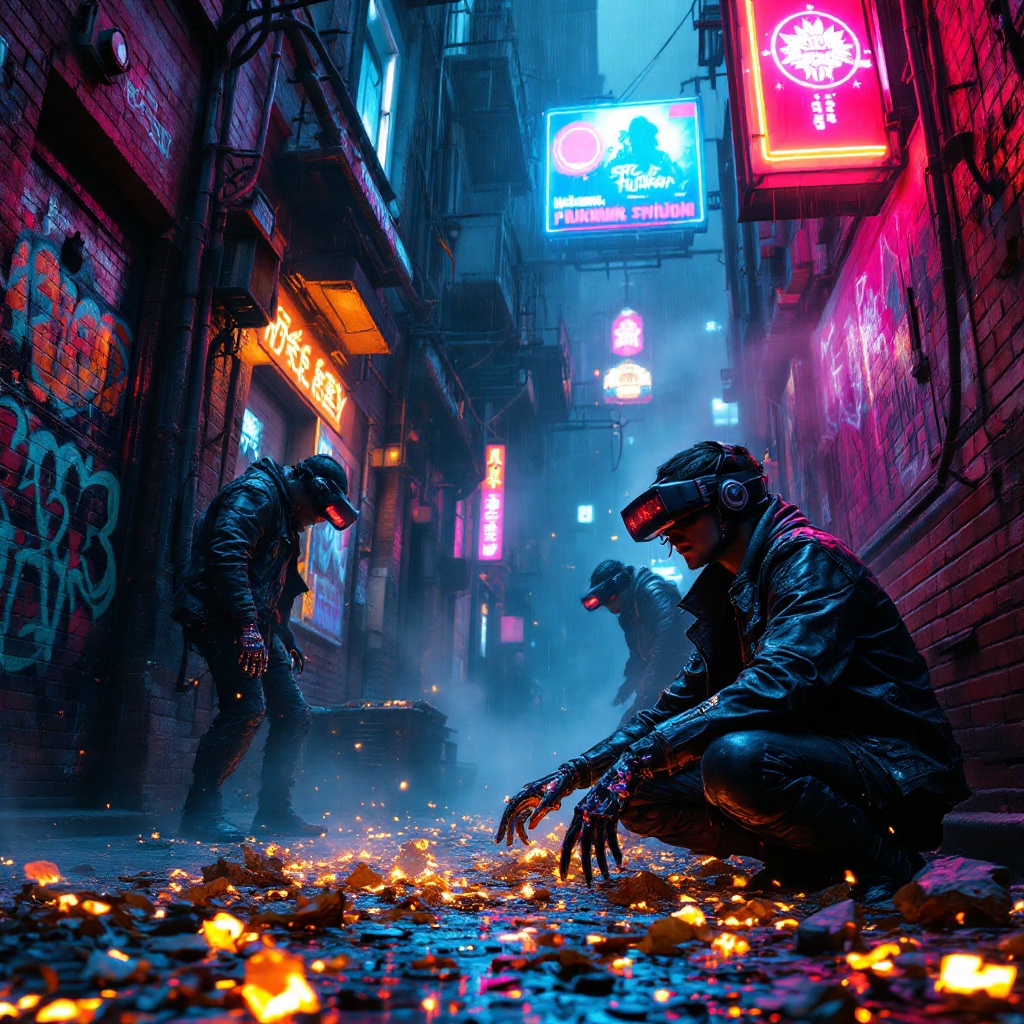
In a narrow, rain-slicked alleyway, vibrant neon signs flicker in hues of electric blue and hot pink, casting a surreal glow on the crumbling brick walls adorned with graffiti that pulses with digital life. Wisps of steam rise from grates, mingling with the hum of distant machinery, creating an atmosphere thick with anticipation. Augmented scavengers, clad in tattered leather jackets and augmented reality visors, sift through glowing digital remnants scattered on the ground—fragments of discarded tech and holographic data swirling like ghostly echoes. Their hands, enhanced with sleek cybernetic fingers, deftly manipulate the shimmering debris, while their eyes glint with a mix of curiosity and desperation. Above, a flickering hologram of a long-forgotten advertisement looms, casting an ethereal light, while shadows dance in the corners, hinting at secrets hidden within the vibrant chaos of this cyberpunk underworld.
Analisi Dettagliata del Prompt Immagine Flux AI
Analizza il prompt dettagliato utilizzato per generare l'immagine con il Generatore Immagini Flux AI.
Esplora i Prompt Flux per il Generatore Immagini Flux AI
Come generare immagini con Flux.1.1 pro
Segui questi quattro semplici passaggi per creare l'immagine desiderata.
Passaggio 1: Inserisci il Tuo Testo (Sentiti libero di perfezionare il prompt per risultati migliori)
Passaggio 2: Scegli le Proporzioni dell'Immagine
Passaggio 3: Seleziona il Tuo Modello Flux:
Passaggio 4: Clicca il Pulsante Genera e Attendi Alcuni Secondi per la Tua Immagine
Strumenti Flux AI correlati per prompt su Flux.1.1 pro
Scopri strumenti avanzati di Flux AI per potenziare il tuo flusso di lavoro creativo.