Kenshin Takeda - Flux.1 schnell
Indicador
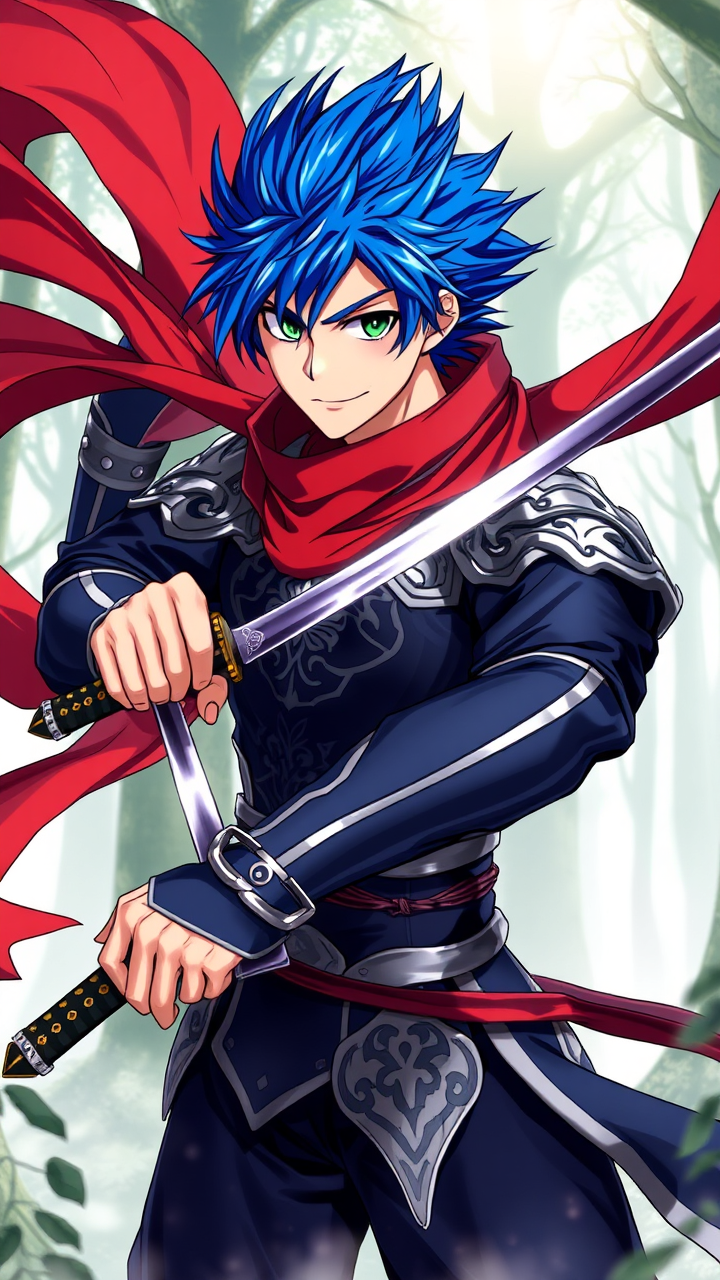
Create an image of Kenshin Takeda in a dynamic anime style, showcasing his sharp, angular facial features and vibrant, spiky blue hair that flows dramatically in the wind. He wears a sleek, dark blue and silver armored outfit, adorned with intricate patterns and a flowing red scarf that billows behind him. His piercing green eyes convey determination and confidence, while a subtle smirk hints at his playful nature. Position him in a battle-ready stance, one hand gripping a katana with a shimmering blade, the other hand slightly raised as if preparing to unleash a powerful attack. The background features a misty forest with ethereal light filtering through the trees, enhancing the mystical atmosphere. Incorporate bold line work and vibrant colors typical of modern anime, with a slight glimmer effect on his armor and sword to emphasize their importance. Add signature elements like a small emblem on his chest, representing his clan, to complete the image.
Análisis Detallado del Prompt de Imagen de Flux IA
Analiza el prompt detallado utilizado para generar la imagen con Flux IA Image Generator.
Explorar Mensajes para Flux IA
Cómo generar una imagen por Flux.1 schnell
Sigue estos cuatro sencillos pasos para crear la imagen que deseas.
Paso 1: Ingresa tu texto (No dudes en refinar tu prompt para mejores resultados)
Paso 2: Elige la relación de aspecto de la imagen
Paso 3: Selecciona tu modelo Flux:
Paso 4: Haz clic en el botón Generar y espera unos segundos para tu imagen
Herramientas Flux IA relacionadas para prompts sobre Flux.1 schnell
Descubre herramientas avanzadas de Flux IA para potenciar tu flujo de trabajo creativo.