Kenshin Takeda - Flux.1 schnell
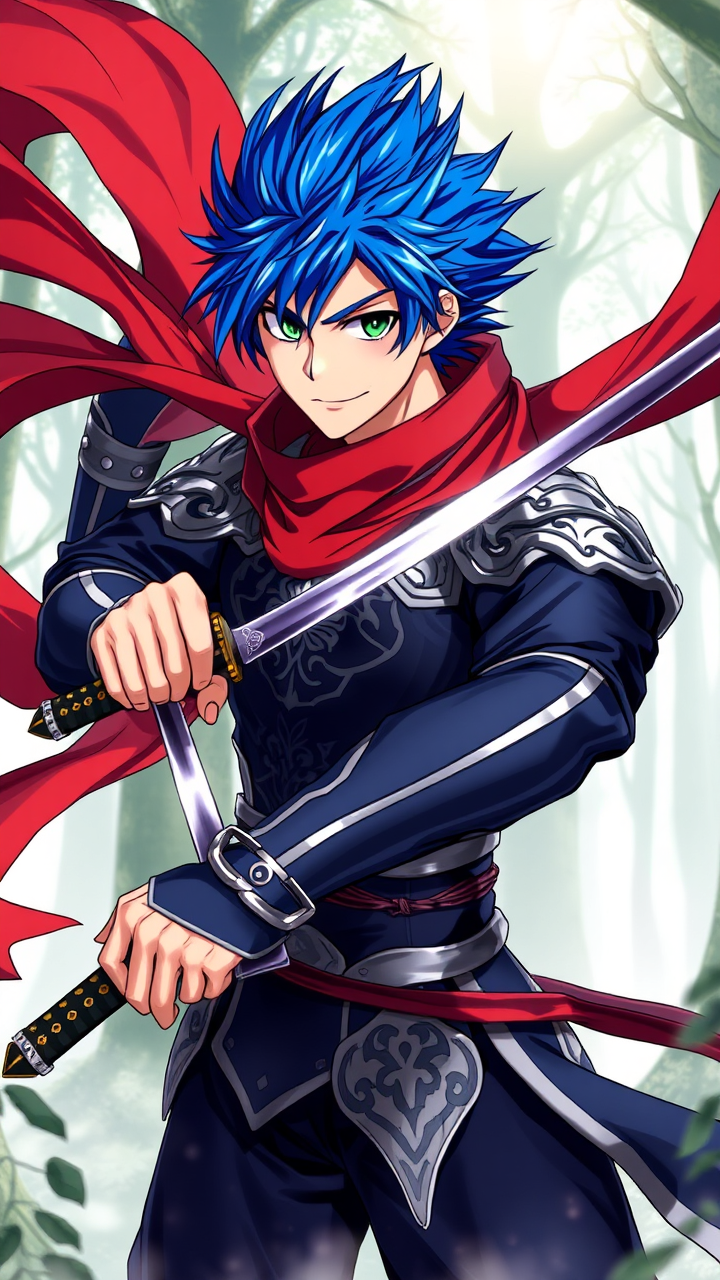
prompt
Create an image of Kenshin Takeda in a dynamic anime style, showcasing his sharp, angular facial features and vibrant, spiky blue hair that flows dramatically in the wind. He wears a sleek, dark blue and silver armored outfit, adorned with intricate patterns and a flowing red scarf that billows behind him. His piercing green eyes convey determination and confidence, while a subtle smirk hints at his playful nature. Position him in a battle-ready stance, one hand gripping a katana with a shimmering blade, the other hand slightly raised as if preparing to unleash a powerful attack. The background features a misty forest with ethereal light filtering through the trees, enhancing the mystical atmosphere. Incorporate bold line work and vibrant colors typical of modern anime, with a slight glimmer effect on his armor and sword to emphasize their importance. Add signature elements like a small emblem on his chest, representing his clan, to complete the image.
Analisi Dettagliata del Prompt Immagine Flux AI
Analizza il prompt dettagliato utilizzato per generare l'immagine con il Generatore Immagini Flux AI.
Esplora i Prompt Flux per il Generatore Immagini Flux AI
Come generare immagini con Flux.1 schnell
Segui questi quattro semplici passaggi per creare l'immagine desiderata.
Passaggio 1: Inserisci il Tuo Testo (Sentiti libero di perfezionare il prompt per risultati migliori)
Passaggio 2: Scegli le Proporzioni dell'Immagine
Passaggio 3: Seleziona il Tuo Modello Flux:
Passaggio 4: Clicca il Pulsante Genera e Attendi Alcuni Secondi per la Tua Immagine
Strumenti Flux AI correlati per prompt su Flux.1 schnell
Scopri strumenti avanzati di Flux AI per potenziare il tuo flusso di lavoro creativo.