Neon Heist: Shadows & Data - Flux.1 schnell
Indicador
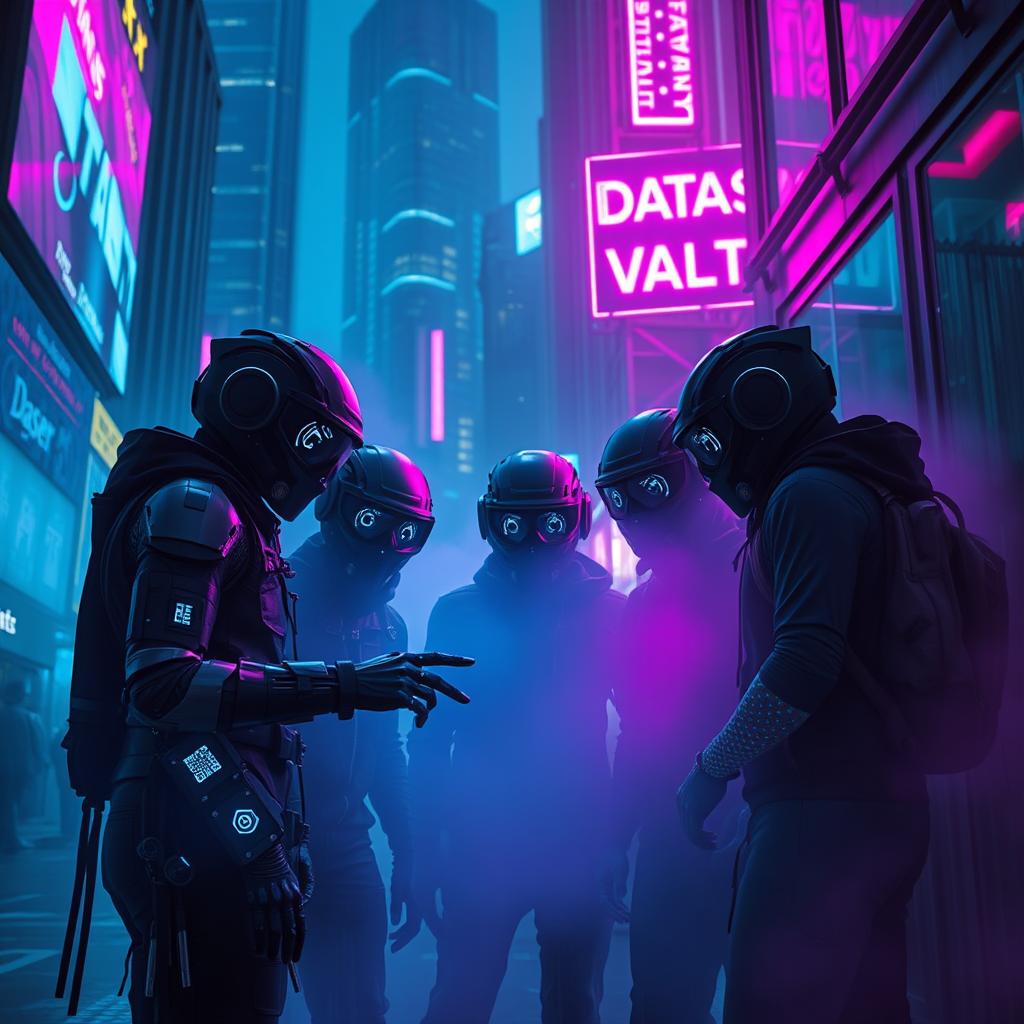
In a dimly lit cyberpunk city, neon mist swirls through the rain-soaked streets, casting an ethereal glow in shades of electric blue and vibrant magenta. Skyscrapers loom overhead, their glass façades reflecting the pulsating lights of holographic advertisements that flicker and dance in the fog. A group of augmented thieves, clad in sleek, high-tech gear adorned with glimmering circuitry, huddle in a shadowy alley, their faces obscured by visors displaying scrolling data streams. One thief, with a robotic arm, taps commands on a holographic interface projected from their wrist, while another, with luminescent tattoos, scans the area for surveillance drones. In the background, a flickering neon sign reads “Data Vault,” hinting at their target. The air is thick with tension, the atmosphere electric, as the thieves prepare to execute their digital heist amidst the haunting beauty of the neon-drenched urban landscape.
Análisis Detallado del Prompt de Imagen de Flux IA
Analiza el prompt detallado utilizado para generar la imagen con Flux IA Image Generator.
Explorar Mensajes para Flux IA
Cómo generar una imagen por Flux.1 schnell
Sigue estos cuatro sencillos pasos para crear la imagen que deseas.
Paso 1: Ingresa tu texto (No dudes en refinar tu prompt para mejores resultados)
Paso 2: Elige la relación de aspecto de la imagen
Paso 3: Selecciona tu modelo Flux:
Paso 4: Haz clic en el botón Generar y espera unos segundos para tu imagen
Herramientas Flux IA relacionadas para prompts sobre Flux.1 schnell
Descubre herramientas avanzadas de Flux IA para potenciar tu flujo de trabajo creativo.