Bánh Flan - Flux.1 dev
Indicador
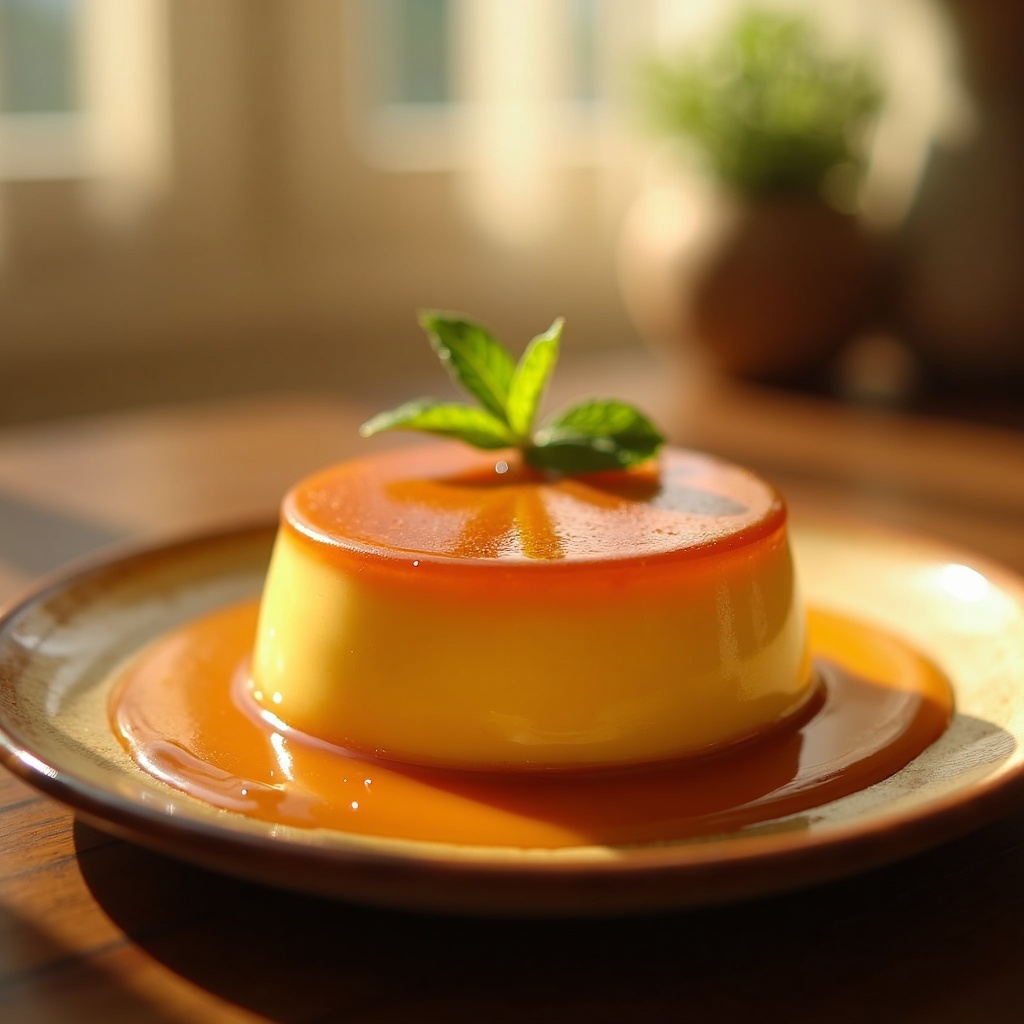
**Prompt:** "A velvety, golden-brown Bánh Flan, its caramel glaze pooling luxuriously around the base, glistening under warm, diffused light. The custard’s smooth, jiggly surface reflects a delicate sheen, dotted with tiny droplets of condensation. Served on a rustic ceramic plate, garnished with a sprig of fresh mint and a drizzle of caramel for contrast. The setting is a sunlit kitchen, soft morning light streaming through sheer curtains, casting gentle shadows. Shot in close-up macro style, highlighting the creamy texture and glossy caramel, with a shallow depth of field blurring the background. The scene evokes the rich, sweet aroma of vanilla and burnt sugar, almost tangible in the air.
Análisis Detallado del Prompt de Imagen de Flux IA
Analiza el prompt detallado utilizado para generar la imagen con Flux IA Image Generator.
Explorar Mensajes para Flux IA
Cómo generar una imagen por Flux.1 dev
Sigue estos cuatro sencillos pasos para crear la imagen que deseas.
Paso 1: Ingresa tu texto (No dudes en refinar tu prompt para mejores resultados)
Paso 2: Elige la relación de aspecto de la imagen
Paso 3: Selecciona tu modelo Flux:
Paso 4: Haz clic en el botón Generar y espera unos segundos para tu imagen
Herramientas Flux IA relacionadas para prompts sobre Flux.1 dev
Descubre herramientas avanzadas de Flux IA para potenciar tu flujo de trabajo creativo.