Wrist-Coordinate Points - Flux.1 schnell
Indicador
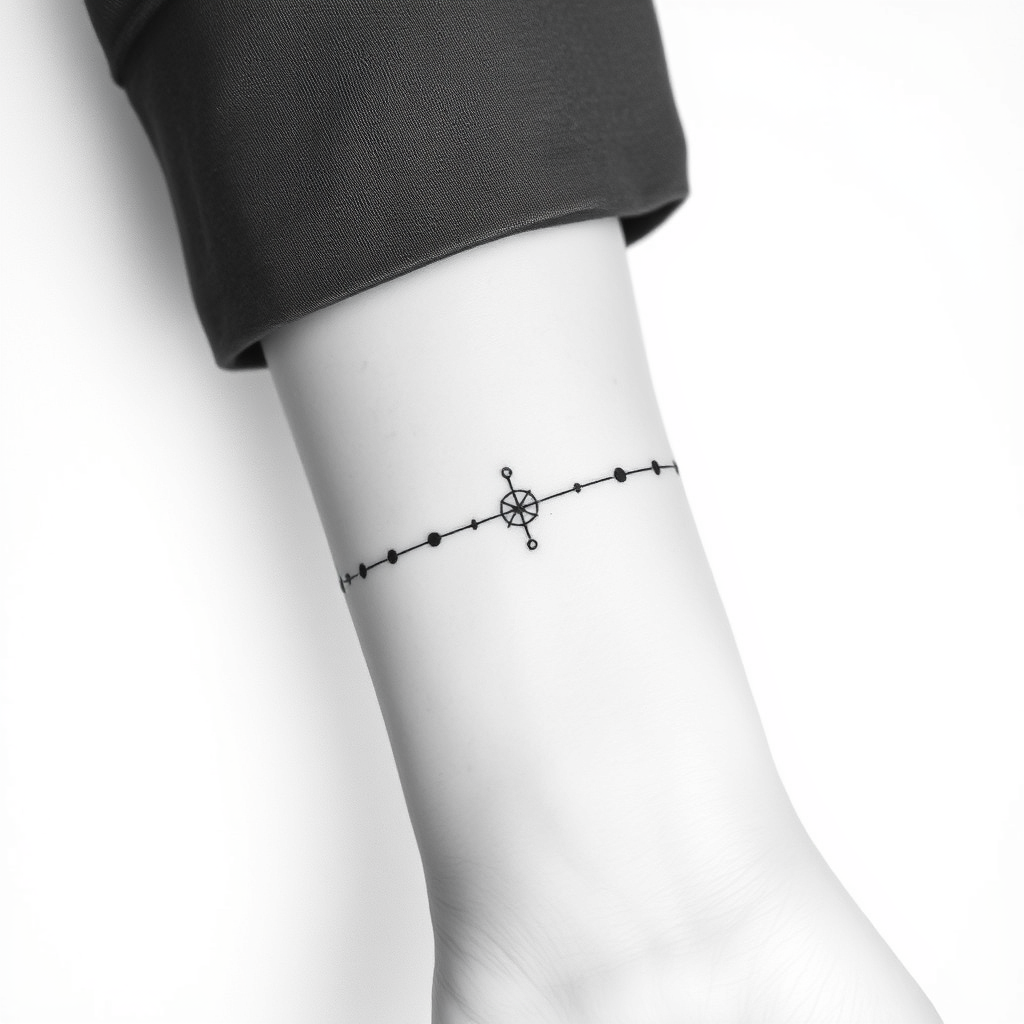
**Prompt:** A minimalist black-and-white tattoo design featuring precise coordinate points along the inner wrist, styled with delicate dotwork and fine line geometry. The coordinates form a subtle, interconnected web, resembling celestial navigation or a personal locational marker. Clean, crisp lines with subtle shading for depth, sized to wrap elegantly around the wrist (approx. 2-3 inches long). Monochromatic palette for a timeless look, with optional micro-details like tiny constellation dots or a minimalist compass rose. The aesthetic is sleek, modern, and meaningful—evoking wanderlust, precision, or a hidden personal story. Placement follows the natural curve of the wrist for seamless integration.
Análisis Detallado del Prompt de Imagen de Flux IA
Analiza el prompt detallado utilizado para generar la imagen con Flux IA Image Generator.
Explorar Mensajes para Flux IA
Cómo generar una imagen por Flux.1 schnell
Sigue estos cuatro sencillos pasos para crear la imagen que deseas.
Paso 1: Ingresa tu texto (No dudes en refinar tu prompt para mejores resultados)
Paso 2: Elige la relación de aspecto de la imagen
Paso 3: Selecciona tu modelo Flux:
Paso 4: Haz clic en el botón Generar y espera unos segundos para tu imagen
Herramientas Flux IA relacionadas para prompts sobre Flux.1 schnell
Descubre herramientas avanzadas de Flux IA para potenciar tu flujo de trabajo creativo.