Oceanic Elegance: Ankle Waves - Flux.1 pro
prompt
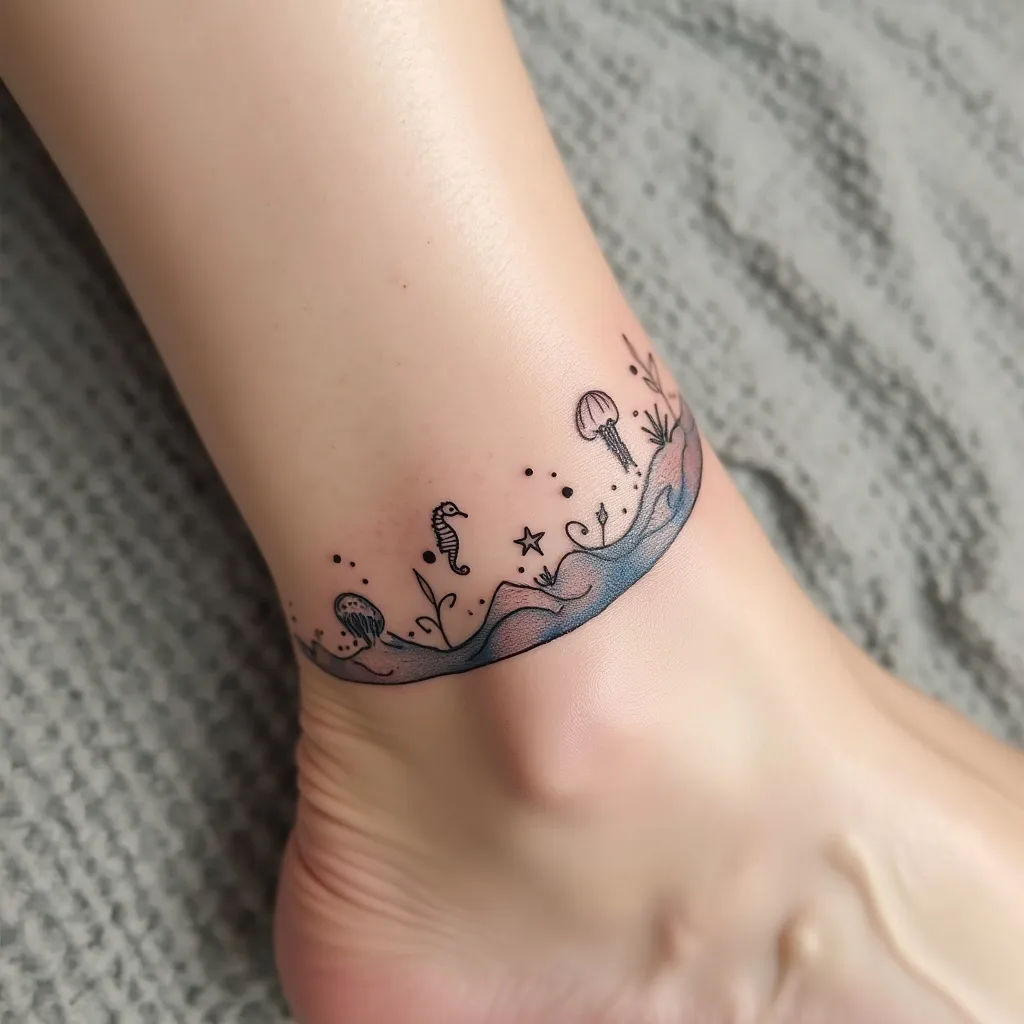
Create a delicate wave design tattoo for the ankle, featuring a graceful, curving line that wraps around the lower part of the leg. Incorporate small, stylized sea creatures such as tiny seahorses, starfish, and jellyfish seamlessly into the wave pattern. Use a minimalist, line-art style with occasional dotwork for texture. The tattoo should start just above the ankle bone, curving upwards and around the leg, ending about 3 inches above the starting point. Keep the overall width narrow, about 1-1.5 inches at its widest. Use a monochromatic palette of deep blue ink to evoke the depths of the ocean. Add subtle shading techniques to create a sense of movement and fluidity in the wave. Include small, abstract bubbles rising from the sea creatures to enhance the underwater feel. The design should convey a serene, dreamy aesthetic, reminiscent of the ebb and flow of tides. Ensure the placement allows for natural movement with the ankle's contours, creating a harmonious flow with the body's lines.
Detailed Analysis of the Flux AI Image Prompt
Analyze the detailed prompt used to generate the image with Flux AI Image Generator.
Explore Flux Prompts for the Flux AI Image Generator
How to generate image by Flux.1 pro
Follow these four simple steps to create your desired image.
Step 1: Enter Your Text (Feel free to refine your prompt for better results)
Step 2: Choose Image Aspect Ratio
Step 3: Select Your Flux Model:
Step 4: Click the Generate Button and Wait a Few Seconds for Your Image
Related Flux AI tools for prompts about Flux.1 pro
Discover advanced tools from Flux AI to boost your creative workflow.