Wild Harmony: Wolf & Blooms - Flux.1 dev
Invite
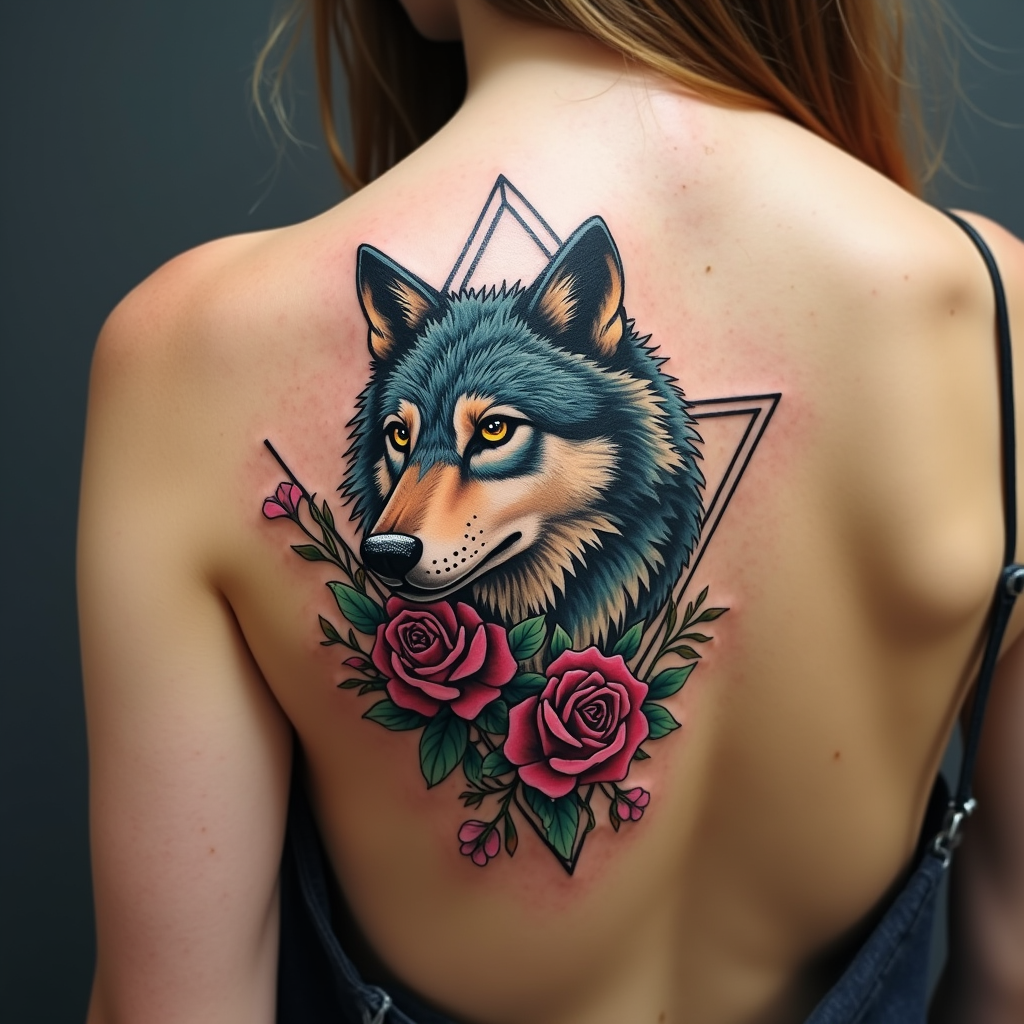
Create a tattoo design for the side of the upper back featuring a stylized wolf, its form elegantly intertwined with vibrant floral accents such as roses and wildflowers. Incorporate geometric elements like triangles and circles to frame the wolf, enhancing its fierce yet graceful demeanor. The artistic style should blend realism with a touch of abstract minimalism, allowing the wolf's fur to have intricate textures while maintaining clean lines in the geometric shapes. The tattoo should be medium to large in scale, ensuring it commands attention without overwhelming the body. Opt for a color palette that includes deep blues, earthy greens, and rich purples, contrasted with bold black outlines. Infuse cultural references to Native American symbolism, representing strength and loyalty. The overall mood should evoke a sense of wild freedom and harmony with nature, creating a stunning visual narrative that flows seamlessly with the contours of the upper back.
Analyse Détaillée du Prompt d'Image Flux IA
Analysez le prompt détaillé utilisé pour générer l'image avec Flux IA Image Generator.
Explorez les invites Flux IA
Comment générer une image par Flux.1 dev
Suivez ces quatre étapes simples pour créer l'image désirée.
Étape 1 : Entrez votre texte (N'hésitez pas à affiner votre prompt pour de meilleurs résultats)
Étape 2 : Choisissez le ratio d'aspect de l'image
Étape 3 : Sélectionnez votre modèle Flux :
Étape 4 : Cliquez sur le bouton Générer et attendez quelques secondes pour votre image
Outils Flux IA liés aux prompts sur Flux.1 dev
Découvrez des outils avancés de Flux IA pour booster votre flux de travail créatif.