Wild Harmony: Wolf & Blooms - Flux.1 dev
prompt
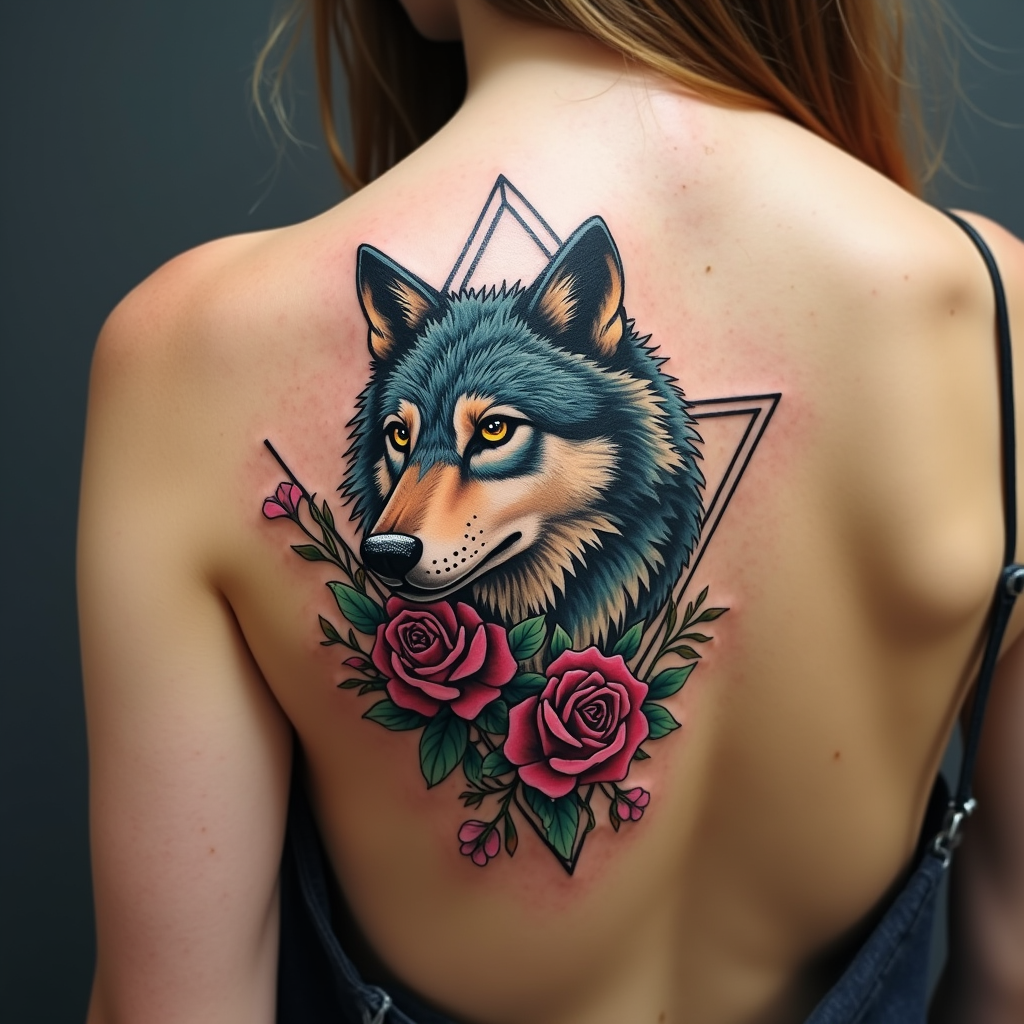
Create a tattoo design for the side of the upper back featuring a stylized wolf, its form elegantly intertwined with vibrant floral accents such as roses and wildflowers. Incorporate geometric elements like triangles and circles to frame the wolf, enhancing its fierce yet graceful demeanor. The artistic style should blend realism with a touch of abstract minimalism, allowing the wolf's fur to have intricate textures while maintaining clean lines in the geometric shapes. The tattoo should be medium to large in scale, ensuring it commands attention without overwhelming the body. Opt for a color palette that includes deep blues, earthy greens, and rich purples, contrasted with bold black outlines. Infuse cultural references to Native American symbolism, representing strength and loyalty. The overall mood should evoke a sense of wild freedom and harmony with nature, creating a stunning visual narrative that flows seamlessly with the contours of the upper back.
Analisi Dettagliata del Prompt Immagine Flux AI
Analizza il prompt dettagliato utilizzato per generare l'immagine con il Generatore Immagini Flux AI.
Esplora i Prompt Flux per il Generatore Immagini Flux AI
Come generare immagini con Flux.1 dev
Segui questi quattro semplici passaggi per creare l'immagine desiderata.
Passaggio 1: Inserisci il Tuo Testo (Sentiti libero di perfezionare il prompt per risultati migliori)
Passaggio 2: Scegli le Proporzioni dell'Immagine
Passaggio 3: Seleziona il Tuo Modello Flux:
Passaggio 4: Clicca il Pulsante Genera e Attendi Alcuni Secondi per la Tua Immagine
Strumenti Flux AI correlati per prompt su Flux.1 dev
Scopri strumenti avanzati di Flux AI per potenziare il tuo flusso di lavoro creativo.