Interwoven Life: A Celtic Tree Tattoo - Flux.1 schnell
Invite
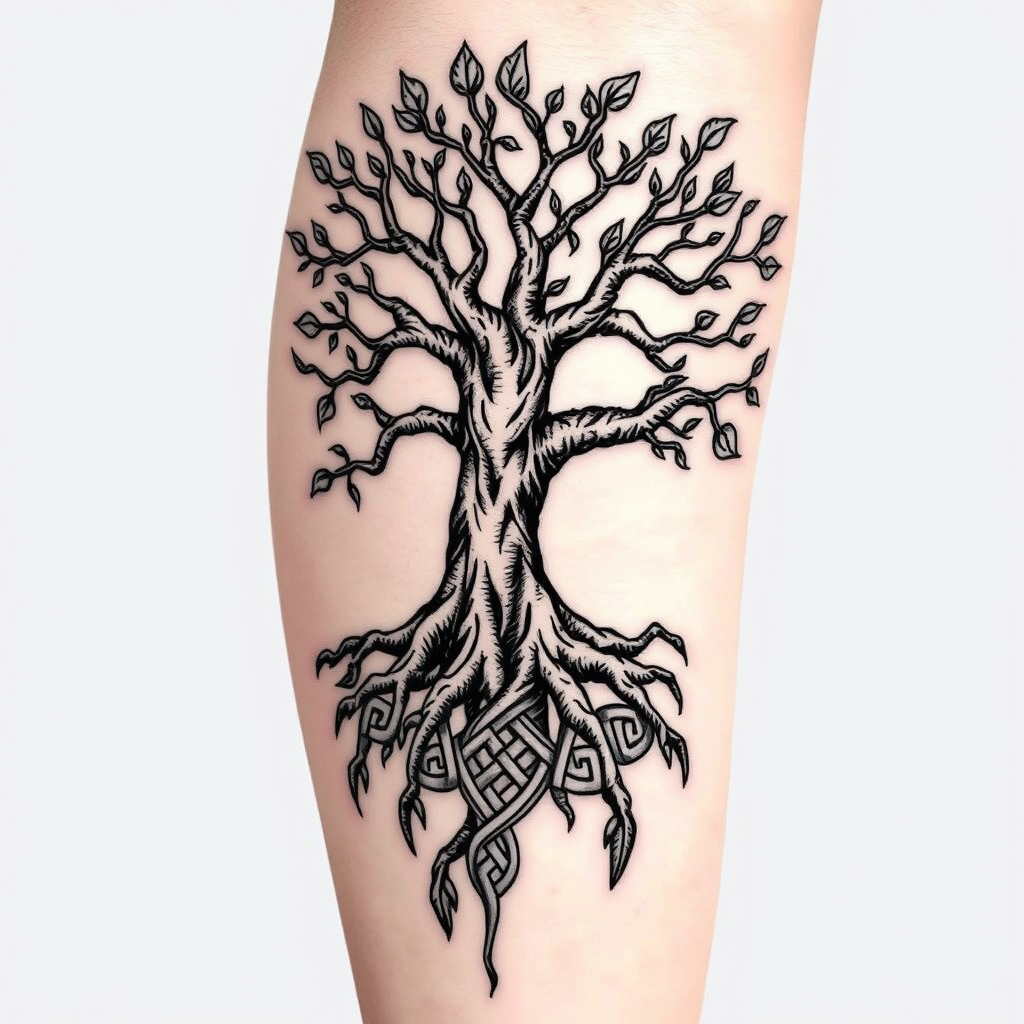
Create a tattoo design for the side of the upper leg featuring a stylized tree of life. The tree should have intricate roots that intertwine and branch out, symbolizing growth and connection. Use a blend of realistic and traditional artistic styles, emphasizing detailed textures in the bark and leaves. The tattoo should be medium to large in size, allowing for a striking visual impact. Opt for a black and white color palette to enhance the intricate patterns, with shading to add depth. Incorporate subtle Celtic knot motifs within the roots to reflect cultural significance. The overall mood should evoke a sense of harmony and balance, celebrating nature's beauty and the interconnectedness of life.
Analyse Détaillée du Prompt d'Image Flux IA
Analysez le prompt détaillé utilisé pour générer l'image avec Flux IA Image Generator.
Explorez les invites Flux IA
Comment générer une image par Flux.1 schnell
Suivez ces quatre étapes simples pour créer l'image désirée.
Étape 1 : Entrez votre texte (N'hésitez pas à affiner votre prompt pour de meilleurs résultats)
Étape 2 : Choisissez le ratio d'aspect de l'image
Étape 3 : Sélectionnez votre modèle Flux :
Étape 4 : Cliquez sur le bouton Générer et attendez quelques secondes pour votre image
Outils Flux IA liés aux prompts sur Flux.1 schnell
Découvrez des outils avancés de Flux IA pour booster votre flux de travail créatif.