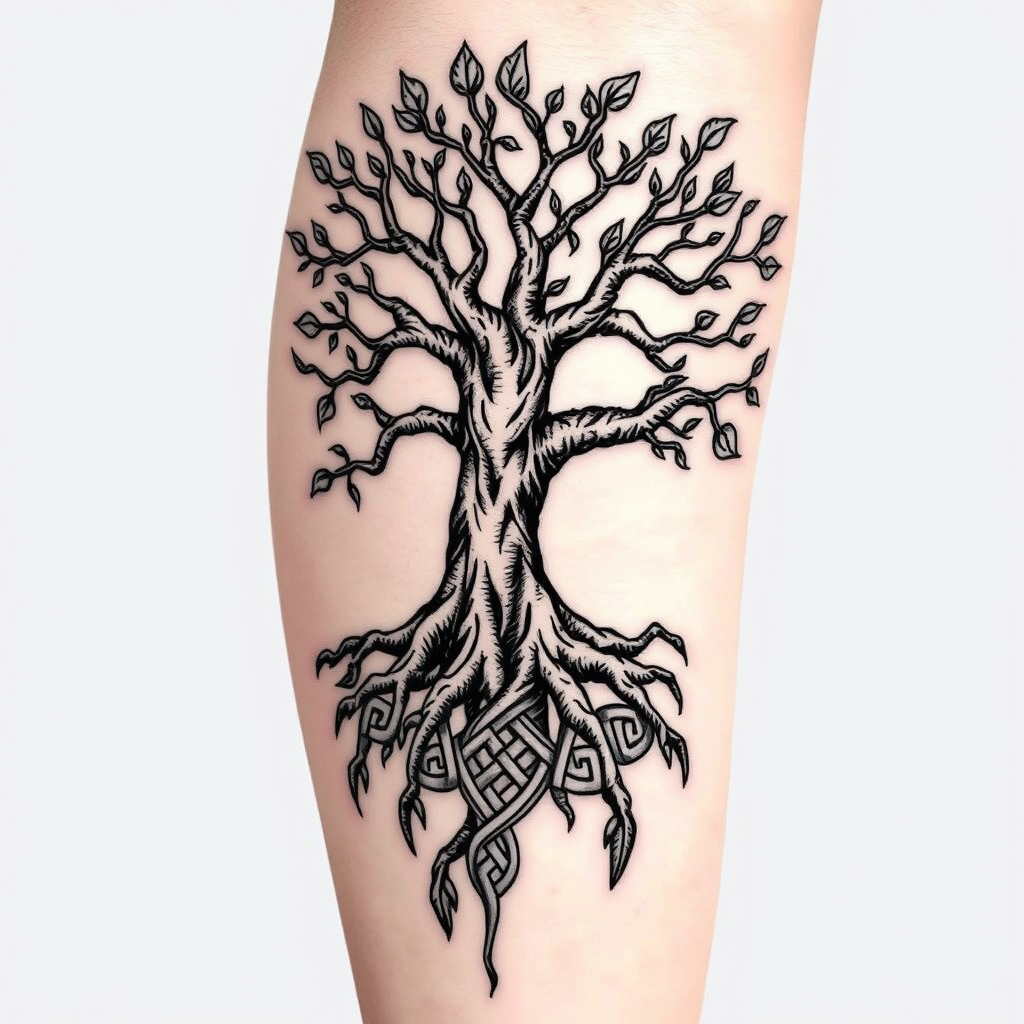
Interwoven Life: A Celtic Tree Tattoo - Flux.1 schnell
prompt
Create a tattoo design for the side of the upper leg featuring a stylized tree of life. The tree should have intricate roots that intertwine and branch out, symbolizing growth and connection. Use a blend of realistic and traditional artistic styles, emphasizing detailed textures in the bark and leaves. The tattoo should be medium to large in size, allowing for a striking visual impact. Opt for a black and white color palette to enhance the intricate patterns, with shading to add depth. Incorporate subtle Celtic knot motifs within the roots to reflect cultural significance. The overall mood should evoke a sense of harmony and balance, celebrating nature's beauty and the interconnectedness of life.
Detailed Analysis of the Flux AI Image Prompt
Analyze the detailed prompt used to generate the image with Flux AI Image Generator.
Explore Flux Prompts for the Flux AI Image Generator
How to generate image by Flux.1 schnell
Follow these four simple steps to create your desired image.
Step 1: Enter Your Text (Feel free to refine your prompt for better results)
Step 2: Choose Image Aspect Ratio
Step 3: Select Your Flux Model:
Step 4: Click the Generate Button and Wait a Few Seconds for Your Image
Related Flux AI tools for prompts about Flux.1 schnell
Discover advanced tools from Flux AI to boost your creative workflow.