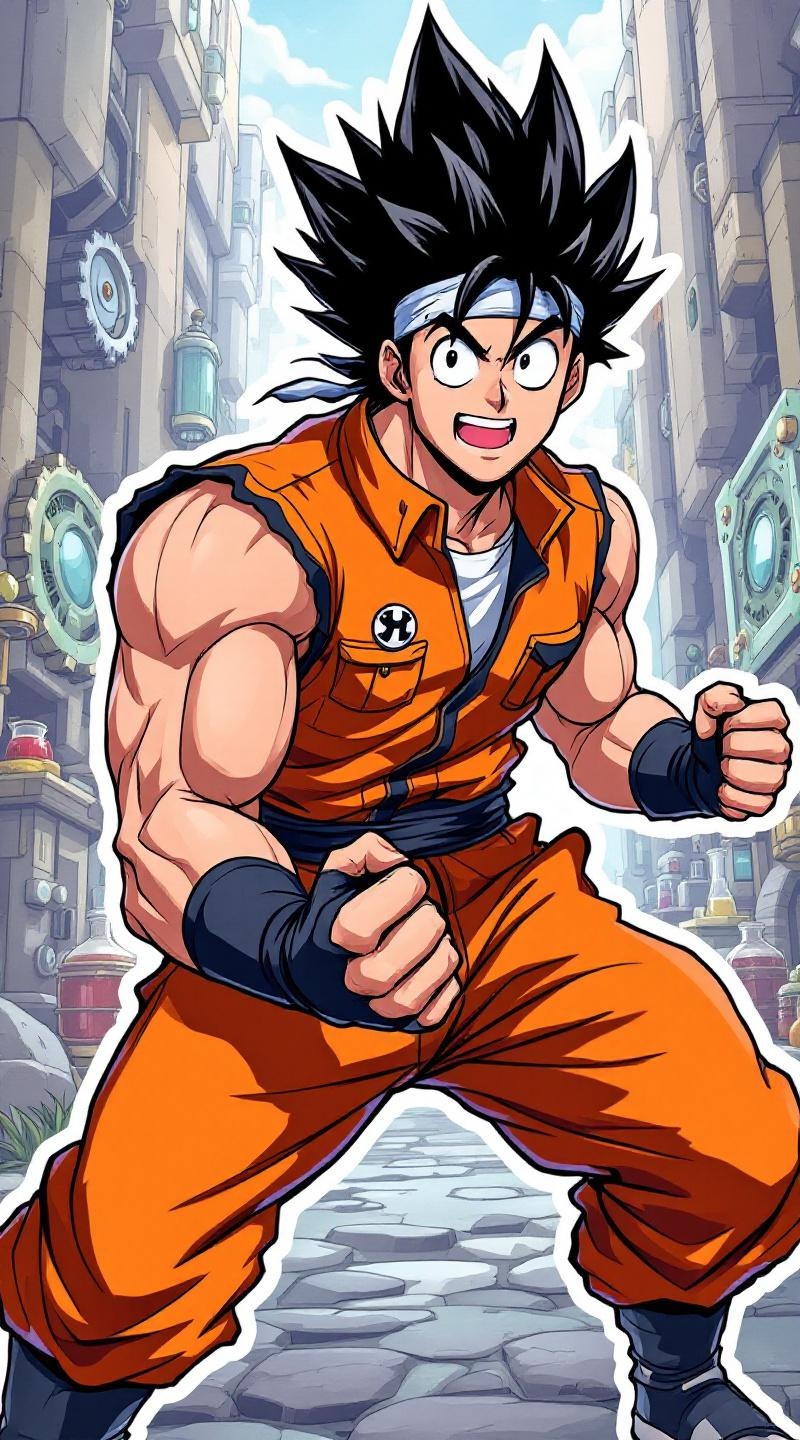
《Dr. Stone》-Taiju Oki - Flux.1.1 pro
Invite
**Prompt:** "Anime sticker-style illustration of Taiju Oki from *Dr. Stone*, featuring his iconic spiky black hair, robust build, and determined expression with wide, energetic eyes. He wears his signature orange sleeveless jumpsuit with black trim, fingerless gloves, and a white undershirt. Dynamic pose, fists clenched, exuding enthusiasm and strength. Background: a vibrant, simplified science-themed setting with gears, beakers, and stone textures, reflecting the show’s revival theme. Bold outlines, bright colors, and exaggerated facial expressions typical of anime sticker art. Include his trademark bandana tied around his forehead for added authenticity. Stylized with sharp highlights and minimal shading for a crisp, pop-art feel." (999 characters)
Analyse Détaillée du Prompt d'Image Flux IA
Analysez le prompt détaillé utilisé pour générer l'image avec Flux IA Image Generator.
Explorez les invites Flux IA
Comment générer une image par Flux.1.1 pro
Suivez ces quatre étapes simples pour créer l'image désirée.
Étape 1 : Entrez votre texte (N'hésitez pas à affiner votre prompt pour de meilleurs résultats)
Étape 2 : Choisissez le ratio d'aspect de l'image
Étape 3 : Sélectionnez votre modèle Flux :
Étape 4 : Cliquez sur le bouton Générer et attendez quelques secondes pour votre image
Outils Flux IA liés aux prompts sur Flux.1.1 pro
Découvrez des outils avancés de Flux IA pour booster votre flux de travail créatif.