Bootleg translation implants buzz in night markets - Flux.1 schnell
Invite
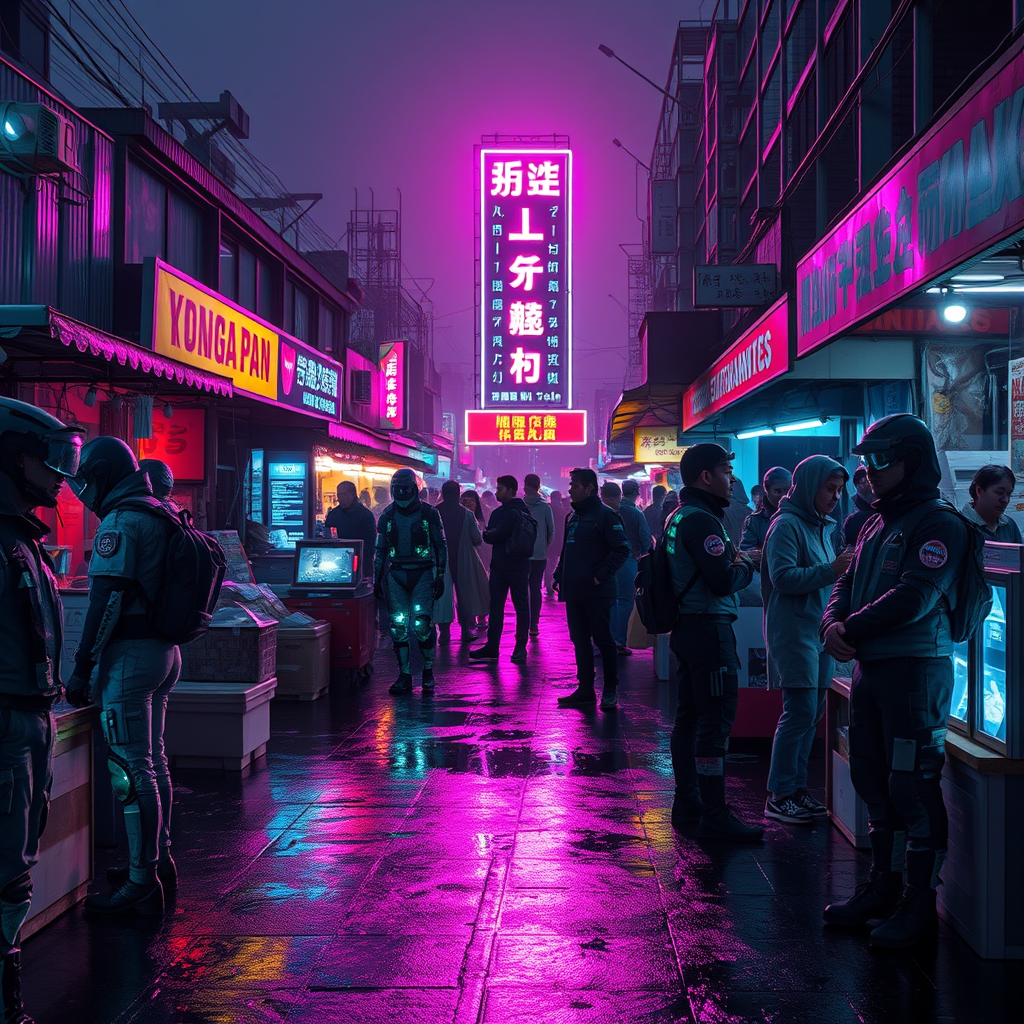
A neon-drenched night market pulses with chaotic energy under a smog-choked sky, where flickering holograms and grimy LED signs cast jagged reflections on rain-slicked asphalt. Stalls overflow with bootleg translation implants—jagged cyberware glinting under ultraviolet strip lights, their exposed circuitry buzzing with erratic glyphs that dance like fireflies. Vendors in patched-up exo-suits hawk their wares, faces obscured by flickering AR masks, while customers with mismatched ocular mods inspect the tech, their fingers trailing static over cracked display screens. The air hums with the scent of ozone and fried street food, mingling with the low-frequency drone of a dozen overlapping languages spat out by glitching speakers. At the center, a towering digital totem broadcasts garbled translations in fractured neon kanji, its distorted glow painting the crowd in hues of electric cyan and sickly magenta. Shadows stretch long and jagged, pierced by the occasional flare of a malfunctioning neural-link sparking in the dark.
Analyse Détaillée du Prompt d'Image Flux IA
Analysez le prompt détaillé utilisé pour générer l'image avec Flux IA Image Generator.
Explorez les invites Flux IA
Comment générer une image par Flux.1 schnell
Suivez ces quatre étapes simples pour créer l'image désirée.
Étape 1 : Entrez votre texte (N'hésitez pas à affiner votre prompt pour de meilleurs résultats)
Étape 2 : Choisissez le ratio d'aspect de l'image
Étape 3 : Sélectionnez votre modèle Flux :
Étape 4 : Cliquez sur le bouton Générer et attendez quelques secondes pour votre image
Outils Flux IA liés aux prompts sur Flux.1 schnell
Découvrez des outils avancés de Flux IA pour booster votre flux de travail créatif.