Shoveler - Flux.1 dev
Invite
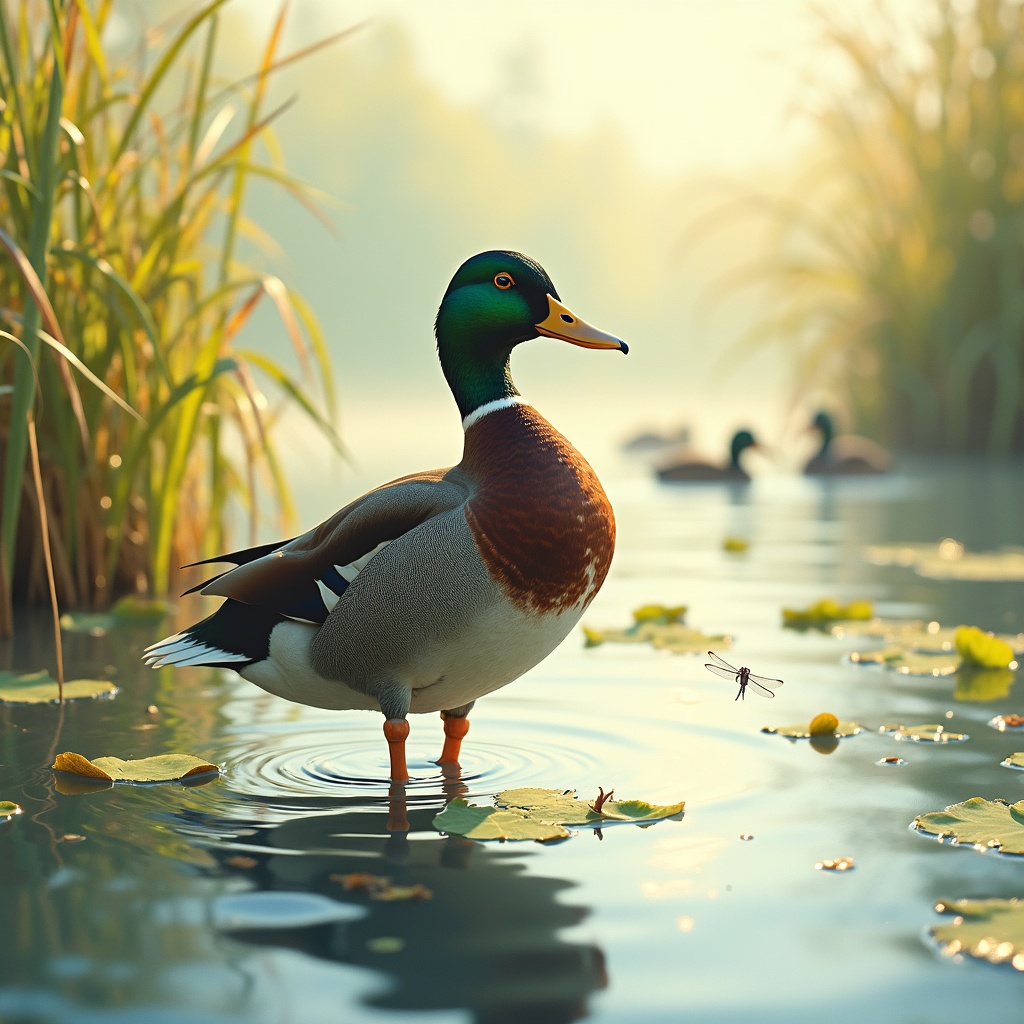
**Image Prompt:** A majestic *Northern Shoveler* duck stands proudly in a sunlit marsh, its iridescent green head and chestnut-brown sides gleaming under the golden morning light. Its distinctive shovel-shaped bill is slightly raised, as if pausing mid-forage in the shallow water. Lush reeds and lily pads frame the scene, with delicate ripples radiating from its webbed feet. The background blurs into a soft watercolor wash of blues and greens, evoking tranquility. **Art Style:** Realistic yet painterly, with subtle impressionistic brushstrokes. **Lighting:** Warm, diffused sunlight casting gentle reflections on the water. **Color Palette:** Earthy tones—ochres, emeralds, and muted blues—with pops of the duck’s vibrant plumage. **Mood:** Serene, alive with quiet energy. **Camera Angle:** Low-angle, slightly off-center, emphasizing the duck’s stature and the wetland’s depth. **Extras:** A dragonfly hovers near the reeds, and distant ducks blur into the horizon, adding movement and scale.
Analyse Détaillée du Prompt d'Image Flux IA
Analysez le prompt détaillé utilisé pour générer l'image avec Flux IA Image Generator.
Explorez les invites Flux IA
Comment générer une image par Flux.1 dev
Suivez ces quatre étapes simples pour créer l'image désirée.
Étape 1 : Entrez votre texte (N'hésitez pas à affiner votre prompt pour de meilleurs résultats)
Étape 2 : Choisissez le ratio d'aspect de l'image
Étape 3 : Sélectionnez votre modèle Flux :
Étape 4 : Cliquez sur le bouton Générer et attendez quelques secondes pour votre image
Outils Flux IA liés aux prompts sur Flux.1 dev
Découvrez des outils avancés de Flux IA pour booster votre flux de travail créatif.