Mule - Flux.1.1 pro
Invite
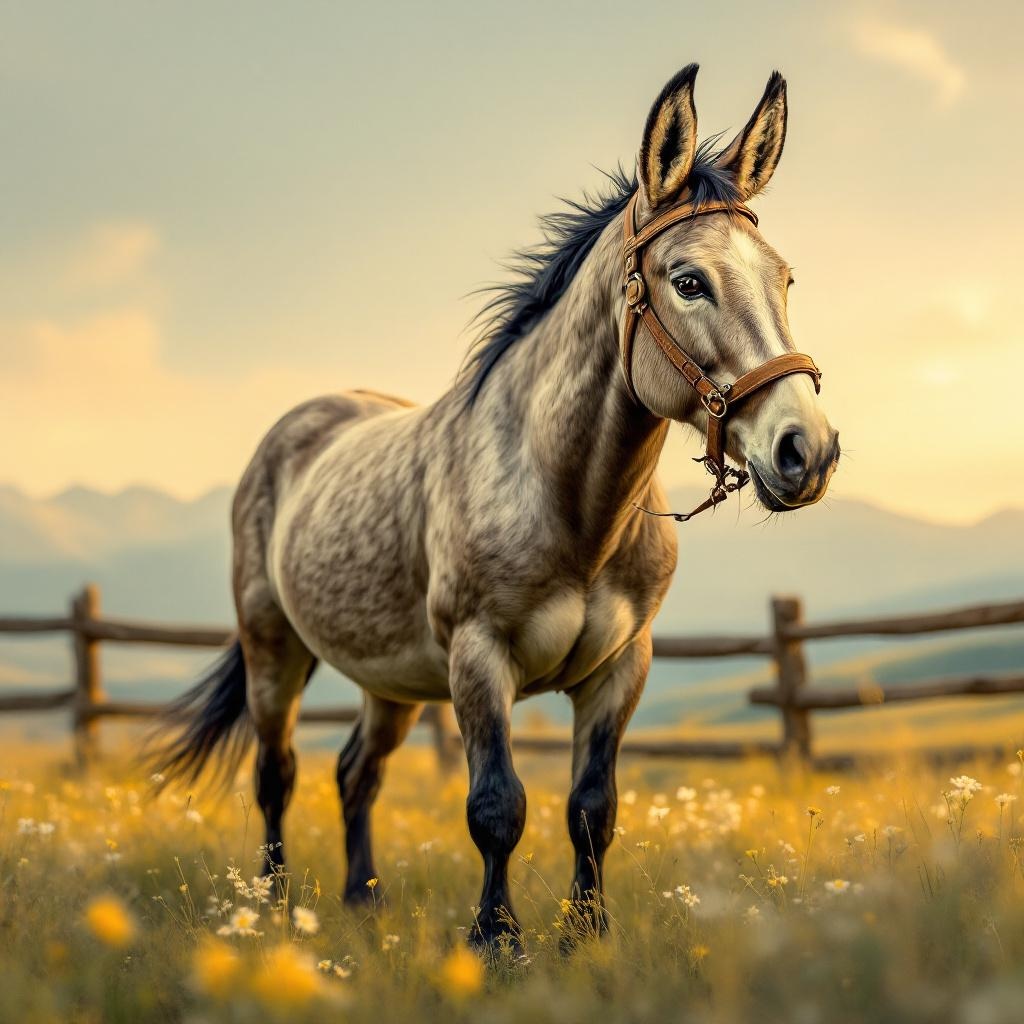
**Image Prompt:** A sturdy, long-eared mule stands proudly in a sun-drenched meadow, its coarse gray-brown coat glistening under the golden afternoon light. Its muscular frame is captured mid-stride, hooves slightly raised as if pausing to survey the rolling hills dotted with wildflowers. The background features a rustic wooden fence and distant mountains under a soft, hazy sky. **Art Style:** Realistic yet slightly painterly, with textured brushstrokes reminiscent of classic equine portraits. **Lighting & Color Palette:** Warm, golden-hour lighting casting gentle shadows; earthy tones of ochre, sage green, and muted blues dominate, evoking a serene, pastoral mood. **Camera Angle & Composition:** Low-angle shot, emphasizing the mule’s strength and stature, with the horizon line cutting just above its back to highlight the vast landscape. **Additional Elements:** A worn leather bridle adorned with brass buckles, a few bees hovering near clover blossoms at its feet, and a faint dusting of pollen in the air for subtle movement.
Analyse Détaillée du Prompt d'Image Flux IA
Analysez le prompt détaillé utilisé pour générer l'image avec Flux IA Image Generator.
Explorez les invites Flux IA
Comment générer une image par Flux.1.1 pro
Suivez ces quatre étapes simples pour créer l'image désirée.
Étape 1 : Entrez votre texte (N'hésitez pas à affiner votre prompt pour de meilleurs résultats)
Étape 2 : Choisissez le ratio d'aspect de l'image
Étape 3 : Sélectionnez votre modèle Flux :
Étape 4 : Cliquez sur le bouton Générer et attendez quelques secondes pour votre image
Outils Flux IA liés aux prompts sur Flux.1.1 pro
Découvrez des outils avancés de Flux IA pour booster votre flux de travail créatif.