Kenshin Himura - Flux.1.1 pro
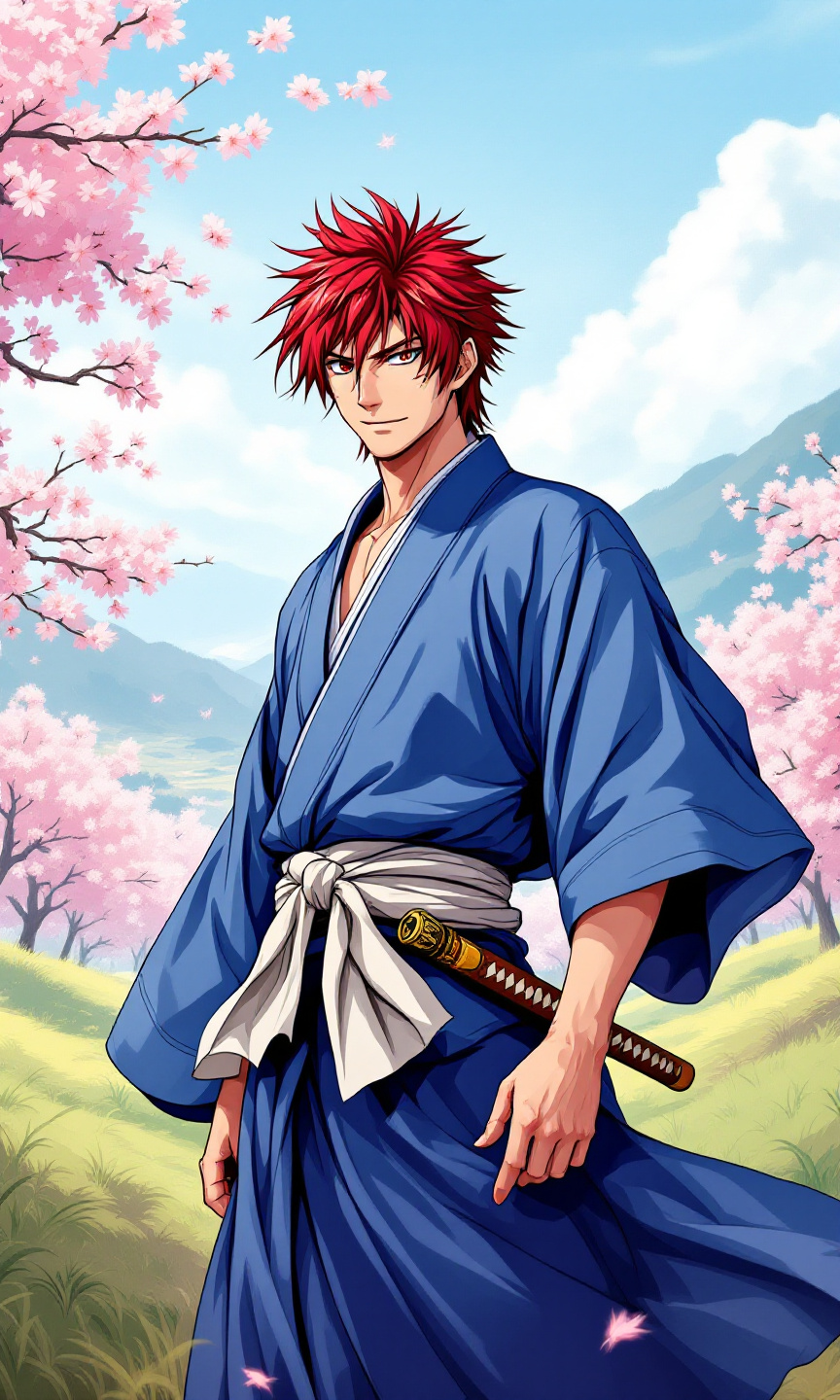
prompt
Generate an image of Kenshin Himura in a vibrant anime style, characterized by bold outlines and vivid colors. Capture his striking red hair, styled in a spiky fashion, and his iconic cross-shaped scar on the left cheek. Dress him in a traditional, flowing blue kimono with a white obi, emphasizing its texture and movement. Add his signature wooden sakabatō (reverse-blade sword) sheathed at his side, hinting at his pacifist nature. Kenshin should have a determined yet gentle expression, with a slight smile that conveys both strength and kindness. Pose him in a dynamic stance, one hand resting on the hilt of his sword, ready yet calm. Set the scene in a serene rural landscape, with cherry blossom trees gently swaying in the breeze and a distant mountain range. Use a soft color palette with pastel tones for the background, enhancing the overall anime aesthetic. Include subtle motion lines to suggest a sense of grace and fluidity in his pose.
Analisis Terperinci Prompt Gambar Flux AI
Analisis prompt terperinci yang digunakan untuk menghasilkan gambar dengan Generator Gambar Flux AI.
Jelajahi Prompt Flux untuk Generator Gambar AI Flux
Cara menghasilkan gambar dengan Flux.1.1 pro
Ikuti empat langkah sederhana ini untuk membuat gambar yang Anda inginkan.
Langkah 1: Masukkan Teks Anda (Silakan sempurnakan prompt untuk hasil yang lebih baik)
Langkah 2: Pilih Rasio Aspek Gambar
Langkah 3: Pilih Model Flux Anda:
Langkah 4: Klik Tombol Buat dan Tunggu Beberapa Detik untuk Gambar Anda
Alat Flux AI terkait untuk prompt tentang Flux.1.1 pro
Temukan alat-alat canggih dari Flux AI untuk meningkatkan alur kerja kreatif Anda.