Kenshin Himura - Flux.1.1 pro
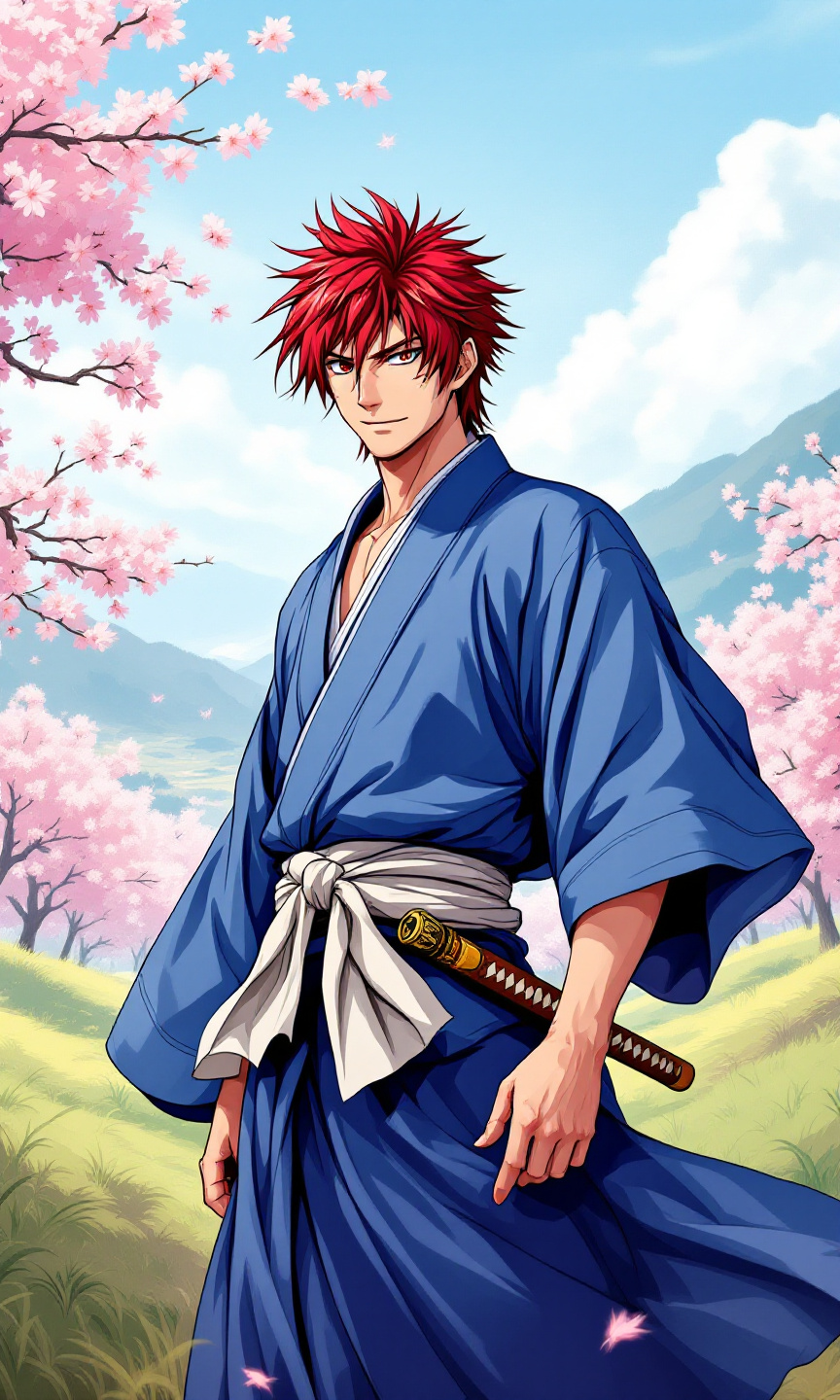
prompt
Generate an image of Kenshin Himura in a vibrant anime style, characterized by bold outlines and vivid colors. Capture his striking red hair, styled in a spiky fashion, and his iconic cross-shaped scar on the left cheek. Dress him in a traditional, flowing blue kimono with a white obi, emphasizing its texture and movement. Add his signature wooden sakabatō (reverse-blade sword) sheathed at his side, hinting at his pacifist nature. Kenshin should have a determined yet gentle expression, with a slight smile that conveys both strength and kindness. Pose him in a dynamic stance, one hand resting on the hilt of his sword, ready yet calm. Set the scene in a serene rural landscape, with cherry blossom trees gently swaying in the breeze and a distant mountain range. Use a soft color palette with pastel tones for the background, enhancing the overall anime aesthetic. Include subtle motion lines to suggest a sense of grace and fluidity in his pose.
Analisi Dettagliata del Prompt Immagine Flux AI
Analizza il prompt dettagliato utilizzato per generare l'immagine con il Generatore Immagini Flux AI.
Esplora i Prompt Flux per il Generatore Immagini Flux AI
Come generare immagini con Flux.1.1 pro
Segui questi quattro semplici passaggi per creare l'immagine desiderata.
Passaggio 1: Inserisci il Tuo Testo (Sentiti libero di perfezionare il prompt per risultati migliori)
Passaggio 2: Scegli le Proporzioni dell'Immagine
Passaggio 3: Seleziona il Tuo Modello Flux:
Passaggio 4: Clicca il Pulsante Genera e Attendi Alcuni Secondi per la Tua Immagine
Strumenti Flux AI correlati per prompt su Flux.1.1 pro
Scopri strumenti avanzati di Flux AI per potenziare il tuo flusso di lavoro creativo.