Neon Shadows: Code & Chaos - Flux.1 schnell
prompt
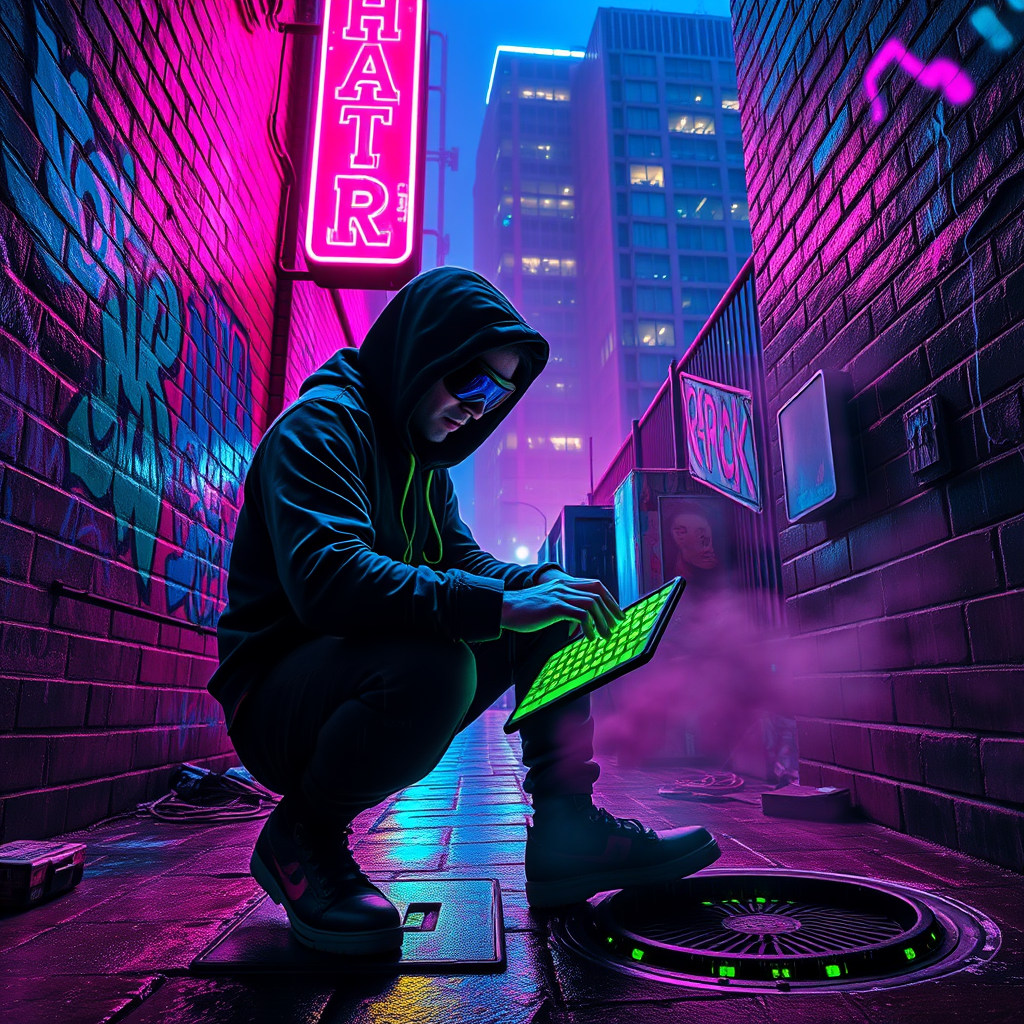
In a dimly lit neon alley, drenched in vibrant hues of electric blue and hot pink, a rogue hacker crouches beneath the flickering glow of a malfunctioning neon sign, casting sharp shadows against the damp, graffiti-covered brick walls. The air is thick with a haze of digital smoke, swirling around discarded tech and glowing circuit boards, while rain glistens on the cobblestones, reflecting the pulsating lights above. The hacker, clad in a tattered black hoodie and augmented goggles, intently types on a holographic keyboard projected from their wrist, fingers dancing as lines of code cascade in luminous green. Around them, the distant hum of city life echoes, punctuated by the occasional hiss of steam from a nearby manhole. A towering corporate building looms in the background, its windows glowing ominously, hinting at the secrets hidden within. The atmosphere crackles with tension, a blend of danger and exhilaration, as the hacker delves deeper into the digital abyss, seeking the truth amidst the shadows.
Analisis Terperinci Prompt Gambar Flux AI
Analisis prompt terperinci yang digunakan untuk menghasilkan gambar dengan Generator Gambar Flux AI.
Jelajahi Prompt Flux untuk Generator Gambar AI Flux
Cara menghasilkan gambar dengan Flux.1 schnell
Ikuti empat langkah sederhana ini untuk membuat gambar yang Anda inginkan.
Langkah 1: Masukkan Teks Anda (Silakan sempurnakan prompt untuk hasil yang lebih baik)
Langkah 2: Pilih Rasio Aspek Gambar
Langkah 3: Pilih Model Flux Anda:
Langkah 4: Klik Tombol Buat dan Tunggu Beberapa Detik untuk Gambar Anda
Alat Flux AI terkait untuk prompt tentang Flux.1 schnell
Temukan alat-alat canggih dari Flux AI untuk meningkatkan alur kerja kreatif Anda.