Neon Shadows: Secrets Unveiled - Flux.1.1 pro
prompt
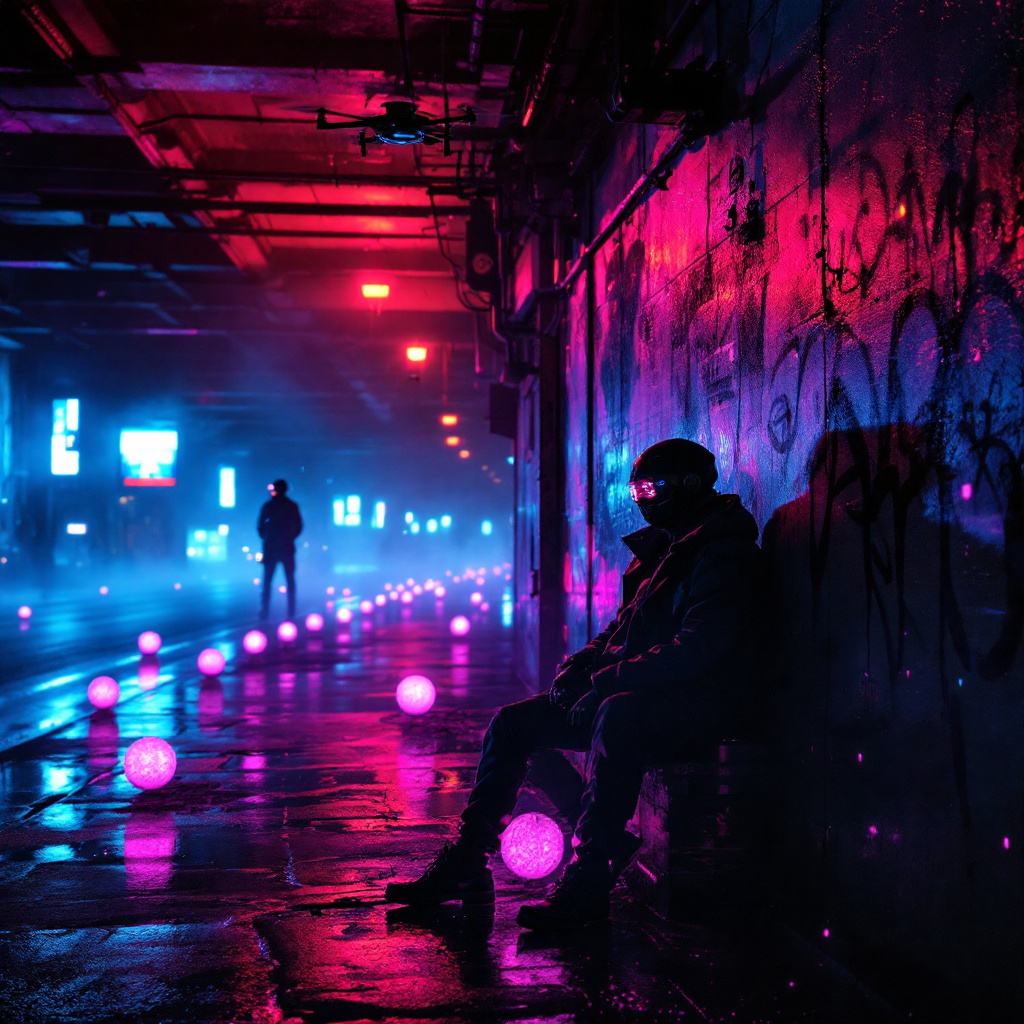
In a dimly lit neon underpass, vibrant hues of electric blue and pulsating magenta spill from flickering overhead lights, casting erratic shadows on the damp concrete walls. A haze of mist clings to the air, illuminated by the soft glow of holographic advertisements that flicker like ghosts. In the foreground, two shadowy figures clad in sleek, reflective jackets lean against a graffiti-tagged pillar, their faces obscured by high-tech visors that display scrolling data streams. Around them, clusters of glowing data orbs hover, pulsating rhythmically as secrets are exchanged in hushed tones. The ground is slick with rain, reflecting the kaleidoscope of colors above, while distant echoes of electronic music reverberate through the space, creating an atmosphere thick with tension and intrigue. A lone drone buzzes overhead, its camera scanning for any signs of trouble, completing this cyberpunk tableau of clandestine dealings beneath the urban sprawl.
Analisi Dettagliata del Prompt Immagine Flux AI
Analizza il prompt dettagliato utilizzato per generare l'immagine con il Generatore Immagini Flux AI.
Esplora i Prompt Flux per il Generatore Immagini Flux AI
Come generare immagini con Flux.1.1 pro
Segui questi quattro semplici passaggi per creare l'immagine desiderata.
Passaggio 1: Inserisci il Tuo Testo (Sentiti libero di perfezionare il prompt per risultati migliori)
Passaggio 2: Scegli le Proporzioni dell'Immagine
Passaggio 3: Seleziona il Tuo Modello Flux:
Passaggio 4: Clicca il Pulsante Genera e Attendi Alcuni Secondi per la Tua Immagine
Strumenti Flux AI correlati per prompt su Flux.1.1 pro
Scopri strumenti avanzati di Flux AI per potenziare il tuo flusso di lavoro creativo.