Neon Shadows: Secrets Unveiled - Flux.1.1 pro
Prompt
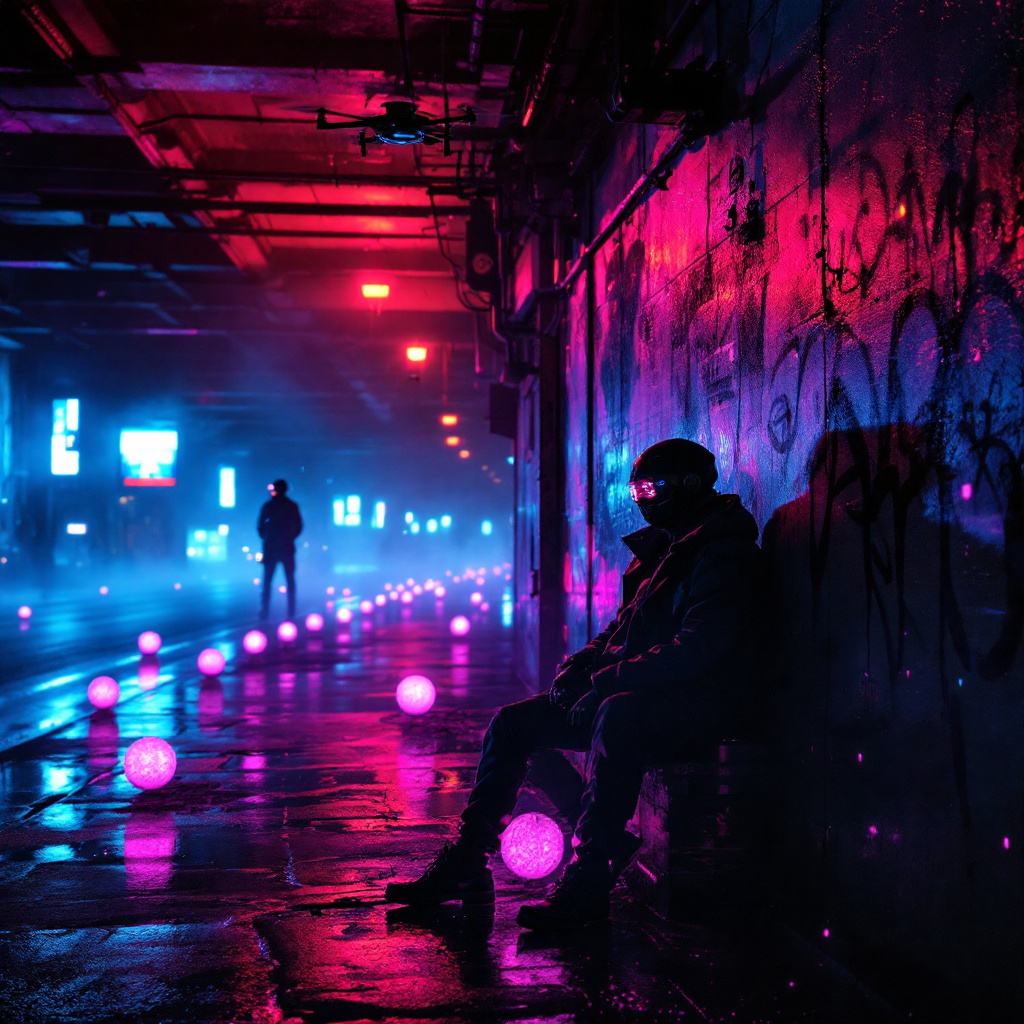
In a dimly lit neon underpass, vibrant hues of electric blue and pulsating magenta spill from flickering overhead lights, casting erratic shadows on the damp concrete walls. A haze of mist clings to the air, illuminated by the soft glow of holographic advertisements that flicker like ghosts. In the foreground, two shadowy figures clad in sleek, reflective jackets lean against a graffiti-tagged pillar, their faces obscured by high-tech visors that display scrolling data streams. Around them, clusters of glowing data orbs hover, pulsating rhythmically as secrets are exchanged in hushed tones. The ground is slick with rain, reflecting the kaleidoscope of colors above, while distant echoes of electronic music reverberate through the space, creating an atmosphere thick with tension and intrigue. A lone drone buzzes overhead, its camera scanning for any signs of trouble, completing this cyberpunk tableau of clandestine dealings beneath the urban sprawl.
Análise Detalhada do Prompt de Imagem Flux IA
Analise o prompt detalhado usado para gerar a imagem com o Flux IA Image Generator.
Explore Prompts Flux para o Gerador de Imagens
Como gerar uma imagem por Flux.1.1 pro
Siga estes quatro passos simples para criar a imagem desejada.
Passo 1: Insira seu texto (Sinta-se à vontade para refinar seu prompt para melhores resultados)
Passo 2: Escolha a proporção da imagem
Passo 3: Selecione seu modelo Flux:
Passo 4: Clique no botão Gerar e aguarde alguns segundos para sua imagem
Ferramentas Flux IA relacionadas a prompts sobre Flux.1.1 pro
Descubra ferramentas avançadas da Flux IA para melhorar seu fluxo de trabalho criativo.