Lace & Bloom: A Floral Embrace - Flux.1 dev
prompt
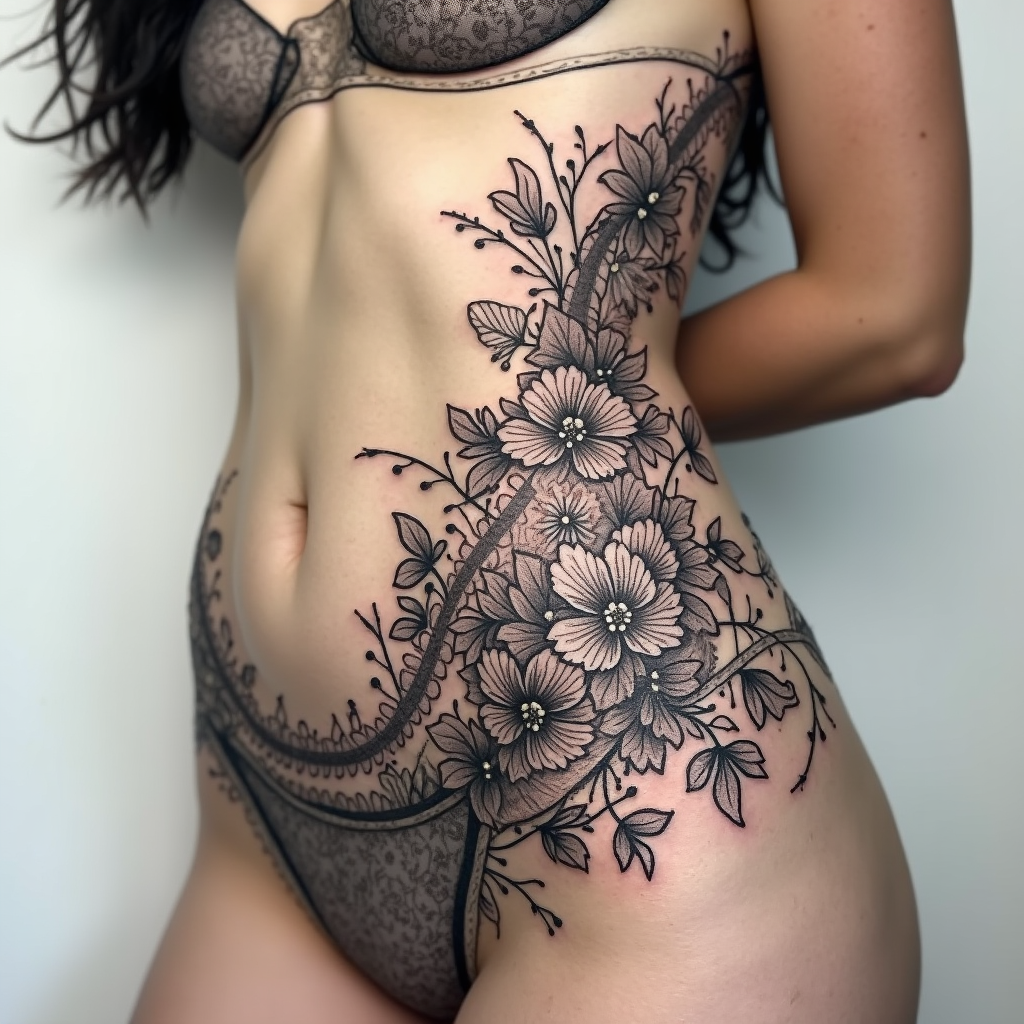
Design a tattoo for the side of the torso featuring an intricate floral lace pattern interwoven with swirling vines and delicate petals. The motifs should include roses, peonies, and leaves, with fine details that emulate lacework, creating a sense of depth and texture. The artistic style should be a blend of realistic and traditional, emphasizing the elegance of the floral elements. The tattoo should gracefully wrap around the ribs, extending from the lower ribcage to just above the hip, making it a striking yet intimate piece. The size should be large enough to cover a significant area, approximately 12 to 18 inches in height, allowing for intricate detailing. Use a monochromatic color palette in black and gray to highlight the lace effect, with soft shading to add dimension. The overall mood should evoke a sense of femininity and grace, with a hint of vintage charm, symbolizing beauty, resilience, and the interconnectedness of nature.
Analisi Dettagliata del Prompt Immagine Flux AI
Analizza il prompt dettagliato utilizzato per generare l'immagine con il Generatore Immagini Flux AI.
Esplora i Prompt Flux per il Generatore Immagini Flux AI
Come generare immagini con Flux.1 dev
Segui questi quattro semplici passaggi per creare l'immagine desiderata.
Passaggio 1: Inserisci il Tuo Testo (Sentiti libero di perfezionare il prompt per risultati migliori)
Passaggio 2: Scegli le Proporzioni dell'Immagine
Passaggio 3: Seleziona il Tuo Modello Flux:
Passaggio 4: Clicca il Pulsante Genera e Attendi Alcuni Secondi per la Tua Immagine
Strumenti Flux AI correlati per prompt su Flux.1 dev
Scopri strumenti avanzati di Flux AI per potenziare il tuo flusso di lavoro creativo.