Lace & Bloom: A Floral Embrace - Flux.1 dev
프롬프트
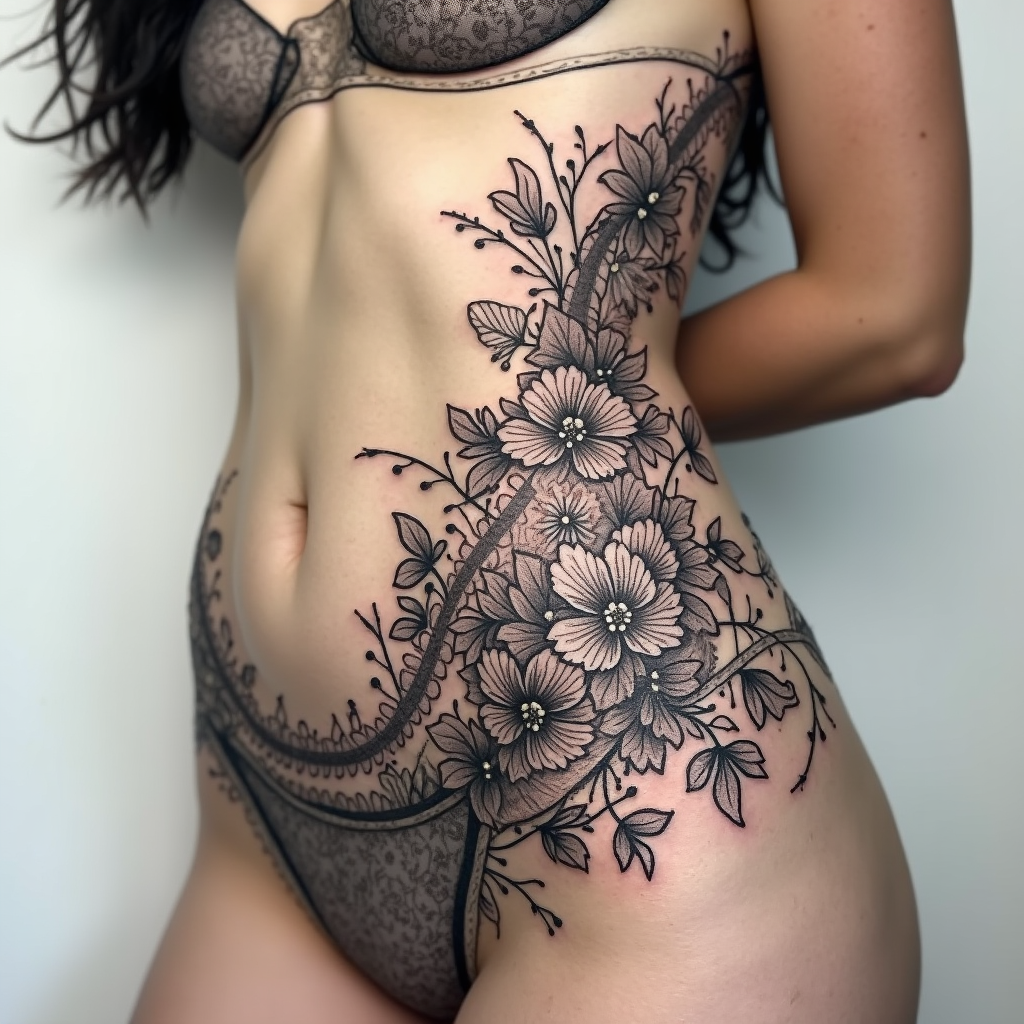
Design a tattoo for the side of the torso featuring an intricate floral lace pattern interwoven with swirling vines and delicate petals. The motifs should include roses, peonies, and leaves, with fine details that emulate lacework, creating a sense of depth and texture. The artistic style should be a blend of realistic and traditional, emphasizing the elegance of the floral elements. The tattoo should gracefully wrap around the ribs, extending from the lower ribcage to just above the hip, making it a striking yet intimate piece. The size should be large enough to cover a significant area, approximately 12 to 18 inches in height, allowing for intricate detailing. Use a monochromatic color palette in black and gray to highlight the lace effect, with soft shading to add dimension. The overall mood should evoke a sense of femininity and grace, with a hint of vintage charm, symbolizing beauty, resilience, and the interconnectedness of nature.
Flux AI 이미지 프롬프트에 대한 상세 분석
Flux AI Image Generator를 사용하여 이미지를 생성하는 데 사용된 상세한 프롬프트를 분석합니다.
Flux AI 이미지 생성기 프롬프트 탐색
을 통해 이미지를 생성하는 방법 Flux.1 dev
원하는 이미지를 만들기 위해 다음 네 가지 간단한 단계를 따르세요.
단계 1: 텍스트 입력 (더 나은 결과를 위해 프롬프트를 자유롭게 수정하세요)
단계 2: 이미지 종횡비 선택
단계 3: Flux 모델 선택:
단계 4: 생성 버튼을 클릭하고 몇 초간 기다려 이미지를 받으세요
프롬프트와 관련된 Flux AI 도구 Flux.1 dev
Flux AI의 고급 도구를 발견하여 창의적인 작업 흐름을 향상시키세요.