Neon Shadows: Secrets of the Rogue Engineer - Flux.1 schnell
prompt
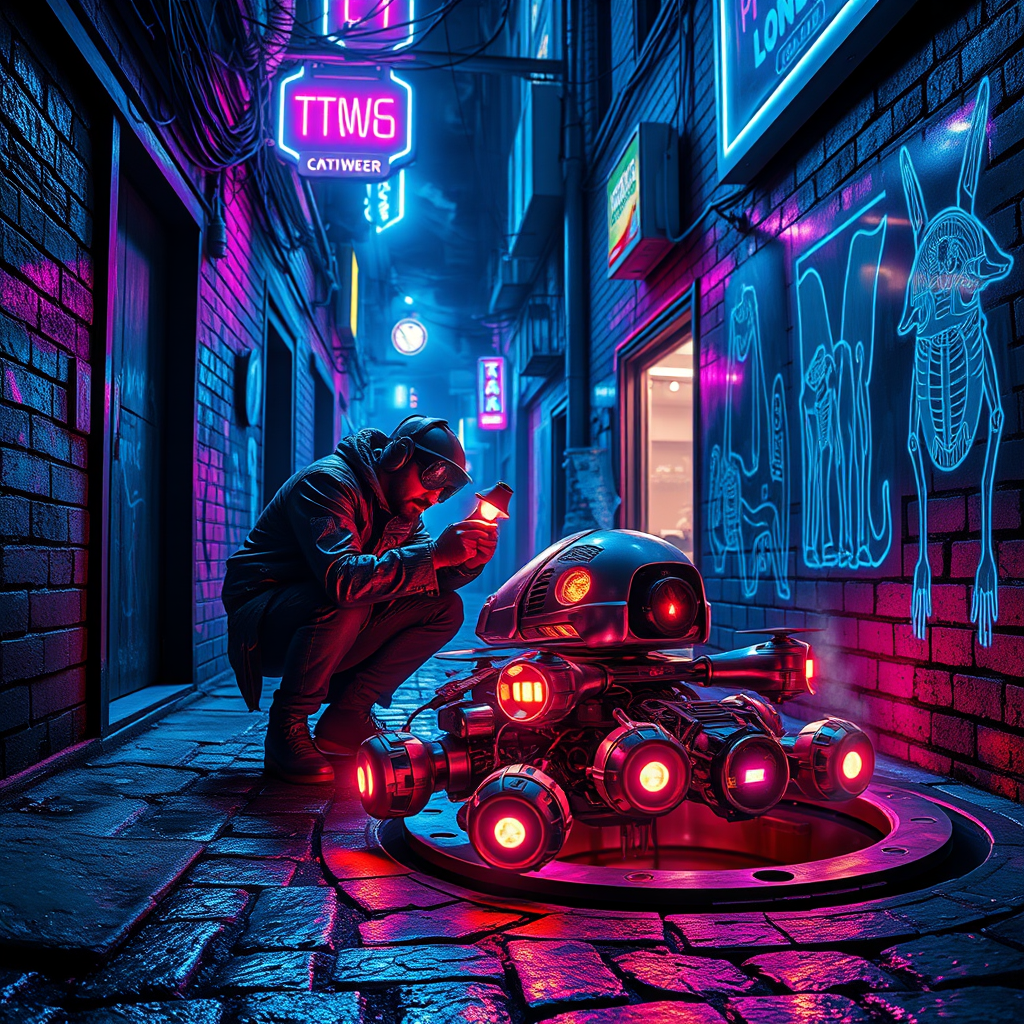
In a dimly lit neon alleyway, vibrant hues of electric blue and pulsating magenta dance across damp cobblestones, reflecting the glimmering glow of flickering holographic advertisements. Shadows twist and curl around the edges, concealing a rogue engineer hunched over a cluster of sentient drones, their metallic bodies glinting under the harsh light of a handheld lamp. The engineer, clad in a tattered leather jacket adorned with glowing circuit patterns, meticulously repairs a drone with intricate, luminous circuitry visible beneath its translucent shell. Wisps of steam rise from a nearby manhole, merging with the ambient hum of the city, while graffiti art featuring surreal, cybernetic creatures adorns the brick walls, adding an urban edge. Above, a tangle of wires and neon signs buzz softly, creating an electrifying atmosphere that pulses with life, hinting at secrets waiting to be uncovered in this gritty, futuristic underworld.
Analisi Dettagliata del Prompt Immagine Flux AI
Analizza il prompt dettagliato utilizzato per generare l'immagine con il Generatore Immagini Flux AI.
Esplora i Prompt Flux per il Generatore Immagini Flux AI
Come generare immagini con Flux.1 schnell
Segui questi quattro semplici passaggi per creare l'immagine desiderata.
Passaggio 1: Inserisci il Tuo Testo (Sentiti libero di perfezionare il prompt per risultati migliori)
Passaggio 2: Scegli le Proporzioni dell'Immagine
Passaggio 3: Seleziona il Tuo Modello Flux:
Passaggio 4: Clicca il Pulsante Genera e Attendi Alcuni Secondi per la Tua Immagine
Strumenti Flux AI correlati per prompt su Flux.1 schnell
Scopri strumenti avanzati di Flux AI per potenziare il tuo flusso di lavoro creativo.