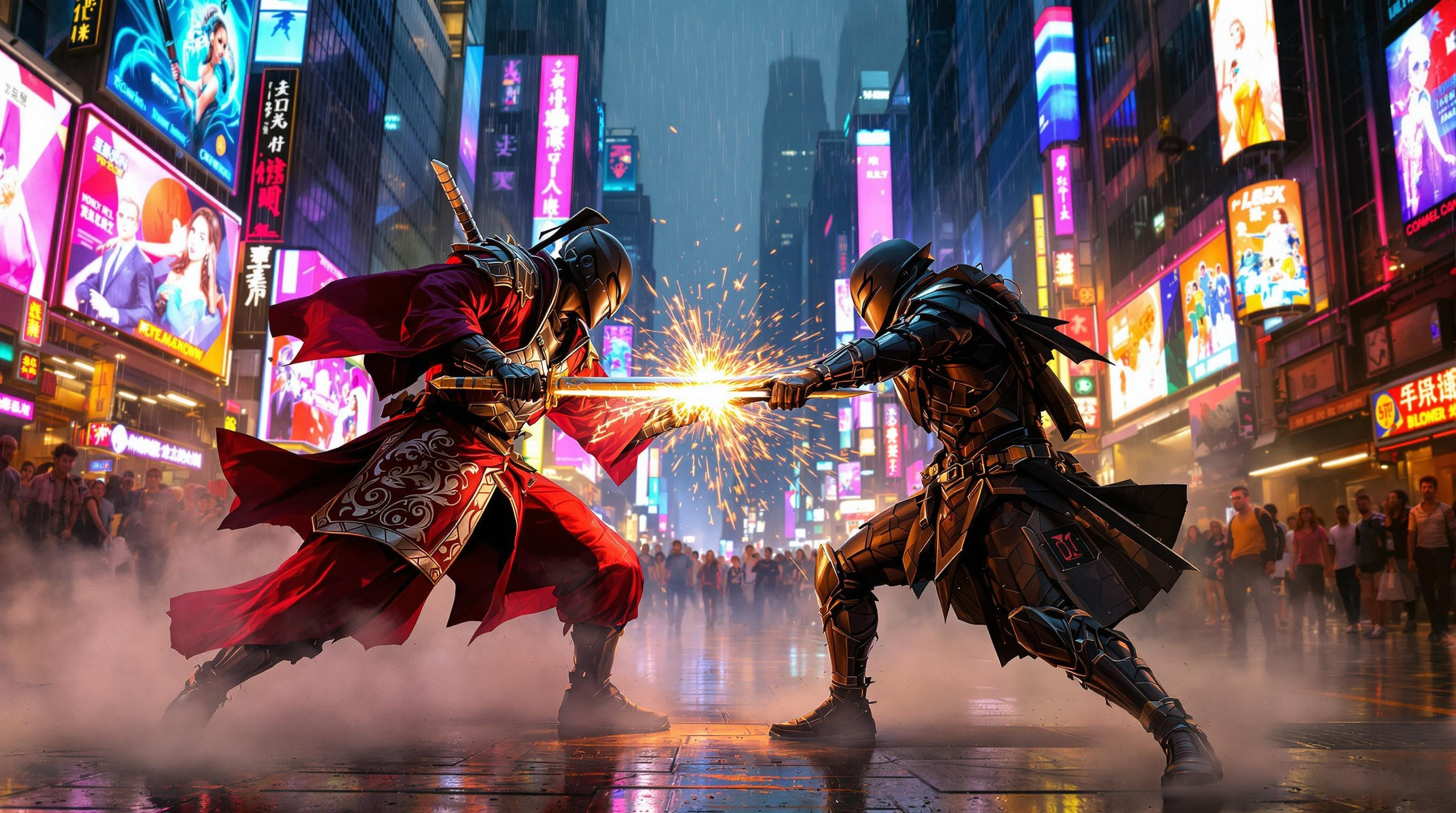
Neon Samurai Showdown - Flux.1.1 pro
prompt
In a bustling cyberpunk metropolis, holographic advertisements flicker with vibrant hues of electric blue and neon pink, casting a surreal glow over the rain-slicked streets. Towering skyscrapers loom overhead, their glass facades reflecting the chaotic dance of light, while tendrils of steam rise from grates in the pavement. At the center of this neon-soaked chaos, two street samurai clash, their sleek, armor-clad figures illuminated by the pulsating glow of nearby billboards. One, adorned in a deep crimson kimono with intricate silver patterns, wields a shimmering katana that catches the light like a razor. The other, dressed in a matte black exosuit, brandishes a high-tech blade that hums with energy. Sparks fly as their weapons collide, creating a dazzling display amidst the swirling mist. In the background, a crowd of onlookers with cybernetic enhancements watches in awe, their faces illuminated by the kaleidoscope of colors surrounding them.
Analisi Dettagliata del Prompt Immagine Flux AI
Analizza il prompt dettagliato utilizzato per generare l'immagine con il Generatore Immagini Flux AI.
Esplora i Prompt Flux per il Generatore Immagini Flux AI
Come generare immagini con Flux.1.1 pro
Segui questi quattro semplici passaggi per creare l'immagine desiderata.
Passaggio 1: Inserisci il Tuo Testo (Sentiti libero di perfezionare il prompt per risultati migliori)
Passaggio 2: Scegli le Proporzioni dell'Immagine
Passaggio 3: Seleziona il Tuo Modello Flux:
Passaggio 4: Clicca il Pulsante Genera e Attendi Alcuni Secondi per la Tua Immagine
Strumenti Flux AI correlati per prompt su Flux.1.1 pro
Scopri strumenti avanzati di Flux AI per potenziare il tuo flusso di lavoro creativo.