Ethereal Dragonfly Tattoo Design - Flux.1.1 pro
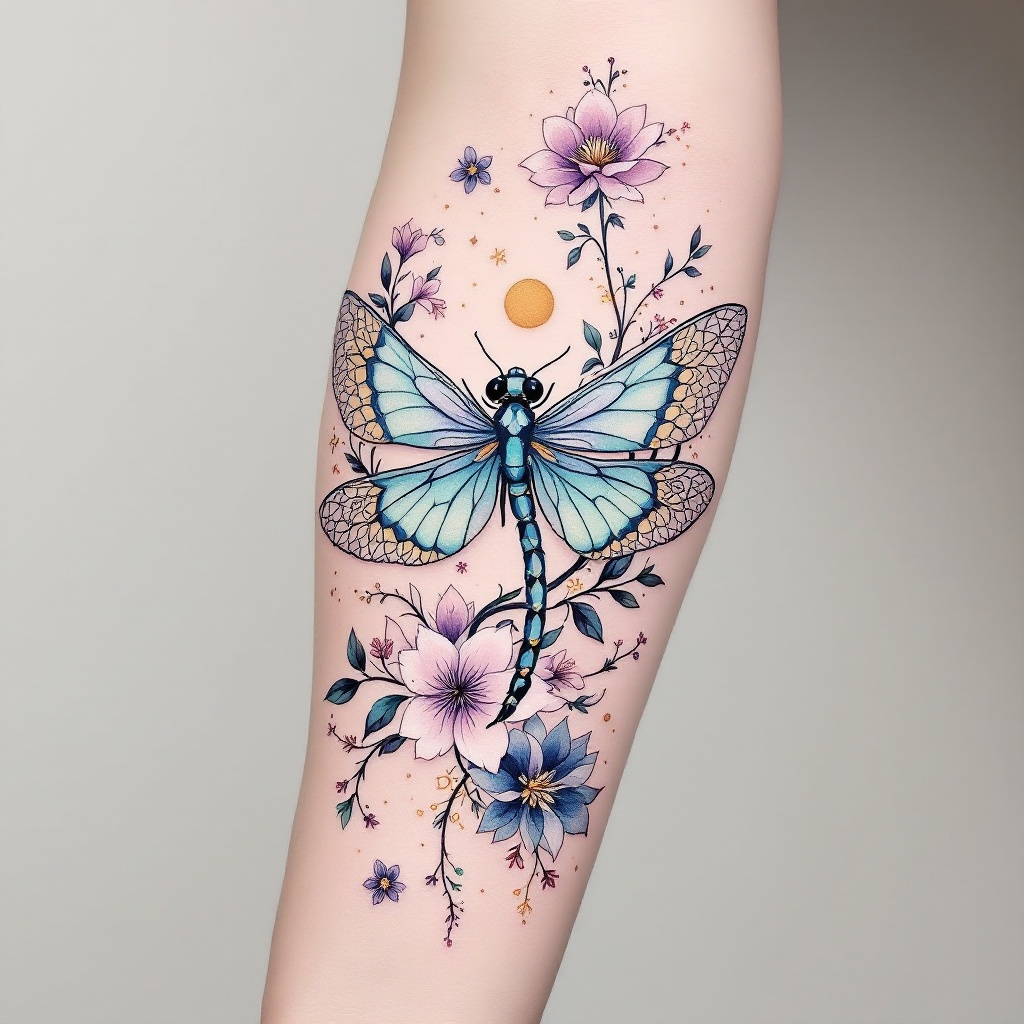
prompt
Create a tattoo design for the side of the forearm featuring a stylized dragonfly, its wings elegantly spread, adorned with intricate floral elements like cherry blossoms and lotus flowers interwoven with delicate vines. Incorporate geometric patterns, such as hexagons and mandalas, flowing seamlessly around the dragonfly, enhancing its ethereal quality. The artistic style should blend realism with a touch of watercolor, showcasing vibrant hues of teal, lavender, and gold, while maintaining a soft, dreamy aesthetic. The tattoo should be medium-sized, covering the length of the forearm, allowing for detailed textures in the wings and flowers. Emphasize the dragonfly's symbolism of transformation and adaptability, evoking a sense of serenity and balance. The overall mood should be whimsical yet grounded, inviting contemplation and appreciation of nature's beauty.
Analisi Dettagliata del Prompt Immagine Flux AI
Analizza il prompt dettagliato utilizzato per generare l'immagine con il Generatore Immagini Flux AI.
Esplora i Prompt Flux per il Generatore Immagini Flux AI
Come generare immagini con Flux.1.1 pro
Segui questi quattro semplici passaggi per creare l'immagine desiderata.
Passaggio 1: Inserisci il Tuo Testo (Sentiti libero di perfezionare il prompt per risultati migliori)
Passaggio 2: Scegli le Proporzioni dell'Immagine
Passaggio 3: Seleziona il Tuo Modello Flux:
Passaggio 4: Clicca il Pulsante Genera e Attendi Alcuni Secondi per la Tua Immagine
Strumenti Flux AI correlati per prompt su Flux.1.1 pro
Scopri strumenti avanzati di Flux AI per potenziare il tuo flusso di lavoro creativo.