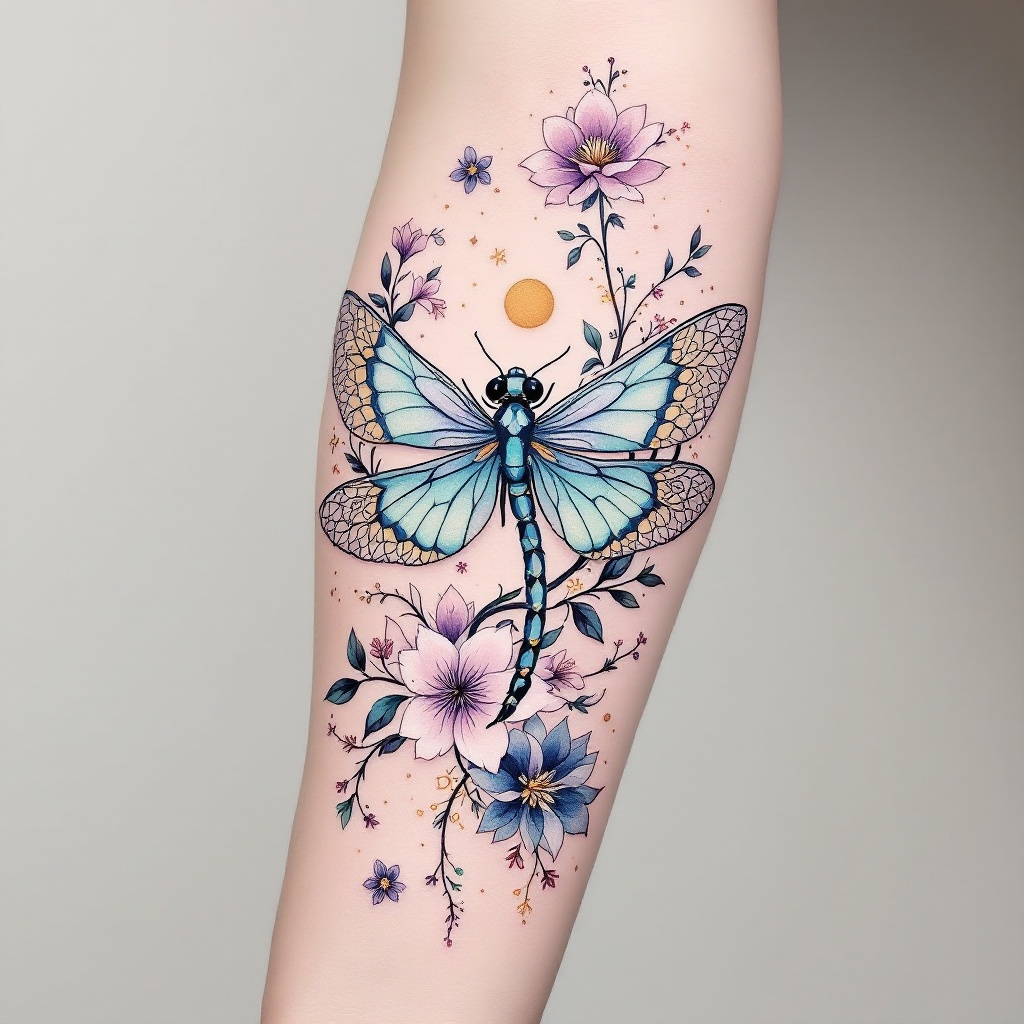
Ethereal Dragonfly Tattoo Design - Flux.1.1 pro
prompt
Create a tattoo design for the side of the forearm featuring a stylized dragonfly, its wings elegantly spread, adorned with intricate floral elements like cherry blossoms and lotus flowers interwoven with delicate vines. Incorporate geometric patterns, such as hexagons and mandalas, flowing seamlessly around the dragonfly, enhancing its ethereal quality. The artistic style should blend realism with a touch of watercolor, showcasing vibrant hues of teal, lavender, and gold, while maintaining a soft, dreamy aesthetic. The tattoo should be medium-sized, covering the length of the forearm, allowing for detailed textures in the wings and flowers. Emphasize the dragonfly's symbolism of transformation and adaptability, evoking a sense of serenity and balance. The overall mood should be whimsical yet grounded, inviting contemplation and appreciation of nature's beauty.
Detailed Analysis of the Flux AI Image Prompt
Analyze the detailed prompt used to generate the image with Flux AI Image Generator.
Explore Flux Prompts for the Flux AI Image Generator
How to generate image by Flux.1.1 pro
Follow these four simple steps to create your desired image.
Step 1: Enter Your Text (Feel free to refine your prompt for better results)
Step 2: Choose Image Aspect Ratio
Step 3: Select Your Flux Model:
Step 4: Click the Generate Button and Wait a Few Seconds for Your Image
Related Flux AI tools for prompts about Flux.1.1 pro
Discover advanced tools from Flux AI to boost your creative workflow.