Kenshin Takeda - Flux.1 schnell
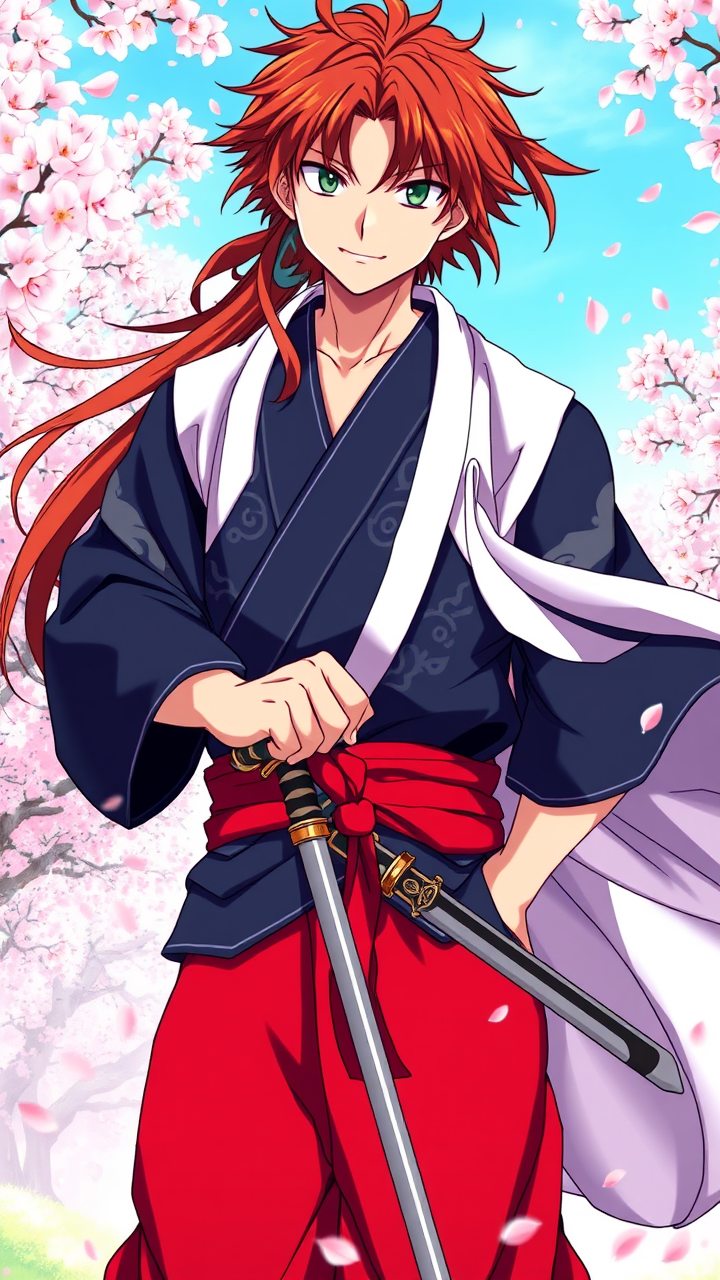
prompt
Generate an image of Kenshin Takeda in a vibrant anime style, showcasing his striking features: long, tousled auburn hair framing his face, deep green eyes filled with determination, and a light scar across his cheek. He wears a traditional samurai outfit, featuring a dark blue kimono with intricate silver patterns, a red hakama, and a flowing white haori draped over his shoulders. His accessories include a pair of ornate katana sheaths at his waist and a distinctive red headband tied around his forehead. Capture his expression as fierce yet composed, with a slight smirk, as he stands in a dynamic pose, one hand resting on the hilt of his sword. The background should depict a serene cherry blossom grove, petals gently falling around him, enhancing the scene's tranquility. Use a vibrant color palette and clean line work typical of shonen anime, with dramatic shading to emphasize his heroic presence and the fluidity of his attire.
Analisi Dettagliata del Prompt Immagine Flux AI
Analizza il prompt dettagliato utilizzato per generare l'immagine con il Generatore Immagini Flux AI.
Esplora i Prompt Flux per il Generatore Immagini Flux AI
Come generare immagini con Flux.1 schnell
Segui questi quattro semplici passaggi per creare l'immagine desiderata.
Passaggio 1: Inserisci il Tuo Testo (Sentiti libero di perfezionare il prompt per risultati migliori)
Passaggio 2: Scegli le Proporzioni dell'Immagine
Passaggio 3: Seleziona il Tuo Modello Flux:
Passaggio 4: Clicca il Pulsante Genera e Attendi Alcuni Secondi per la Tua Immagine
Strumenti Flux AI correlati per prompt su Flux.1 schnell
Scopri strumenti avanzati di Flux AI per potenziare il tuo flusso di lavoro creativo.