Kenshin Takeda - Flux.1 schnell
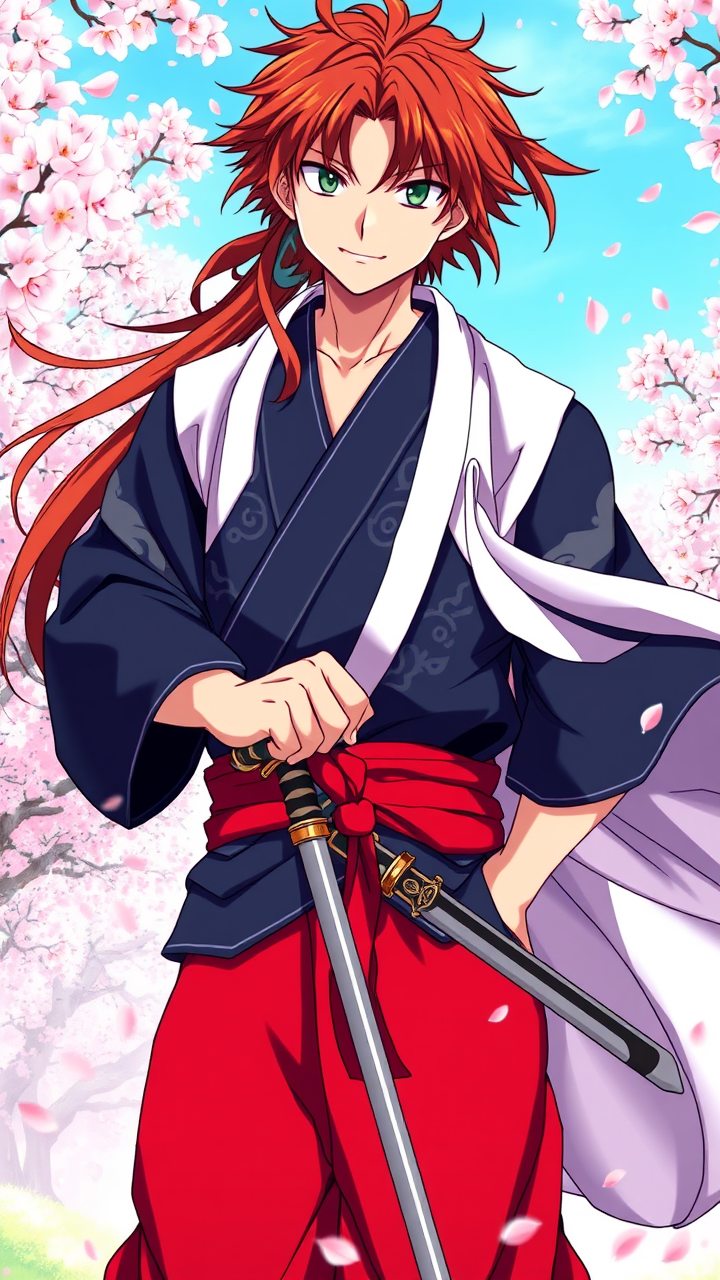
Prompt
Generate an image of Kenshin Takeda in a vibrant anime style, showcasing his striking features: long, tousled auburn hair framing his face, deep green eyes filled with determination, and a light scar across his cheek. He wears a traditional samurai outfit, featuring a dark blue kimono with intricate silver patterns, a red hakama, and a flowing white haori draped over his shoulders. His accessories include a pair of ornate katana sheaths at his waist and a distinctive red headband tied around his forehead. Capture his expression as fierce yet composed, with a slight smirk, as he stands in a dynamic pose, one hand resting on the hilt of his sword. The background should depict a serene cherry blossom grove, petals gently falling around him, enhancing the scene's tranquility. Use a vibrant color palette and clean line work typical of shonen anime, with dramatic shading to emphasize his heroic presence and the fluidity of his attire.
Análise Detalhada do Prompt de Imagem Flux IA
Analise o prompt detalhado usado para gerar a imagem com o Flux IA Image Generator.
Explore Prompts Flux para o Gerador de Imagens
Como gerar uma imagem por Flux.1 schnell
Siga estes quatro passos simples para criar a imagem desejada.
Passo 1: Insira seu texto (Sinta-se à vontade para refinar seu prompt para melhores resultados)
Passo 2: Escolha a proporção da imagem
Passo 3: Selecione seu modelo Flux:
Passo 4: Clique no botão Gerar e aguarde alguns segundos para sua imagem
Ferramentas Flux IA relacionadas a prompts sobre Flux.1 schnell
Descubra ferramentas avançadas da Flux IA para melhorar seu fluxo de trabalho criativo.