Neon Shadows: A Cyberpunk Odyssey - Flux.1 dev
prompt
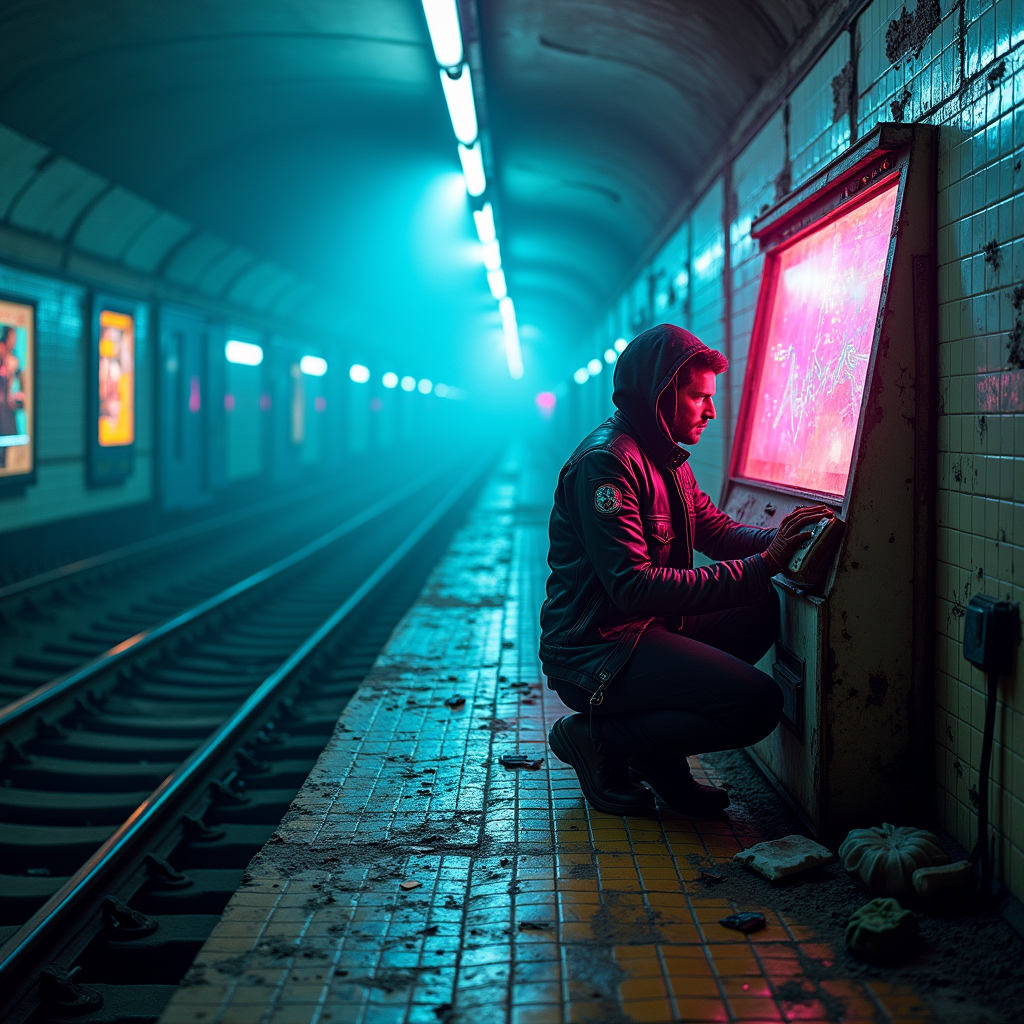
In a sprawling, abandoned subway station, neon-tinted fog swirls through the air, casting an ethereal glow on the cracked tiles and rusting train tracks. The atmosphere is thick with mystery, illuminated by flickering fluorescent lights that cast an otherworldly blue and pink hue, creating stark contrasts against the shadows. A rogue archivist, clad in a tattered leather jacket adorned with digital patches, kneels beside a weathered terminal, fingers deftly sifting through holographic data streams that pulse with vibrant colors. Around them, remnants of a forgotten era—old posters peeling off the walls, a broken vending machine glowing faintly with neon green, and scattered digital relics—tell tales of a once-bustling underground world. The air is heavy with the scent of damp concrete and the faint hum of technology, as the archivist's determined gaze reflects the flickering lights, embodying the spirit of a cyberpunk hero in this hauntingly beautiful dystopia.
Analisi Dettagliata del Prompt Immagine Flux AI
Analizza il prompt dettagliato utilizzato per generare l'immagine con il Generatore Immagini Flux AI.
Esplora i Prompt Flux per il Generatore Immagini Flux AI
Come generare immagini con Flux.1 dev
Segui questi quattro semplici passaggi per creare l'immagine desiderata.
Passaggio 1: Inserisci il Tuo Testo (Sentiti libero di perfezionare il prompt per risultati migliori)
Passaggio 2: Scegli le Proporzioni dell'Immagine
Passaggio 3: Seleziona il Tuo Modello Flux:
Passaggio 4: Clicca il Pulsante Genera e Attendi Alcuni Secondi per la Tua Immagine
Strumenti Flux AI correlati per prompt su Flux.1 dev
Scopri strumenti avanzati di Flux AI per potenziare il tuo flusso di lavoro creativo.