Neon Shadows: A City on Edge - Flux.1 dev
prompt
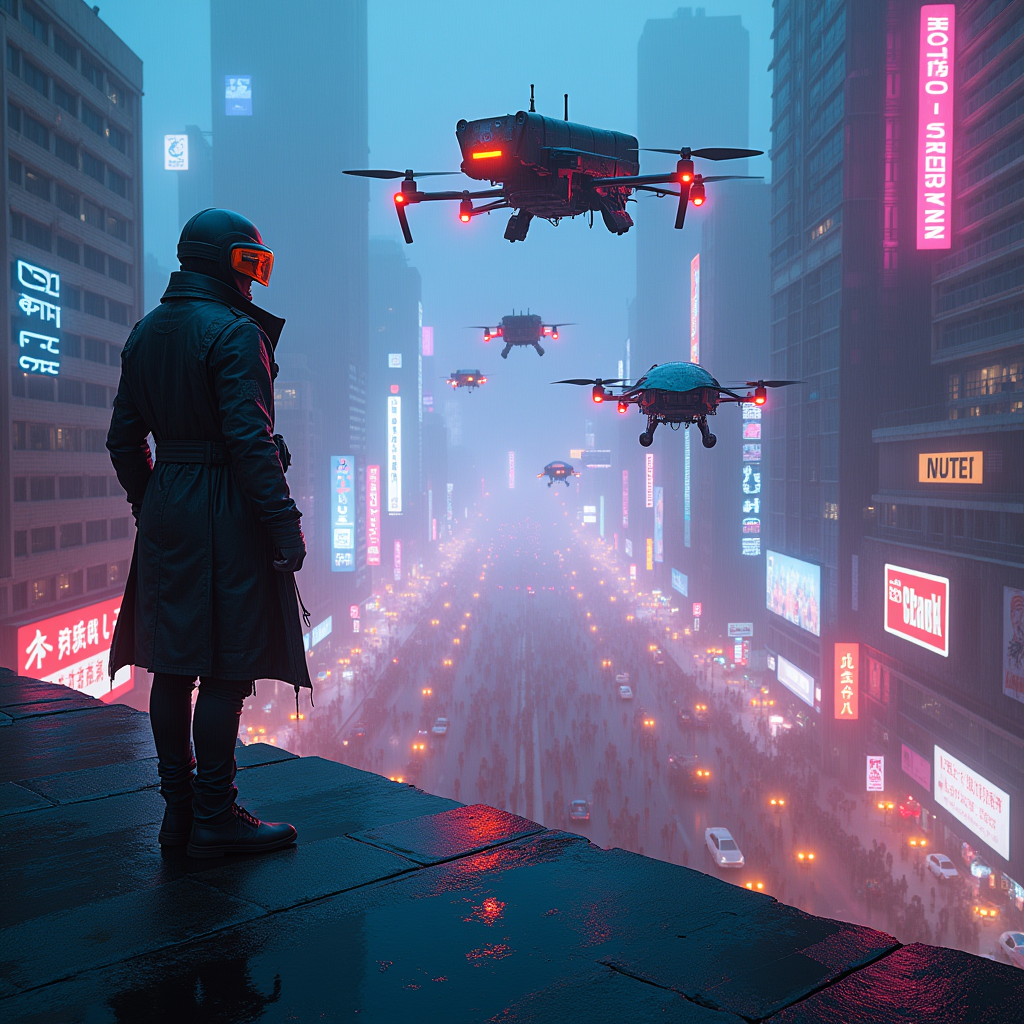
In a sprawling cyberpunk metropolis, neon-lit rooftops shimmer with electric blues and vibrant pinks, casting a kaleidoscope of colors onto the chaotic streets below. Augmented drones, sleek and menacing, glide silently through the dense smog, their metallic surfaces reflecting the pulsating glow of holographic advertisements. The atmosphere is thick with tension, as rain-soaked pavement mirrors the neon lights, creating a surreal, dreamlike quality. Shadows of towering skyscrapers loom overhead, adorned with flickering billboards and graffiti art that tell stories of rebellion. A lone figure, clad in a tattered leather trench coat and augmented visor, stands at the edge of a rooftop, gazing down into the tumultuous urban sprawl, where crowds of people rush beneath the watchful eyes of the drones. The air crackles with energy, a blend of distant sirens and the hum of technology, encapsulating the essence of a world on the brink of chaos.
Analisi Dettagliata del Prompt Immagine Flux AI
Analizza il prompt dettagliato utilizzato per generare l'immagine con il Generatore Immagini Flux AI.
Esplora i Prompt Flux per il Generatore Immagini Flux AI
Come generare immagini con Flux.1 dev
Segui questi quattro semplici passaggi per creare l'immagine desiderata.
Passaggio 1: Inserisci il Tuo Testo (Sentiti libero di perfezionare il prompt per risultati migliori)
Passaggio 2: Scegli le Proporzioni dell'Immagine
Passaggio 3: Seleziona il Tuo Modello Flux:
Passaggio 4: Clicca il Pulsante Genera e Attendi Alcuni Secondi per la Tua Immagine
Strumenti Flux AI correlati per prompt su Flux.1 dev
Scopri strumenti avanzati di Flux AI per potenziare il tuo flusso di lavoro creativo.