Fierce Elegance: Dragon Tattoo Design - Flux.1 schnell
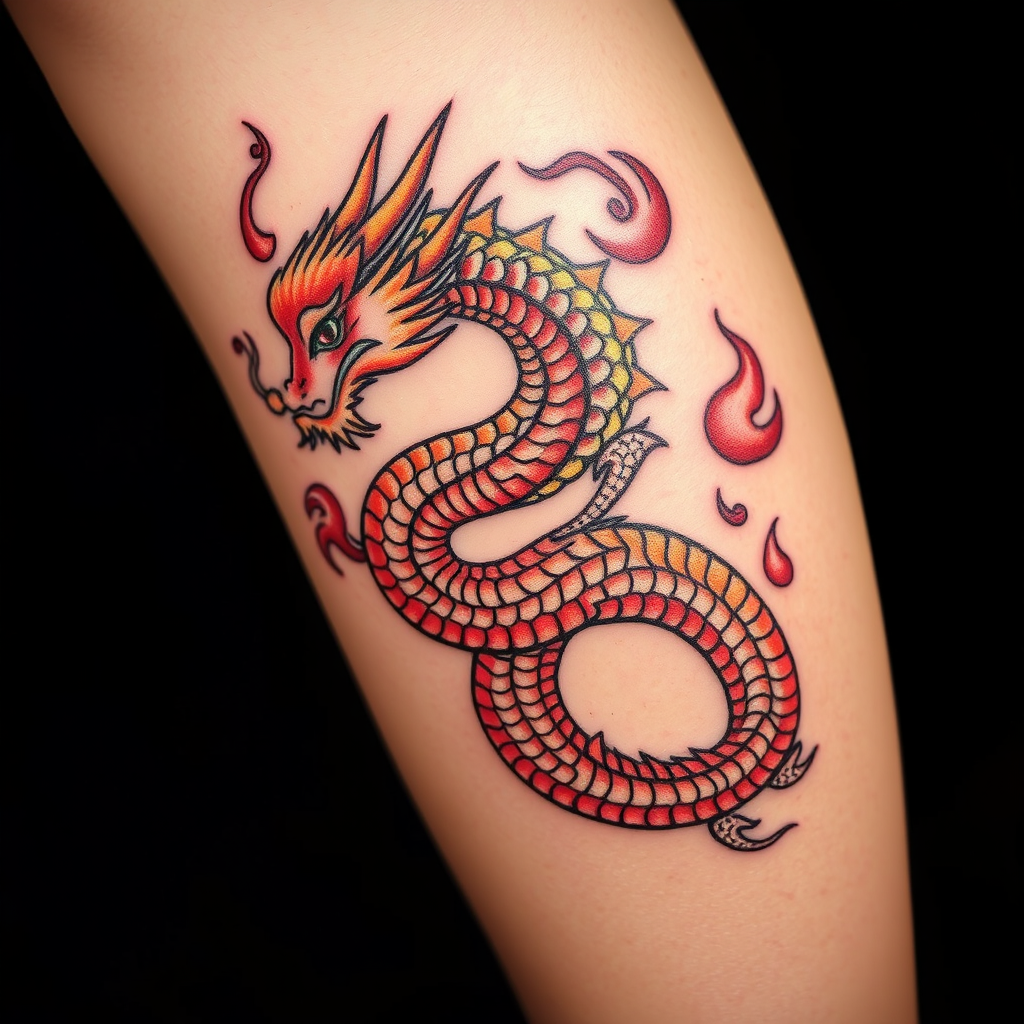
prompt
Create a tattoo design for the side of the upper leg featuring a stylized dragon, its body coiling gracefully with intricate scales that shimmer like jewels. The dragon's fiery breath transforms into swirling flames, adding dynamic movement to the piece. The artistic style should blend traditional Asian influences with a modern twist, emphasizing bold outlines and detailed textures. The tattoo should be medium to large in size, allowing for a striking visual impact. A vibrant color palette of deep reds, golds, and blacks should be used, enhancing the dragon's fierce presence. Incorporate delicate patterns within the scales and flames, evoking a sense of depth. The design symbolizes strength and protection, embodying a fierce yet elegant aesthetic that captures the viewer's attention.
Analisi Dettagliata del Prompt Immagine Flux AI
Analizza il prompt dettagliato utilizzato per generare l'immagine con il Generatore Immagini Flux AI.
Esplora i Prompt Flux per il Generatore Immagini Flux AI
Come generare immagini con Flux.1 schnell
Segui questi quattro semplici passaggi per creare l'immagine desiderata.
Passaggio 1: Inserisci il Tuo Testo (Sentiti libero di perfezionare il prompt per risultati migliori)
Passaggio 2: Scegli le Proporzioni dell'Immagine
Passaggio 3: Seleziona il Tuo Modello Flux:
Passaggio 4: Clicca il Pulsante Genera e Attendi Alcuni Secondi per la Tua Immagine
Strumenti Flux AI correlati per prompt su Flux.1 schnell
Scopri strumenti avanzati di Flux AI per potenziare il tuo flusso di lavoro creativo.