Fierce Elegance: Dragon Tattoo Design - Flux.1 schnell
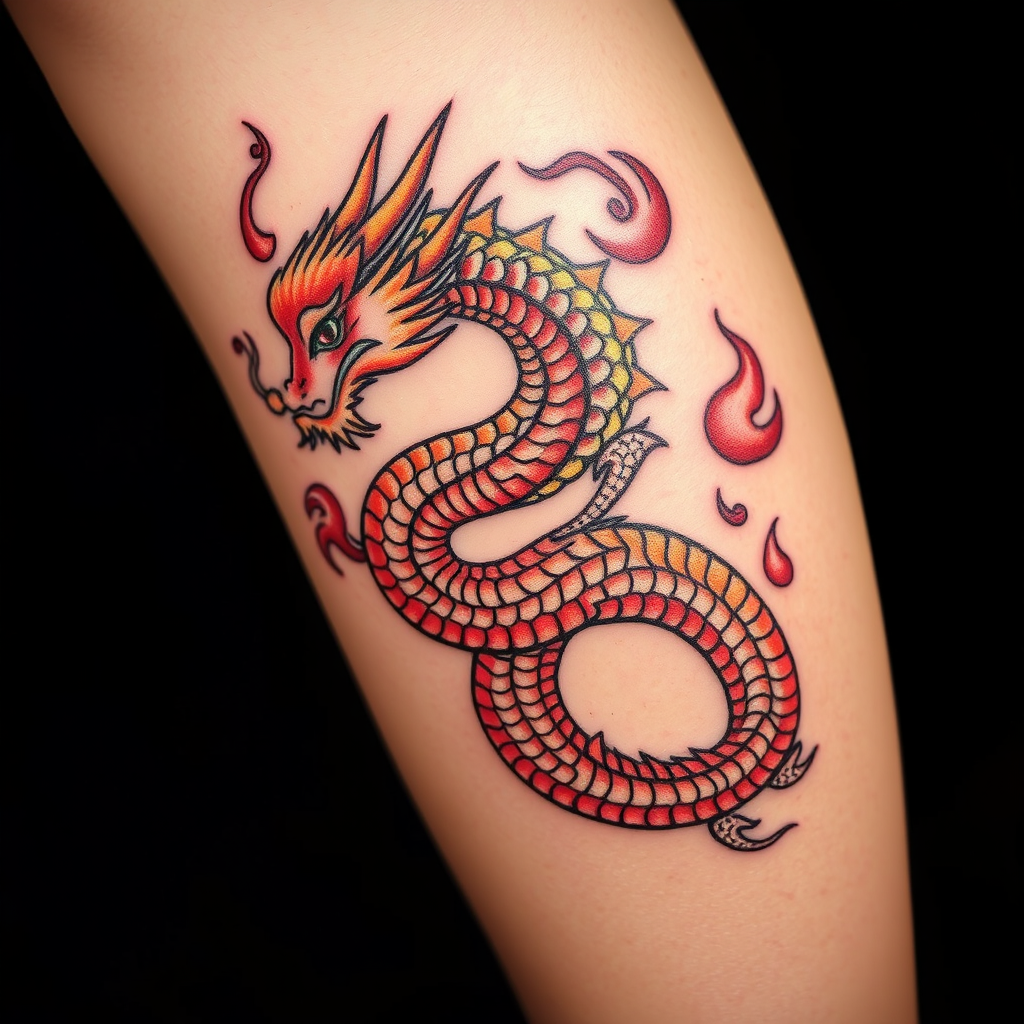
prompt
Create a tattoo design for the side of the upper leg featuring a stylized dragon, its body coiling gracefully with intricate scales that shimmer like jewels. The dragon's fiery breath transforms into swirling flames, adding dynamic movement to the piece. The artistic style should blend traditional Asian influences with a modern twist, emphasizing bold outlines and detailed textures. The tattoo should be medium to large in size, allowing for a striking visual impact. A vibrant color palette of deep reds, golds, and blacks should be used, enhancing the dragon's fierce presence. Incorporate delicate patterns within the scales and flames, evoking a sense of depth. The design symbolizes strength and protection, embodying a fierce yet elegant aesthetic that captures the viewer's attention.
Detailed Analysis of the Flux AI Image Prompt
Analyze the detailed prompt used to generate the image with Flux AI Image Generator.
Explore Flux Prompts for the Flux AI Image Generator
How to generate image by Flux.1 schnell
Follow these four simple steps to create your desired image.
Step 1: Enter Your Text (Feel free to refine your prompt for better results)
Step 2: Choose Image Aspect Ratio
Step 3: Select Your Flux Model:
Step 4: Click the Generate Button and Wait a Few Seconds for Your Image
Related Flux AI tools for prompts about Flux.1 schnell
Discover advanced tools from Flux AI to boost your creative workflow.