Ryu's Hadouken: Urban Showdown - Flux.1 dev
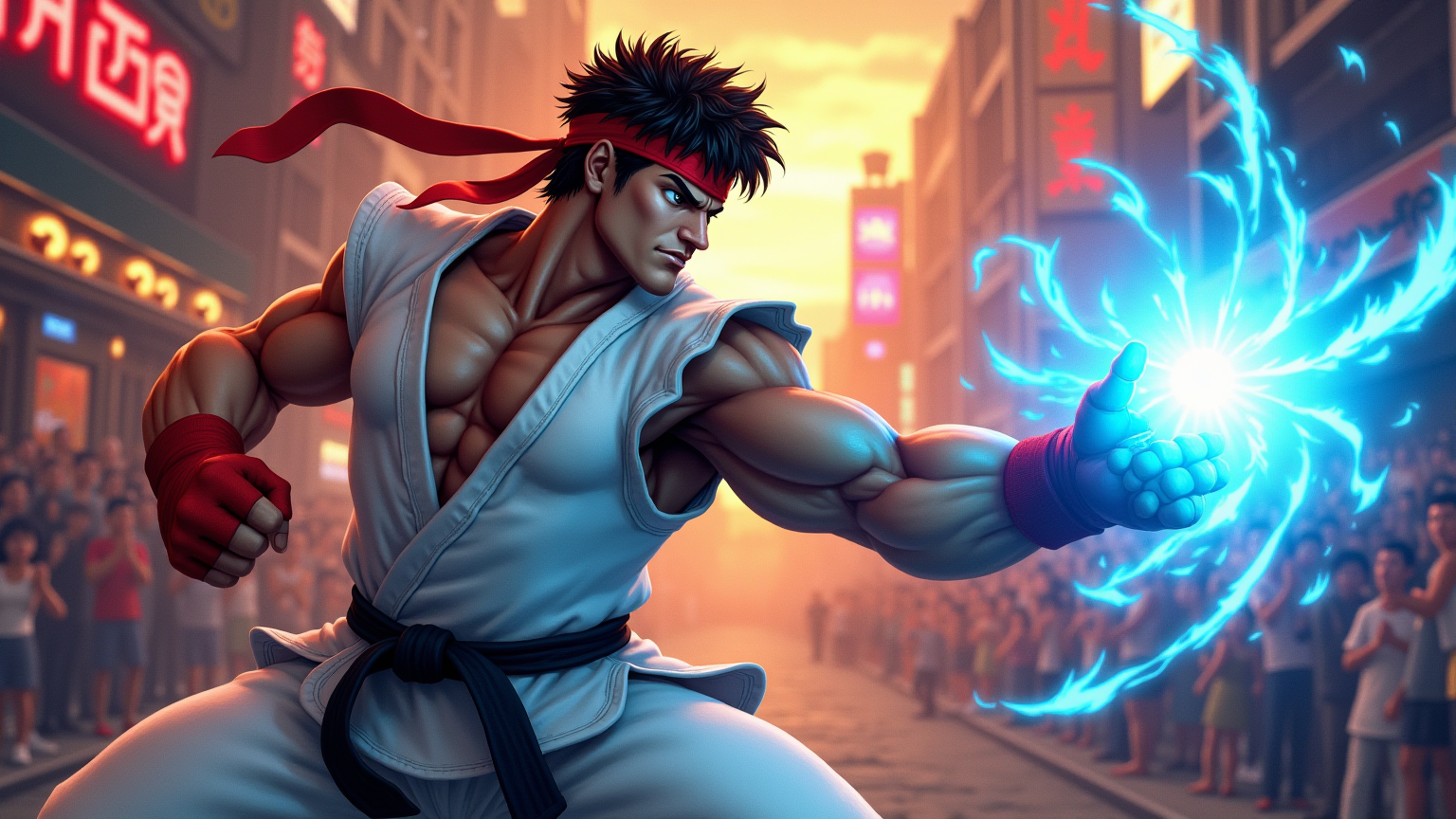
プロンプト
Create a dynamic, action-packed scene inspired by the classic fighting game "Street Fighter II." Focus on Ryu, a muscular martial artist with a determined expression, wearing his signature white gi and red headband, showcasing his iconic Hadouken energy attack. Capture the intensity of his stance, with one fist drawn back and a glowing blue sphere of energy forming in his palm. The background features a vibrant urban setting, with neon lights and graffiti-covered walls, reminiscent of a bustling street in Tokyo. Include cheering spectators and a colorful sunset sky, enhancing the atmosphere of excitement and competition. The overall mood should be electrifying and filled with anticipation, highlighting the spirit of fierce battles and the thrill of martial arts mastery.
Flux AI Image Promptの詳細分析
Flux AI Image Generatorを使用して画像を生成するために使用された詳細なプロンプトを分析します。
Flux AI画像生成のプロンプトを探索
で画像を生成する方法 Flux.1 dev
以下の4つの簡単なステップに従って、希望する画像を作成してください。
ステップ 1: テキストを入力 (より良い結果のためにプロンプトを調整してください)
ステップ 2: 画像のアスペクト比を選択
ステップ 3: Fluxモデルを選択:
ステップ 4: 生成ボタンをクリックして数秒待ち、画像を取得
プロンプトに関連するFlux AIツール Flux.1 dev
Flux AIの高度なツールを発見して、クリエイティブな作業フローを強化しましょう。