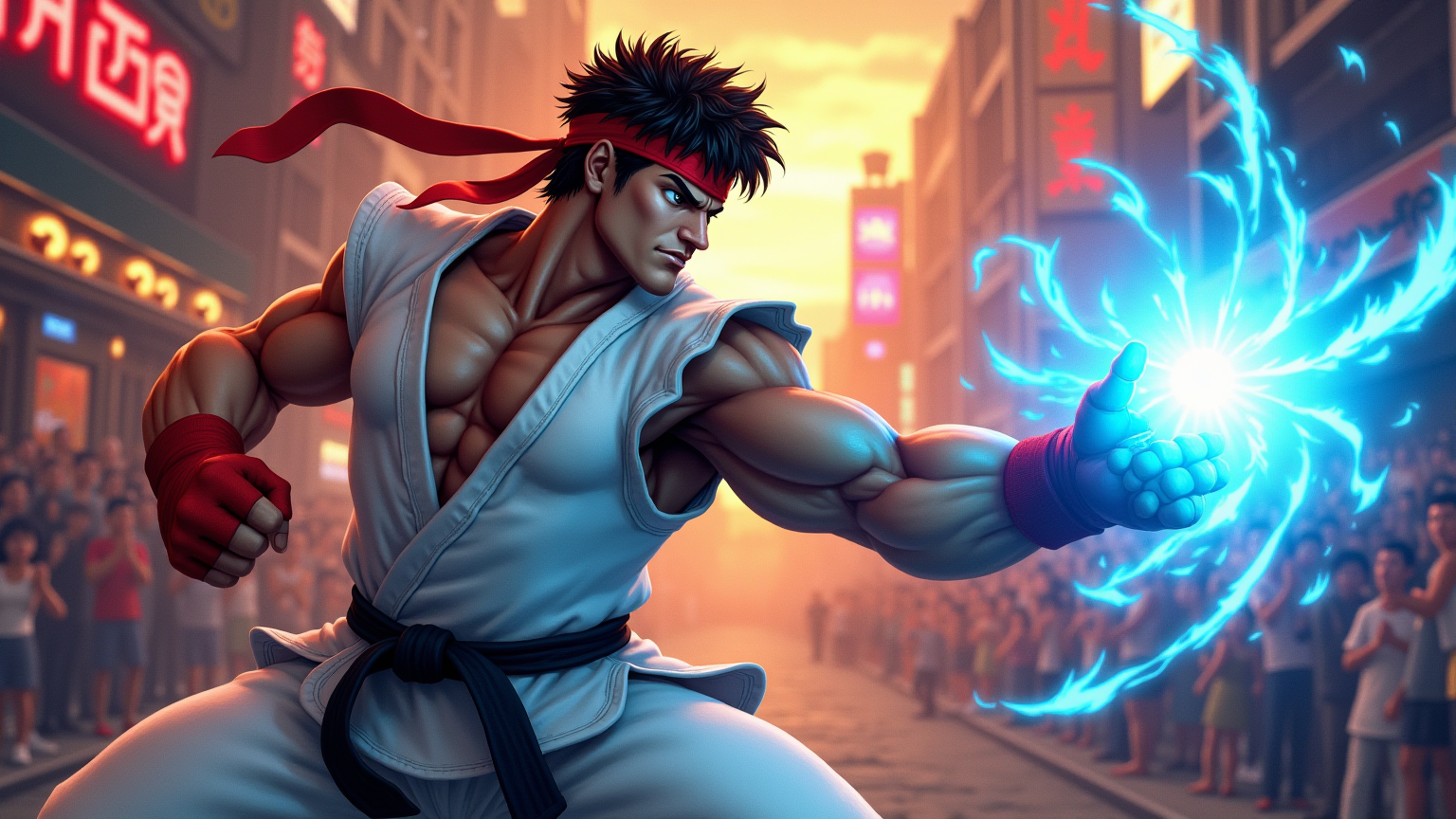
Ryu's Hadouken: Urban Showdown - Flux.1 dev
프롬프트
Create a dynamic, action-packed scene inspired by the classic fighting game "Street Fighter II." Focus on Ryu, a muscular martial artist with a determined expression, wearing his signature white gi and red headband, showcasing his iconic Hadouken energy attack. Capture the intensity of his stance, with one fist drawn back and a glowing blue sphere of energy forming in his palm. The background features a vibrant urban setting, with neon lights and graffiti-covered walls, reminiscent of a bustling street in Tokyo. Include cheering spectators and a colorful sunset sky, enhancing the atmosphere of excitement and competition. The overall mood should be electrifying and filled with anticipation, highlighting the spirit of fierce battles and the thrill of martial arts mastery.
Flux AI 이미지 프롬프트에 대한 상세 분석
Flux AI Image Generator를 사용하여 이미지를 생성하는 데 사용된 상세한 프롬프트를 분석합니다.
Flux AI 이미지 생성기 프롬프트 탐색
을 통해 이미지를 생성하는 방법 Flux.1 dev
원하는 이미지를 만들기 위해 다음 네 가지 간단한 단계를 따르세요.
단계 1: 텍스트 입력 (더 나은 결과를 위해 프롬프트를 자유롭게 수정하세요)
단계 2: 이미지 종횡비 선택
단계 3: Flux 모델 선택:
단계 4: 생성 버튼을 클릭하고 몇 초간 기다려 이미지를 받으세요
프롬프트와 관련된 Flux AI 도구 Flux.1 dev
Flux AI의 고급 도구를 발견하여 창의적인 작업 흐름을 향상시키세요.