Meme Mishap: Crush Shocked! - Flux.1 dev
プロンプト
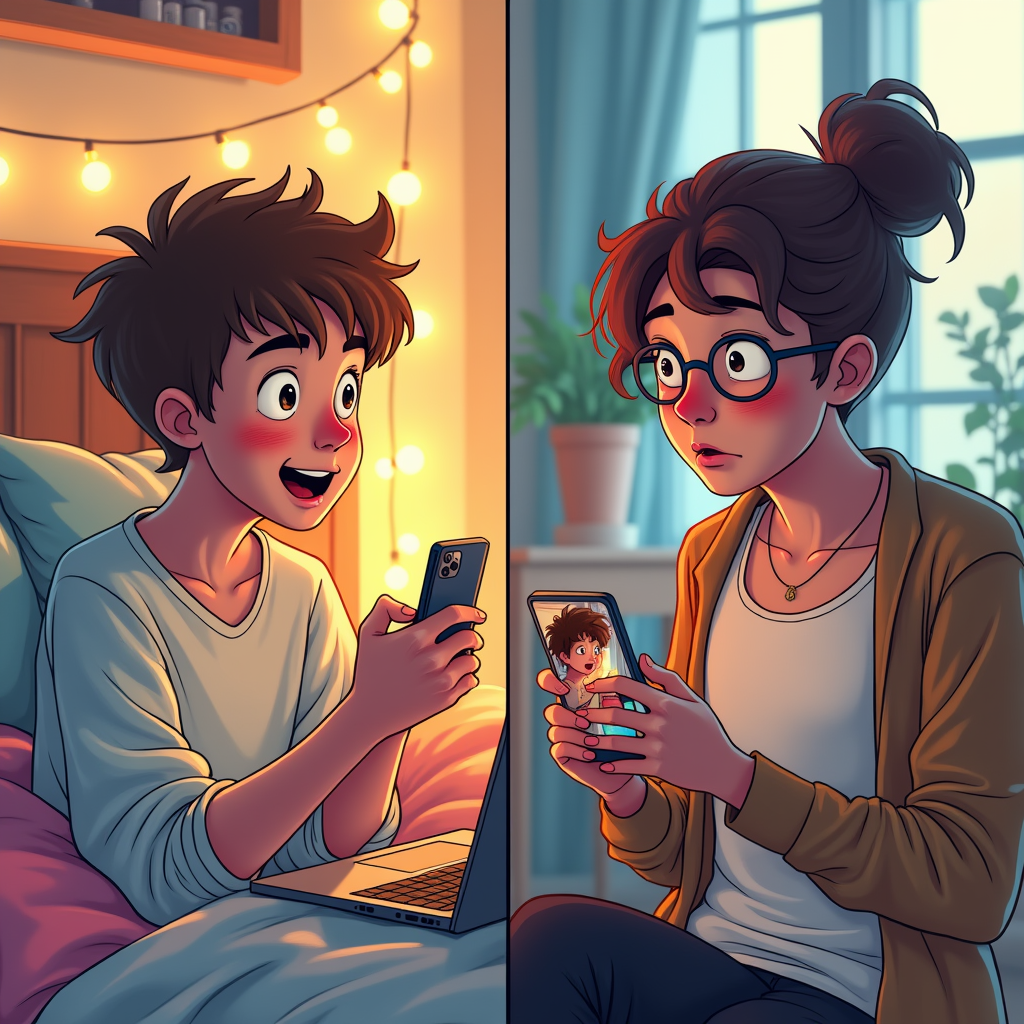
A split-screen composition captures the moment of accidental meme sending. On the left, a young person with tousled hair, wide eyes, and flushed cheeks, sits on a cozy bed surrounded by colorful pillows and a laptop, their phone in hand displaying a cringe-worthy meme. The room is softly lit with warm fairy lights, creating an intimate atmosphere. On the right, the crush—a stylish individual with a surprised expression, holding their phone with the meme visible on the screen. Their background features a trendy café with bright, natural light streaming through large windows. The color palette includes pastel shades and warm tones for a lighthearted feel. The artistic style is a blend of digital illustration and comic book aesthetics, using bold outlines and exaggerated expressions to enhance the comedic tension of the moment.
Flux AI Image Promptの詳細分析
Flux AI Image Generatorを使用して画像を生成するために使用された詳細なプロンプトを分析します。
Flux AI画像生成のプロンプトを探索
で画像を生成する方法 Flux.1 dev
以下の4つの簡単なステップに従って、希望する画像を作成してください。
ステップ 1: テキストを入力 (より良い結果のためにプロンプトを調整してください)
ステップ 2: 画像のアスペクト比を選択
ステップ 3: Fluxモデルを選択:
ステップ 4: 生成ボタンをクリックして数秒待ち、画像を取得
プロンプトに関連するFlux AIツール Flux.1 dev
Flux AIの高度なツールを発見して、クリエイティブな作業フローを強化しましょう。