Empowered in Motion: Radiant Strength - Flux.1.1 pro
プロンプト
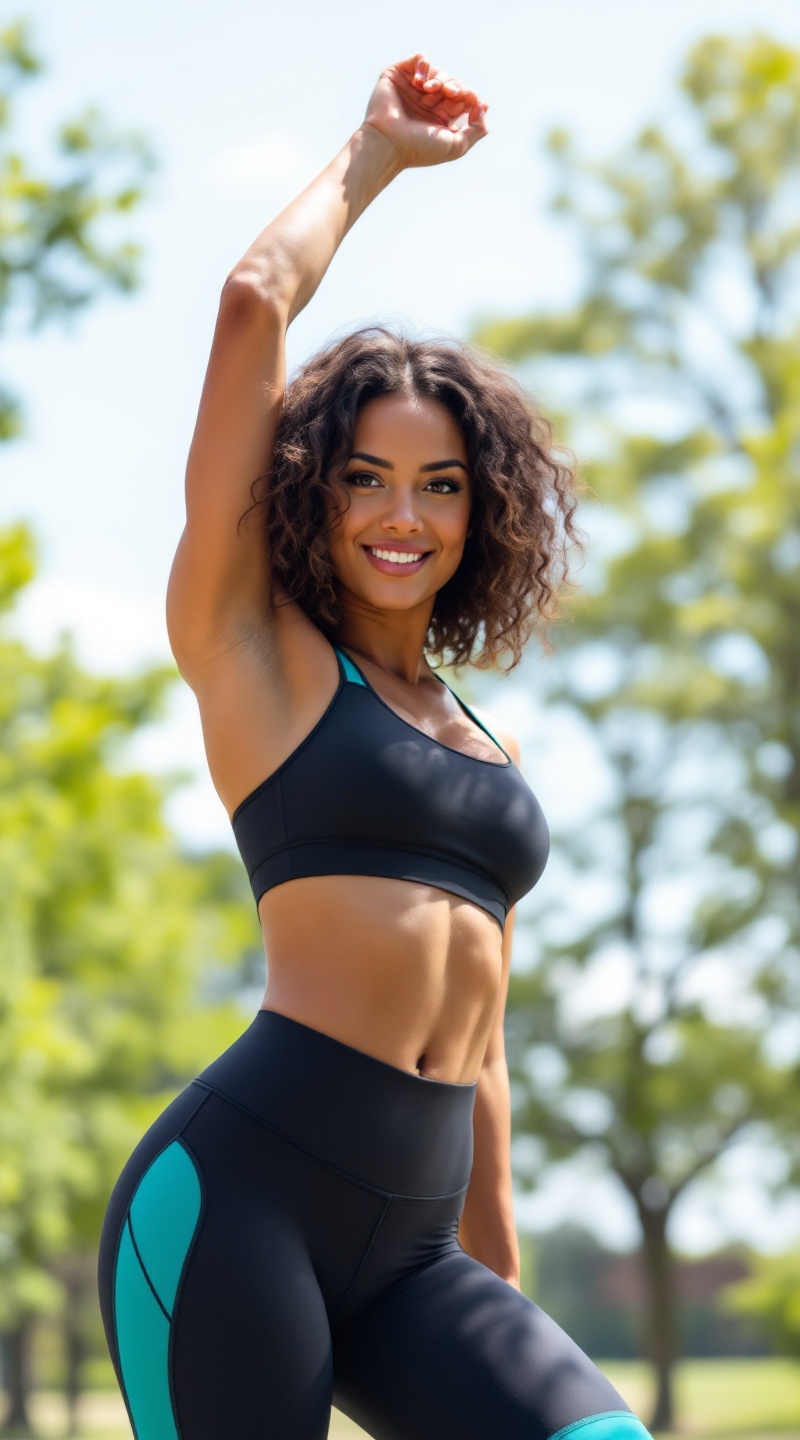
A fit woman stands confidently in a sunlit park, showcasing her athletic physique. She has curly, shoulder-length brown hair that frames her face, accentuating her high cheekbones and bright, expressive hazel eyes. Her skin is a warm olive tone, glowing with health. She wears stylish, form-fitting black athletic leggings with vibrant teal accents, paired with a matching short-sleeved crop top that highlights her toned midriff. Her expression is determined yet approachable, with a slight smile that radiates positivity. She is in a dynamic pose, mid-stretch, with one arm raised overhead and the other reaching toward her toes, exuding energy and focus. The background features lush green trees and a soft blue sky, adding to the vibrant, active atmosphere of the scene.
Flux AI Image Promptの詳細分析
Flux AI Image Generatorを使用して画像を生成するために使用された詳細なプロンプトを分析します。
Flux AI画像生成のプロンプトを探索
で画像を生成する方法 Flux.1.1 pro
以下の4つの簡単なステップに従って、希望する画像を作成してください。
ステップ 1: テキストを入力 (より良い結果のためにプロンプトを調整してください)
ステップ 2: 画像のアスペクト比を選択
ステップ 3: Fluxモデルを選択:
ステップ 4: 生成ボタンをクリックして数秒待ち、画像を取得
プロンプトに関連するFlux AIツール Flux.1.1 pro
Flux AIの高度なツールを発見して、クリエイティブな作業フローを強化しましょう。