Hikaru Aizawa - Flux.1 dev
プロンプト
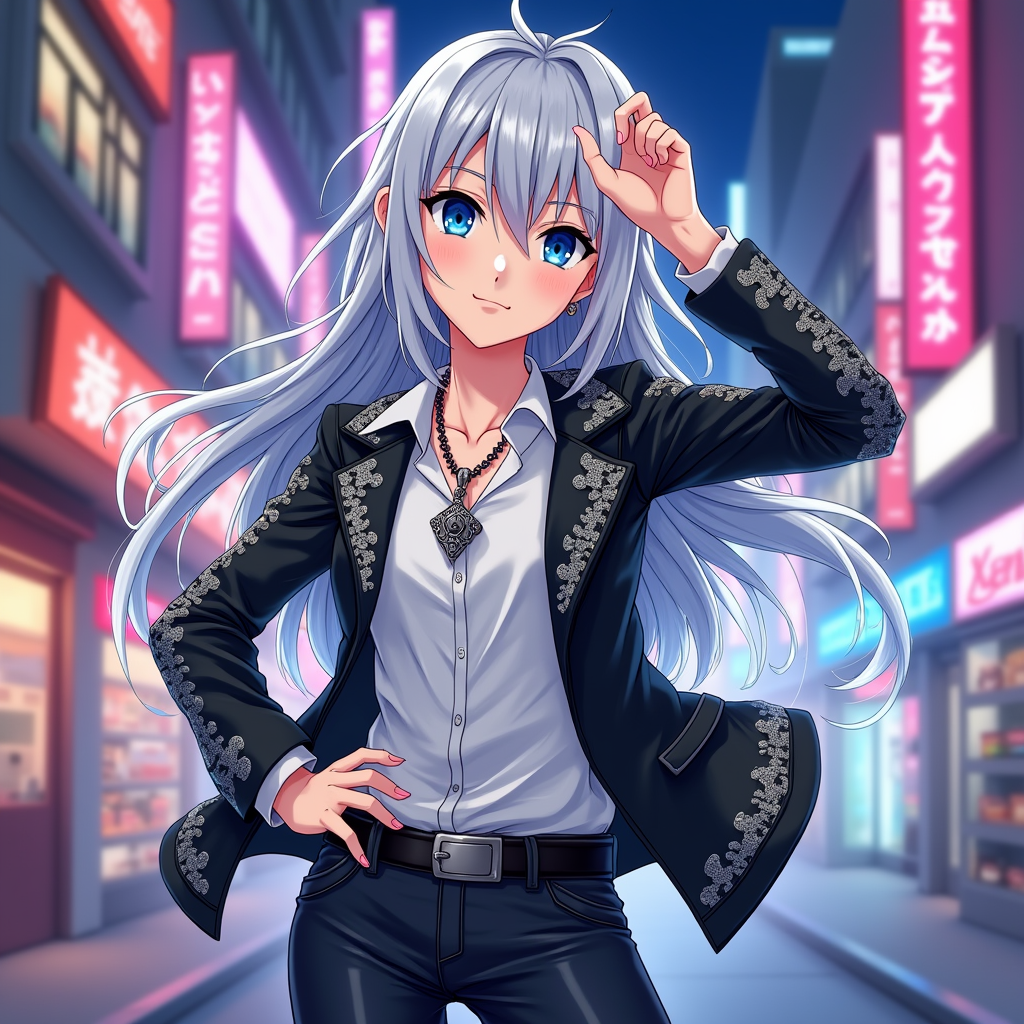
Create an image of Hikaru Aizawa in a vibrant anime style, showcasing their striking silver hair that flows elegantly, framing a youthful face with sharp, expressive blue eyes. Dress Hikaru in a stylish, fitted black jacket adorned with intricate silver patterns, paired with a sleek white shirt and dark jeans. Accessorize with a unique pendant necklace that glimmers subtly. Capture Hikaru's confident expression, with a slight smirk, as they strike a dynamic pose, one hand on their hip and the other raised in a playful gesture. Set the scene in a bustling urban environment, with neon lights reflecting off the buildings, creating a lively atmosphere. Use a colorful anime art style, emphasizing bold outlines and vibrant colors, while incorporating signature elements like a faint glow around Hikaru to highlight their charismatic presence.
Flux AI Image Promptの詳細分析
Flux AI Image Generatorを使用して画像を生成するために使用された詳細なプロンプトを分析します。
Flux AI画像生成のプロンプトを探索
で画像を生成する方法 Flux.1 dev
以下の4つの簡単なステップに従って、希望する画像を作成してください。
ステップ 1: テキストを入力 (より良い結果のためにプロンプトを調整してください)
ステップ 2: 画像のアスペクト比を選択
ステップ 3: Fluxモデルを選択:
ステップ 4: 生成ボタンをクリックして数秒待ち、画像を取得
プロンプトに関連するFlux AIツール Flux.1 dev
Flux AIの高度なツールを発見して、クリエイティブな作業フローを強化しましょう。