Hikaru Aizawa - Flux.1 dev
提示
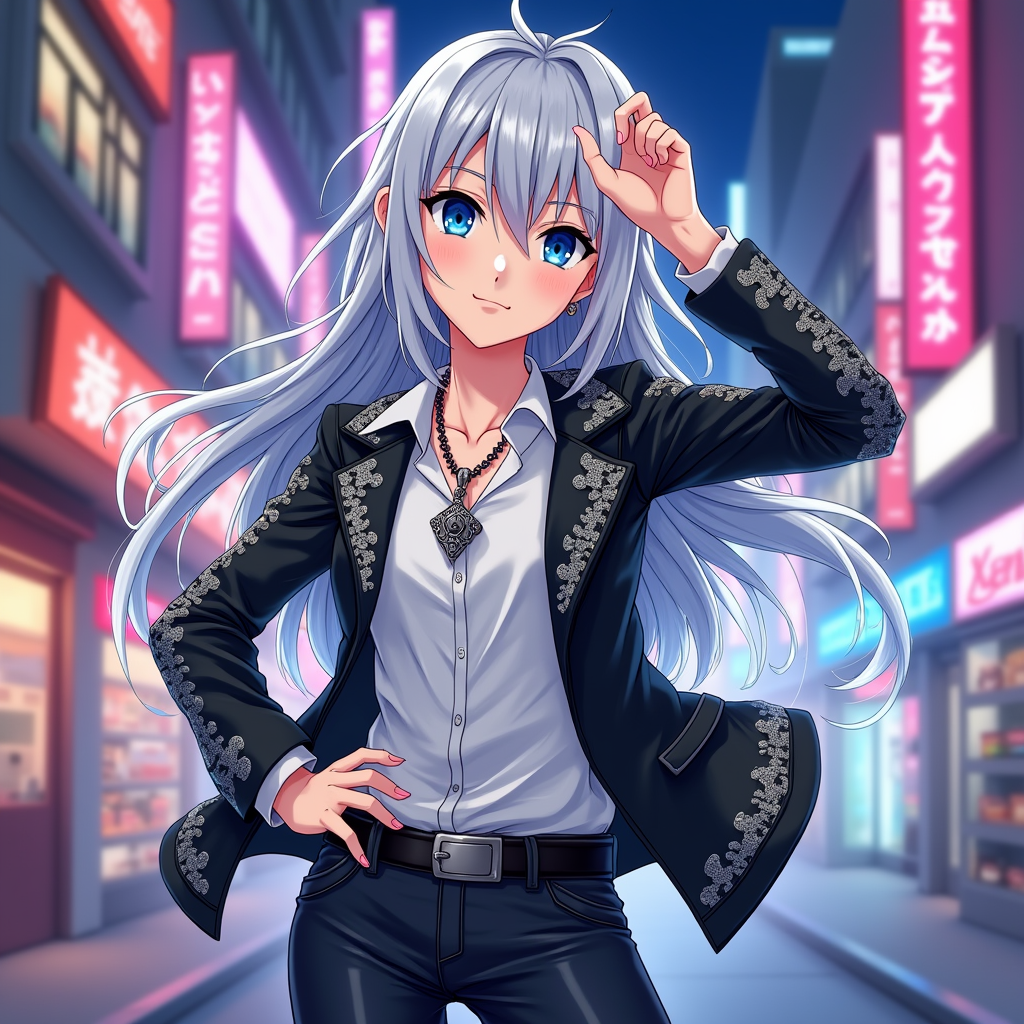
Create an image of Hikaru Aizawa in a vibrant anime style, showcasing their striking silver hair that flows elegantly, framing a youthful face with sharp, expressive blue eyes. Dress Hikaru in a stylish, fitted black jacket adorned with intricate silver patterns, paired with a sleek white shirt and dark jeans. Accessorize with a unique pendant necklace that glimmers subtly. Capture Hikaru's confident expression, with a slight smirk, as they strike a dynamic pose, one hand on their hip and the other raised in a playful gesture. Set the scene in a bustling urban environment, with neon lights reflecting off the buildings, creating a lively atmosphere. Use a colorful anime art style, emphasizing bold outlines and vibrant colors, while incorporating signature elements like a faint glow around Hikaru to highlight their charismatic presence.
Flux AI 圖像提示的詳細分析
分析使用 Flux AI 圖像生成器生成圖像所使用的詳細提示。
探索 Flux AI 圖像生成器的提示
如何通過 Flux.1 dev
遵循以下四個簡單步驟來創建您想要的圖片。
步驟 1:輸入您的文字 (可自由調整提示以獲得更好的結果)
步驟 2:選擇圖片的縱橫比
步驟 3:選擇您的 Flux 模型:
步驟 4:點擊生成按鈕並等待幾秒鐘獲取您的圖片
與提示相關的 Flux AI 工具 Flux.1 dev
發現來自 Flux AI 的高級工具,提升您的創意工作流程。