Baklava - Flux.1.1 pro
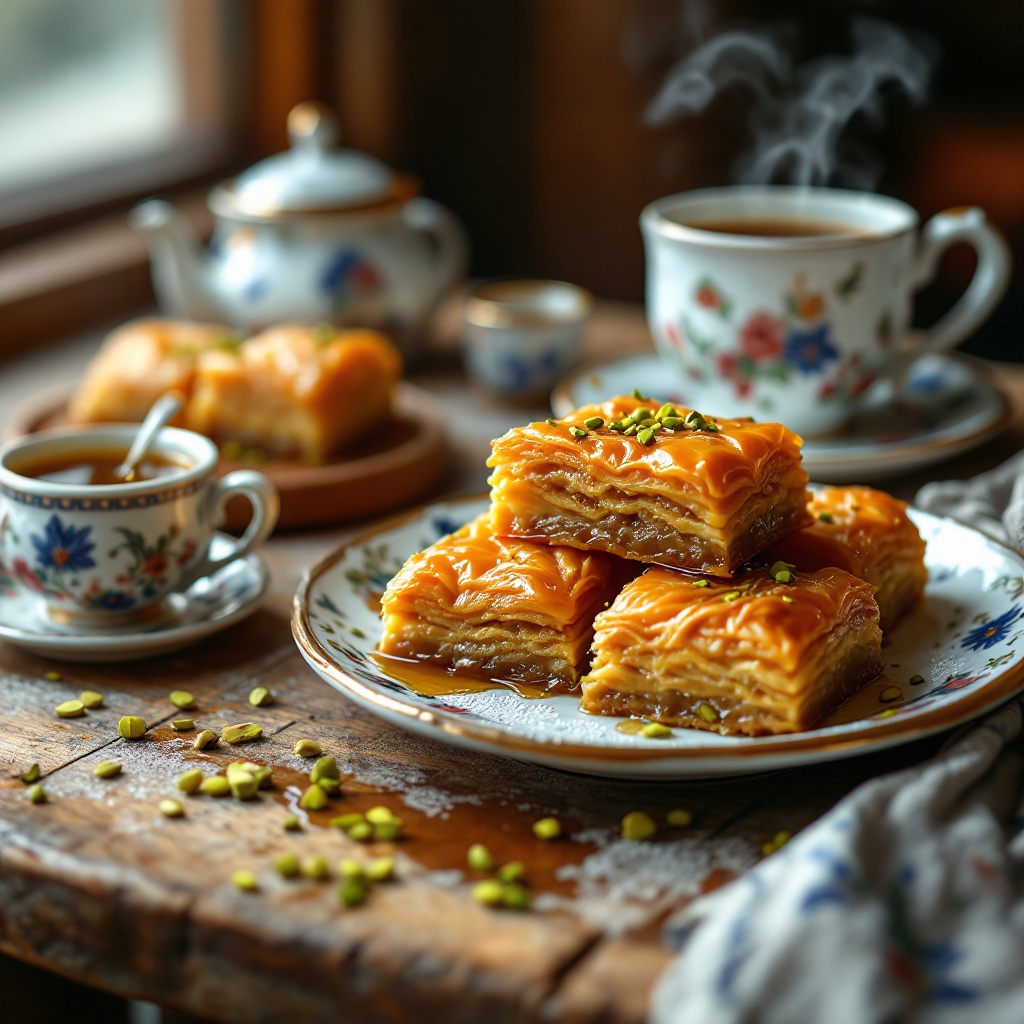
プロンプト
A close-up macro photograph of a golden-brown baklava, showcasing its intricate layers of flaky phyllo dough, glistening with a honey syrup that catches the light. The baklava is adorned with crushed pistachios, their vibrant green contrasting beautifully against the rich, warm tones of the pastry. Set on a rustic wooden table, surrounded by delicate, hand-painted Turkish ceramics, the scene evokes a traditional Middle Eastern café. Soft, natural light filters through a nearby window, casting gentle shadows and highlighting the crisp edges of the baklava. The composition includes a few pieces artfully arranged on a decorative plate, with a small bowl of honey drizzled beside it, steam subtly rising from a freshly brewed cup of Turkish coffee in the background, inviting the viewer to indulge in this sensory delight.
Flux AI Image Promptの詳細分析
Flux AI Image Generatorを使用して画像を生成するために使用された詳細なプロンプトを分析します。
Flux AI画像生成のプロンプトを探索
で画像を生成する方法 Flux.1.1 pro
以下の4つの簡単なステップに従って、希望する画像を作成してください。
ステップ 1: テキストを入力 (より良い結果のためにプロンプトを調整してください)
ステップ 2: 画像のアスペクト比を選択
ステップ 3: Fluxモデルを選択:
ステップ 4: 生成ボタンをクリックして数秒待ち、画像を取得
プロンプトに関連するFlux AIツール Flux.1.1 pro
Flux AIの高度なツールを発見して、クリエイティブな作業フローを強化しましょう。