Meryl Streep - Flux.1 dev
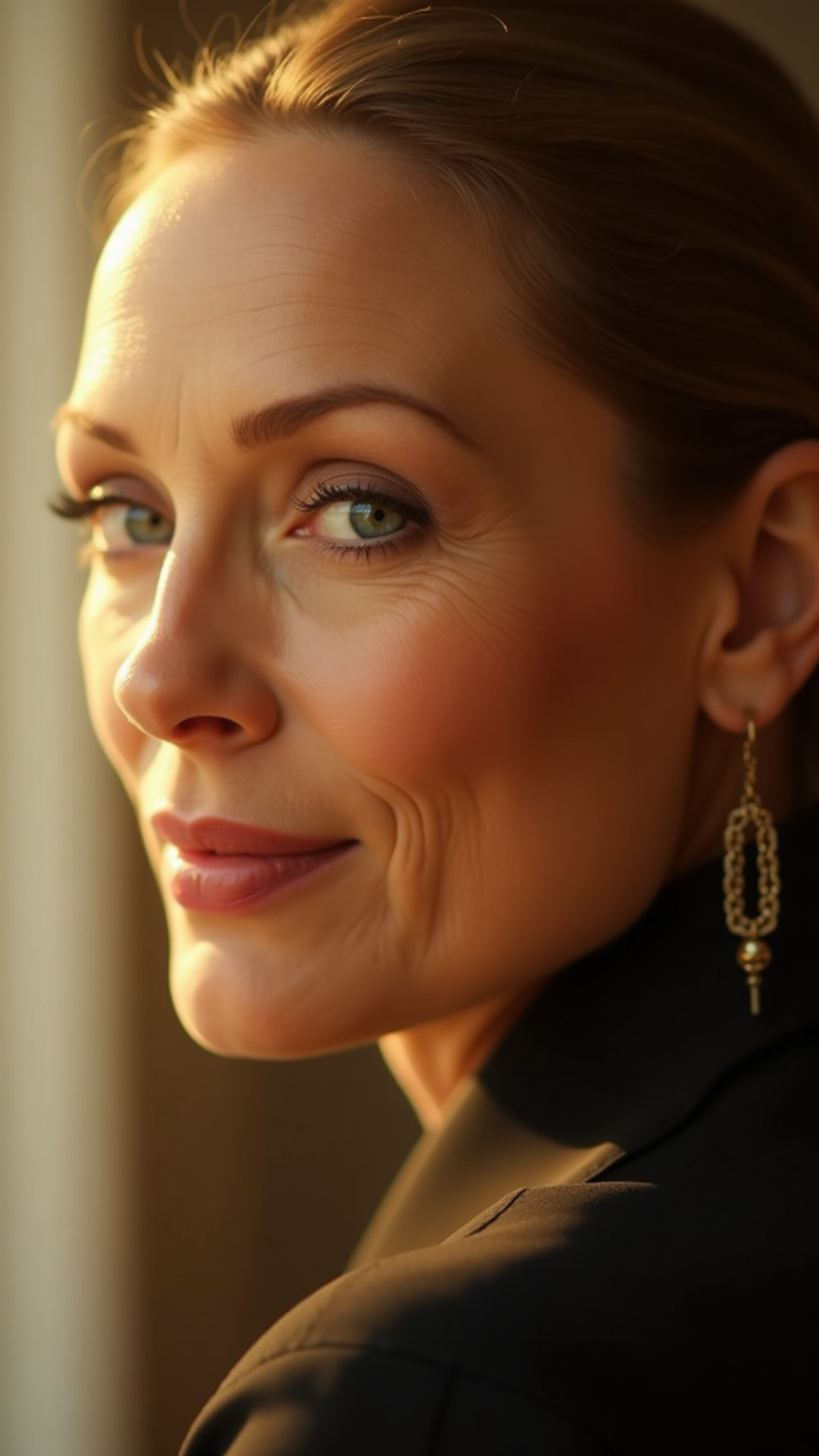
プロンプト
**Prompt:** "Create a hyper-realistic portrait of Meryl Streep, capturing her timeless elegance and expressive depth. Focus on her piercing blue eyes, high cheekbones, and soft, slightly asymmetrical smile. Render her in a warm, cinematic lighting setup—soft golden hour sunlight diffused through a window, casting gentle shadows that highlight her refined bone structure. She wears a subtle, knowing expression, blending wisdom and warmth. Frame the shot as a close-up, shot with an 85mm lens at f/1.8 for creamy bokeh, emphasizing her face against a softly blurred, neutral-toned background. Style: classic Hollywood glamour with a modern twist, reminiscent of Annie Leibovitz’s portraiture. Ultra-detailed skin texture, fine wrinkles, and natural makeup with a satin finish. Mood: contemplative, regal, and effortlessly charismatic." (999 characters)
Flux AI Image Promptの詳細分析
Flux AI Image Generatorを使用して画像を生成するために使用された詳細なプロンプトを分析します。
Flux AI画像生成のプロンプトを探索
で画像を生成する方法 Flux.1 dev
以下の4つの簡単なステップに従って、希望する画像を作成してください。
ステップ 1: テキストを入力 (より良い結果のためにプロンプトを調整してください)
ステップ 2: 画像のアスペクト比を選択
ステップ 3: Fluxモデルを選択:
ステップ 4: 生成ボタンをクリックして数秒待ち、画像を取得
プロンプトに関連するFlux AIツール Flux.1 dev
Flux AIの高度なツールを発見して、クリエイティブな作業フローを強化しましょう。