FIBA Under-19 Basketball World Cup - Flux.1 dev
プロンプト
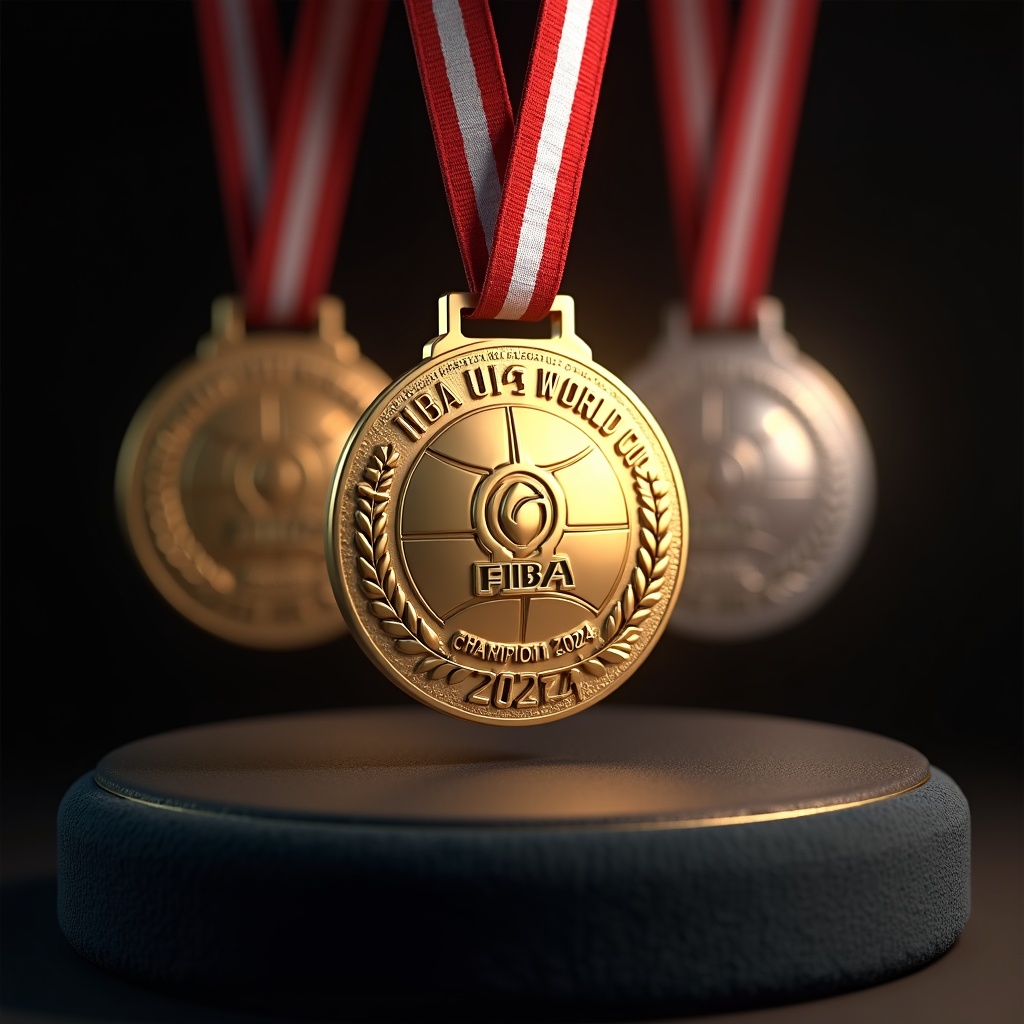
Generate a highly detailed, photorealistic image of FIBA Under-19 Basketball World Cup medals, featuring a circular gold, silver, and bronze design (60mm diameter) with a polished metallic finish. The obverse side showcases an embossed FIBA logo at the center, surrounded by a raised basketball texture and 'FIBA U19 World Cup' engraved in bold typography. The reverse includes 'Champion 2024' (or runner-up/3rd place) with laurel wreath motifs. Attach a 35mm-wide ribbon in FIBA's signature red and white stripes, with a sleek metal clasp. Render the medals suspended mid-air or displayed on a dark velvet podium, illuminated by soft spotlighting to highlight reflections and textures. Add subtle lens flare for realism, with a shallow depth of field focusing on the gold medal." (999 characters)
Flux AI Image Promptの詳細分析
Flux AI Image Generatorを使用して画像を生成するために使用された詳細なプロンプトを分析します。
Flux AI画像生成のプロンプトを探索
で画像を生成する方法 Flux.1 dev
以下の4つの簡単なステップに従って、希望する画像を作成してください。
ステップ 1: テキストを入力 (より良い結果のためにプロンプトを調整してください)
ステップ 2: 画像のアスペクト比を選択
ステップ 3: Fluxモデルを選択:
ステップ 4: 生成ボタンをクリックして数秒待ち、画像を取得
プロンプトに関連するFlux AIツール Flux.1 dev
Flux AIの高度なツールを発見して、クリエイティブな作業フローを強化しましょう。