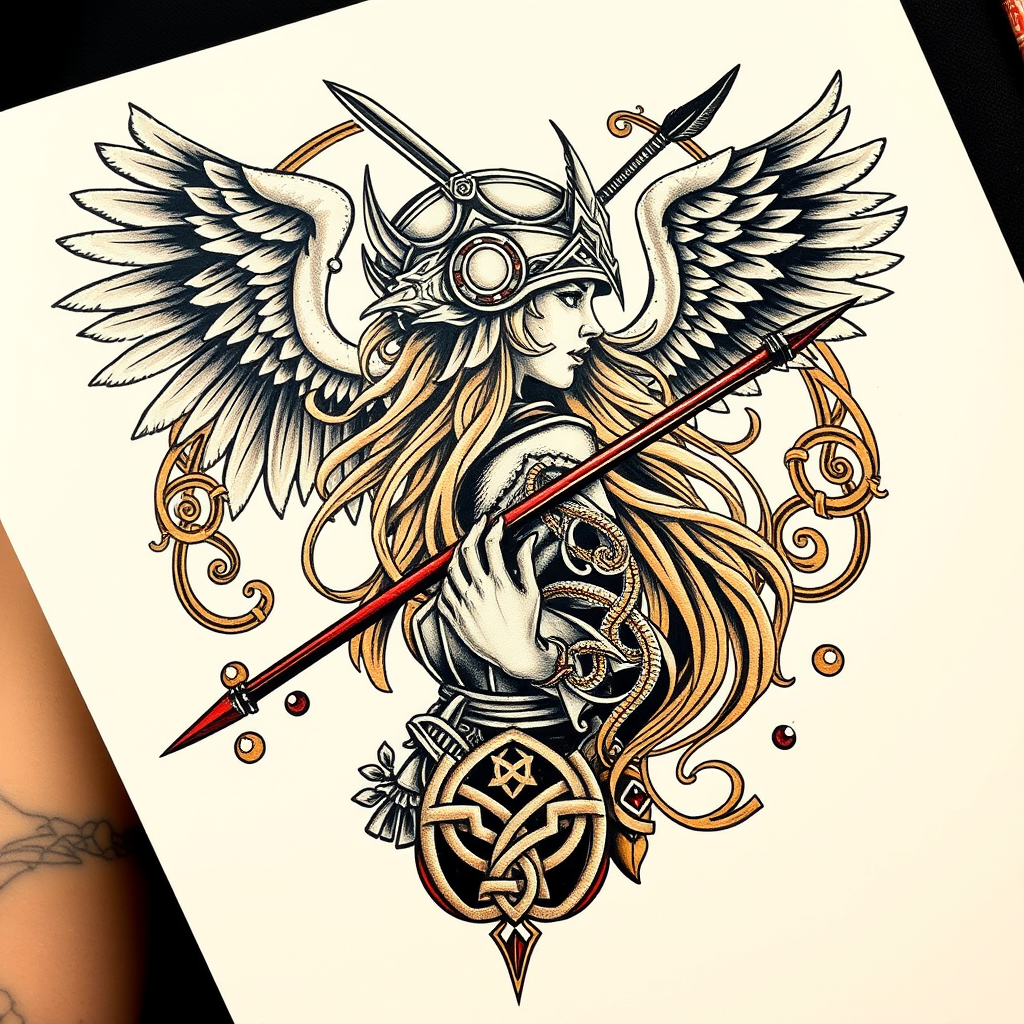
Shoulder Blade-Norse Valkyrie - Flux.1 schnell
プロンプト
**Prompt:** "A striking Norse Valkyrie tattoo design for the shoulder blade, rendered in a bold, neo-traditional style with intricate linework and dynamic shading. The Valkyrie is depicted in profile, wearing a winged helmet and wielding a spear, her flowing hair merging with ornate Norse knotwork and runic patterns. The design spans the entire shoulder blade, medium to large in scale, with a rich color palette of deep blues, golds, and crimson accents against black ink. Feathers and swirling Nordic motifs frame the composition, symbolizing protection and destiny. The mood is fierce yet elegant, blending warrior energy with mythological grandeur. Fine details include textured armor, ethereal wings, and subtle celtic influences for depth.
Flux AI Image Promptの詳細分析
Flux AI Image Generatorを使用して画像を生成するために使用された詳細なプロンプトを分析します。
Flux AI画像生成のプロンプトを探索
で画像を生成する方法 Flux.1 schnell
以下の4つの簡単なステップに従って、希望する画像を作成してください。
ステップ 1: テキストを入力 (より良い結果のためにプロンプトを調整してください)
ステップ 2: 画像のアスペクト比を選択
ステップ 3: Fluxモデルを選択:
ステップ 4: 生成ボタンをクリックして数秒待ち、画像を取得
プロンプトに関連するFlux AIツール Flux.1 schnell
Flux AIの高度なツールを発見して、クリエイティブな作業フローを強化しましょう。