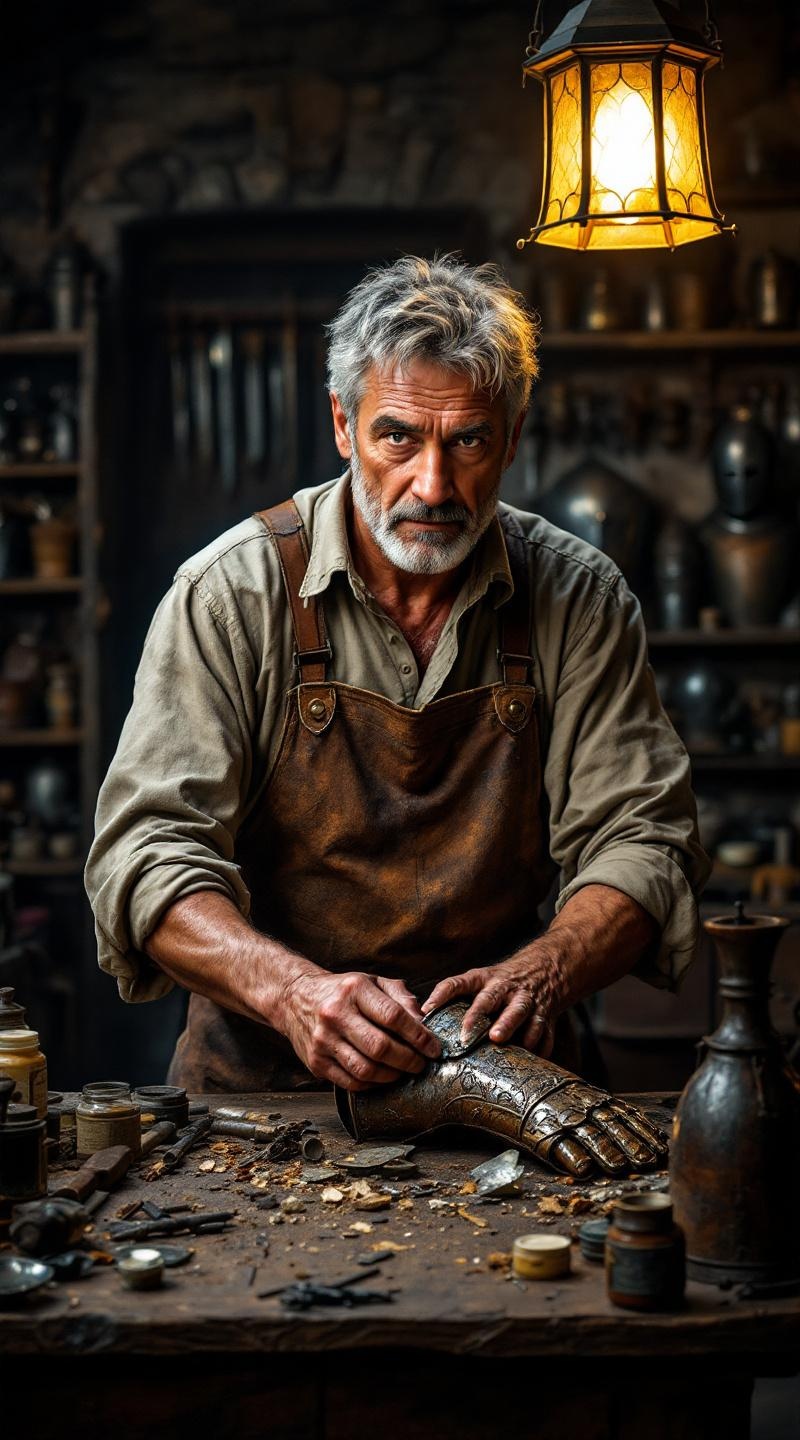
Antique armor conservator - Flux.1.1 pro
プロンプト
**Prompt:** A middle-aged antique armor conservator with a weathered face, deep-set brown eyes, and short, salt-and-pepper hair. His olive skin is slightly lined with age, and he has a sturdy, muscular build from years of manual work. He wears a fitted, long-sleeved linen shirt in muted beige, rolled up to the elbows, and a leather apron streaked with polish stains. His hands, rough and calloused, carefully cradle a rusted medieval gauntlet, fingers tracing its intricate engravings with precision. His expression is focused yet serene, lips slightly pursed in concentration. Behind him, a cluttered wooden workbench holds scattered tools, jars of polish, and fragments of aged metal under the warm glow of an overhead lantern. The setting is a dimly lit restoration workshop, with shelves of antique armor lining the stone walls.
Flux AI Image Promptの詳細分析
Flux AI Image Generatorを使用して画像を生成するために使用された詳細なプロンプトを分析します。
Flux AI画像生成のプロンプトを探索
で画像を生成する方法 Flux.1.1 pro
以下の4つの簡単なステップに従って、希望する画像を作成してください。
ステップ 1: テキストを入力 (より良い結果のためにプロンプトを調整してください)
ステップ 2: 画像のアスペクト比を選択
ステップ 3: Fluxモデルを選択:
ステップ 4: 生成ボタンをクリックして数秒待ち、画像を取得
プロンプトに関連するFlux AIツール Flux.1.1 pro
Flux AIの高度なツールを発見して、クリエイティブな作業フローを強化しましょう。