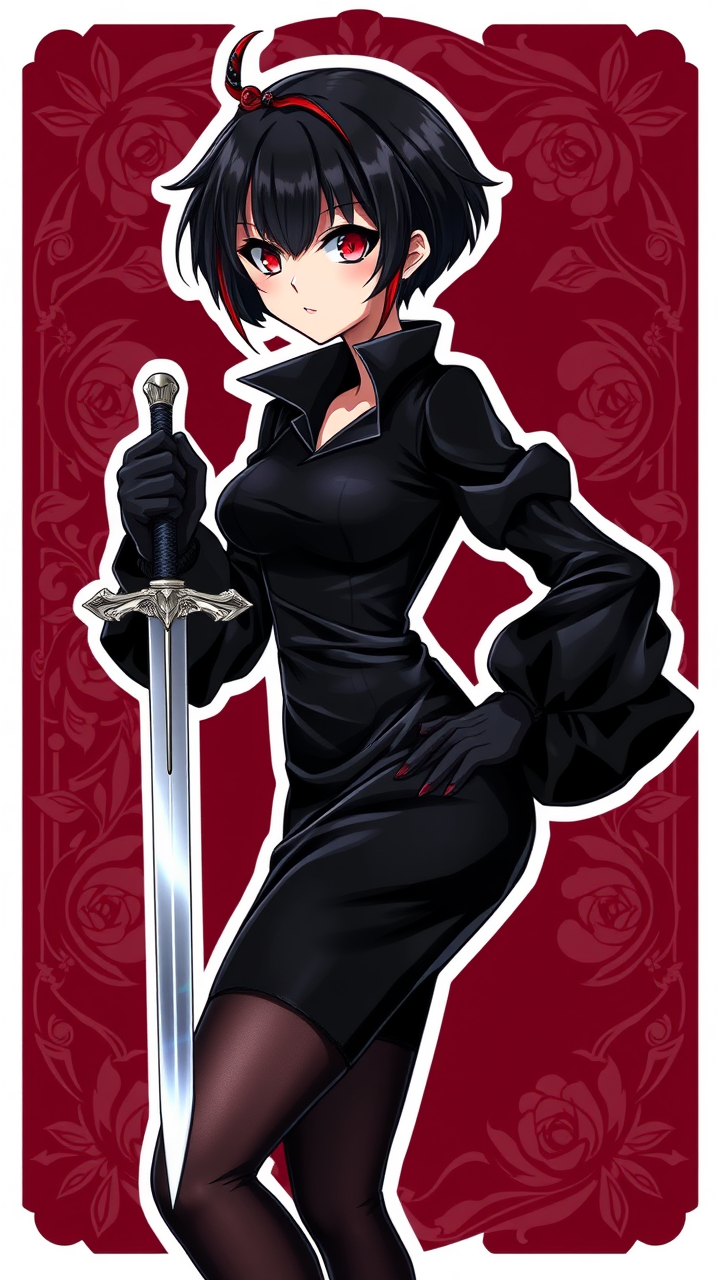
《Spy x Family》-Yor Forger - Flux.1 schnell
プロンプト
**Prompt:** *"A stunning anime sticker-style illustration of Yor Forger from 《Spy x Family》, featuring her iconic short black hair with a signature red hairpin, sharp crimson eyes, and a poised yet deadly expression. She wears her sleek black Thorn Princess assassin attire—a form-fitting dress with puffy sleeves, thigh-high stockings, and elegant heels. One hand holds a silver dagger glinting with menace, while the other rests confidently on her hip. Her pose exudes both grace and lethality, with a subtle smirk. The background is a deep burgundy with ornate rose motifs, enhancing her mysterious aura. The art style is highly stylized with bold outlines, vibrant colors, and glossy highlights, resembling a premium vinyl sticker. Add sparkles or a soft glow for an eye-catching finish."* (Characters: 808)
Flux AI Image Promptの詳細分析
Flux AI Image Generatorを使用して画像を生成するために使用された詳細なプロンプトを分析します。
Flux AI画像生成のプロンプトを探索
で画像を生成する方法 Flux.1 schnell
以下の4つの簡単なステップに従って、希望する画像を作成してください。
ステップ 1: テキストを入力 (より良い結果のためにプロンプトを調整してください)
ステップ 2: 画像のアスペクト比を選択
ステップ 3: Fluxモデルを選択:
ステップ 4: 生成ボタンをクリックして数秒待ち、画像を取得
プロンプトに関連するFlux AIツール Flux.1 schnell
Flux AIの高度なツールを発見して、クリエイティブな作業フローを強化しましょう。