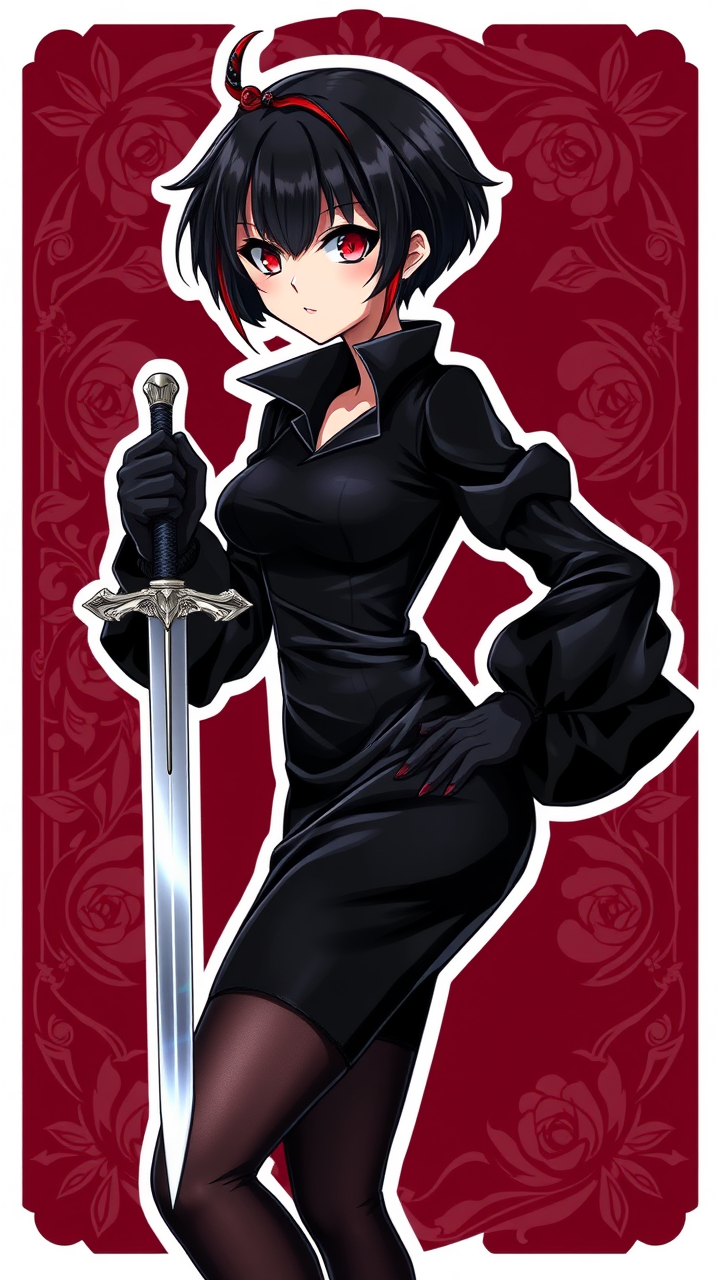
《Spy x Family》-Yor Forger - Flux.1 schnell
提示
**Prompt:** *"A stunning anime sticker-style illustration of Yor Forger from 《Spy x Family》, featuring her iconic short black hair with a signature red hairpin, sharp crimson eyes, and a poised yet deadly expression. She wears her sleek black Thorn Princess assassin attire—a form-fitting dress with puffy sleeves, thigh-high stockings, and elegant heels. One hand holds a silver dagger glinting with menace, while the other rests confidently on her hip. Her pose exudes both grace and lethality, with a subtle smirk. The background is a deep burgundy with ornate rose motifs, enhancing her mysterious aura. The art style is highly stylized with bold outlines, vibrant colors, and glossy highlights, resembling a premium vinyl sticker. Add sparkles or a soft glow for an eye-catching finish."* (Characters: 808)
Flux AI 圖像提示的詳細分析
分析使用 Flux AI 圖像生成器生成圖像所使用的詳細提示。
探索 Flux AI 圖像生成器的提示
如何通過 Flux.1 schnell
遵循以下四個簡單步驟來創建您想要的圖片。
步驟 1:輸入您的文字 (可自由調整提示以獲得更好的結果)
步驟 2:選擇圖片的縱橫比
步驟 3:選擇您的 Flux 模型:
步驟 4:點擊生成按鈕並等待幾秒鐘獲取您的圖片
與提示相關的 Flux AI 工具 Flux.1 schnell
發現來自 Flux AI 的高級工具,提升您的創意工作流程。