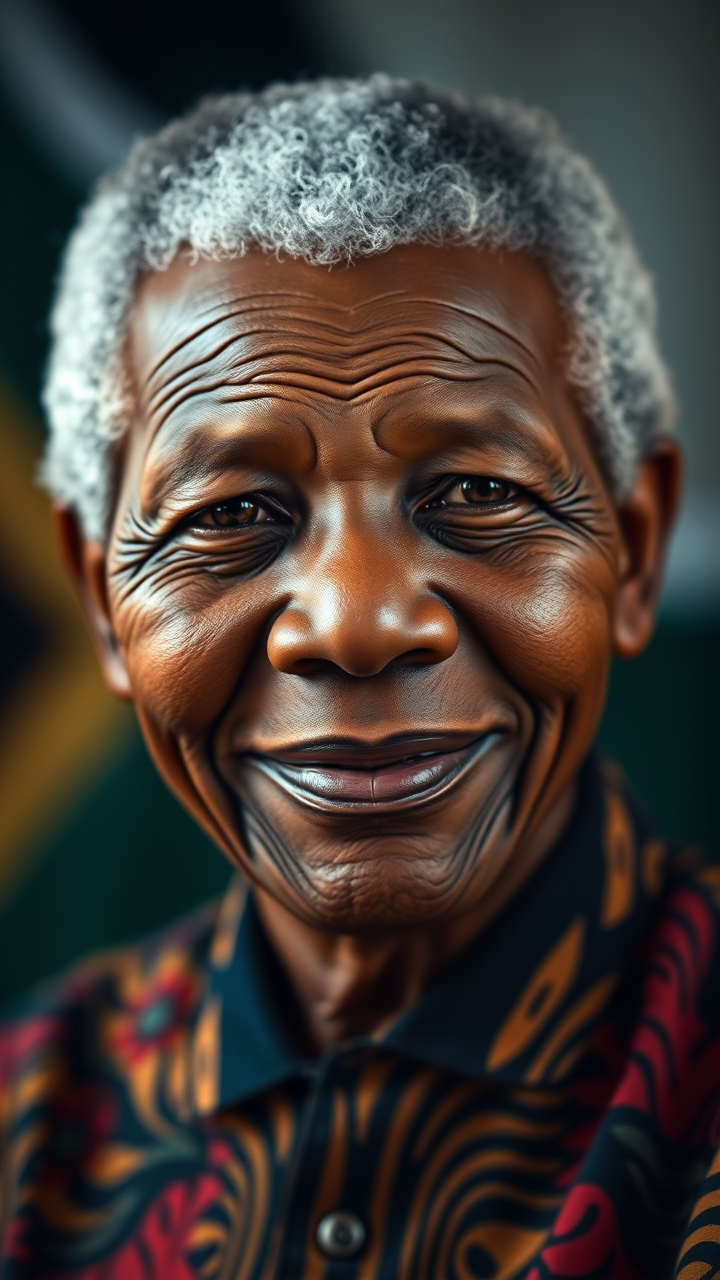
Nelson Mandela - Flux.1 schnell
프롬프트
**Prompt:** *"A highly detailed, photorealistic portrait of Nelson Mandela, capturing his wise and dignified presence. Focus on his warm, expressive eyes with deep crow's feet, high cheekbones, and broad, gentle smile. His grayed, close-cropped hair and slightly weathered skin reflect his lifelong resilience. Soft, diffused lighting highlights his face with a golden glow, evoking hope and wisdom. He wears a traditional South African Madiba shirt in vibrant colors, symbolizing his heritage. The background is subtly blurred, with a faint outline of the South African flag. Shot with a 85mm portrait lens, f/1.8 aperture for creamy bokeh, cinematic lighting, ultra-high resolution, 8K detail. The mood is uplifting and inspirational, embodying his legacy of peace and unity."* (Characters: 698)
Flux AI 이미지 프롬프트에 대한 상세 분석
Flux AI Image Generator를 사용하여 이미지를 생성하는 데 사용된 상세한 프롬프트를 분석합니다.
Flux AI 이미지 생성기 프롬프트 탐색
을 통해 이미지를 생성하는 방법 Flux.1 schnell
원하는 이미지를 만들기 위해 다음 네 가지 간단한 단계를 따르세요.
단계 1: 텍스트 입력 (더 나은 결과를 위해 프롬프트를 자유롭게 수정하세요)
단계 2: 이미지 종횡비 선택
단계 3: Flux 모델 선택:
단계 4: 생성 버튼을 클릭하고 몇 초간 기다려 이미지를 받으세요
프롬프트와 관련된 Flux AI 도구 Flux.1 schnell
Flux AI의 고급 도구를 발견하여 창의적인 작업 흐름을 향상시키세요.