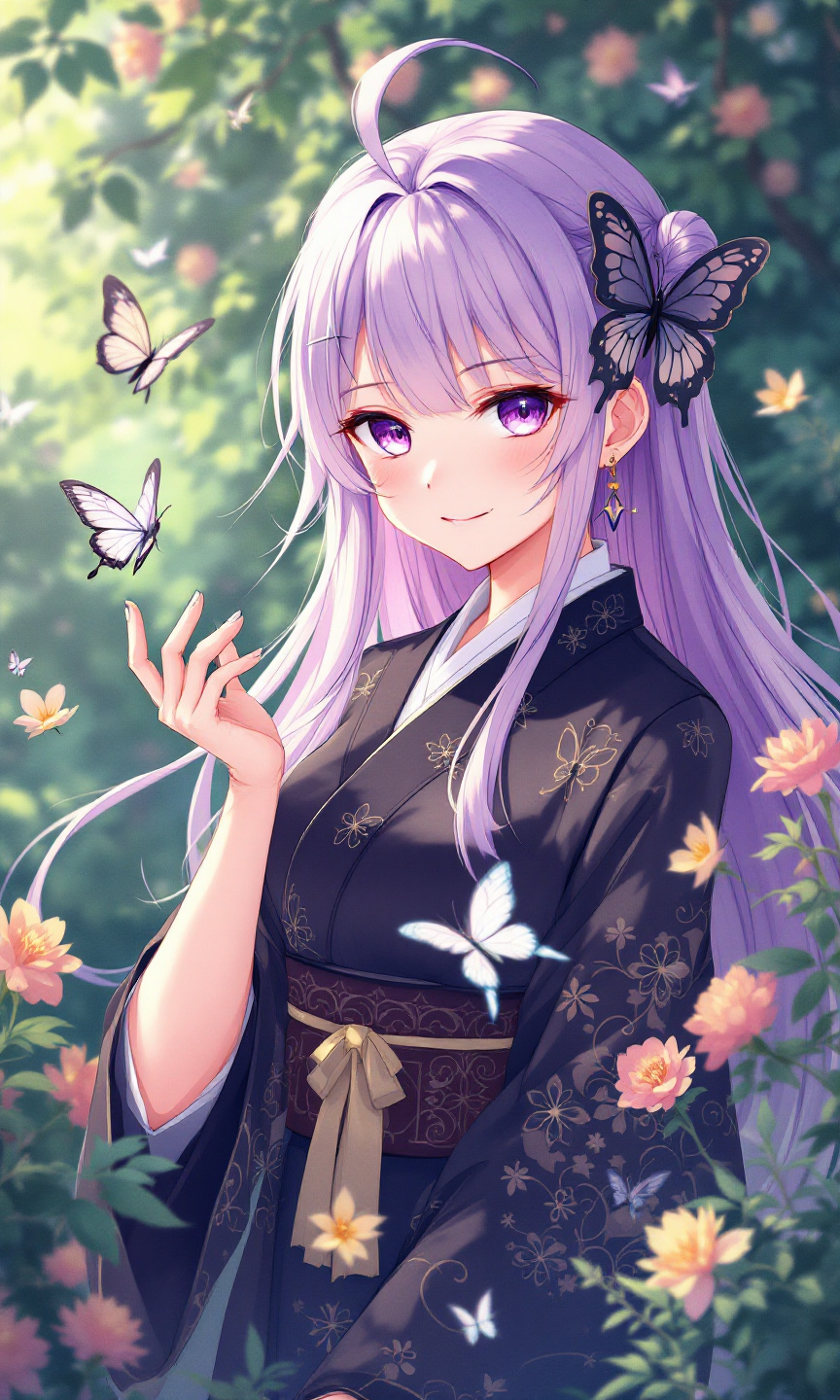
Shinobu Kocho - Flux.1.1 pro
Prompt
Generate an image of Shinobu Kocho from "Demon Slayer," capturing her ethereal beauty and unique traits. Emphasize her long, flowing lavender hair with butterfly-themed accents, and her striking violet eyes. She wears a traditional Demon Slayer uniform, featuring a dark haori adorned with intricate butterfly patterns and a white, high-collared shirt underneath. Her expression should reflect a serene yet slightly mischievous demeanor, with a gentle smile playing on her lips, showcasing her calm nature. Pose her gracefully, perhaps with one hand extended as if summoning a butterfly, embodying her connection to insects. Set the background in a lush, vibrant garden filled with blooming flowers and fluttering butterflies, enhancing her insect-themed aesthetic. Use a soft, pastel anime art style with clean lines and vibrant colors, capturing the whimsical essence of her character, while incorporating her signature Nichirin blade, subtly glinting in the light.
Análise Detalhada do Prompt de Imagem Flux IA
Analise o prompt detalhado usado para gerar a imagem com o Flux IA Image Generator.
Explore Prompts Flux para o Gerador de Imagens
Como gerar uma imagem por Flux.1.1 pro
Siga estes quatro passos simples para criar a imagem desejada.
Passo 1: Insira seu texto (Sinta-se à vontade para refinar seu prompt para melhores resultados)
Passo 2: Escolha a proporção da imagem
Passo 3: Selecione seu modelo Flux:
Passo 4: Clique no botão Gerar e aguarde alguns segundos para sua imagem
Ferramentas Flux IA relacionadas a prompts sobre Flux.1.1 pro
Descubra ferramentas avançadas da Flux IA para melhorar seu fluxo de trabalho criativo.