Coco Chanel - Flux.1 schnell
提示
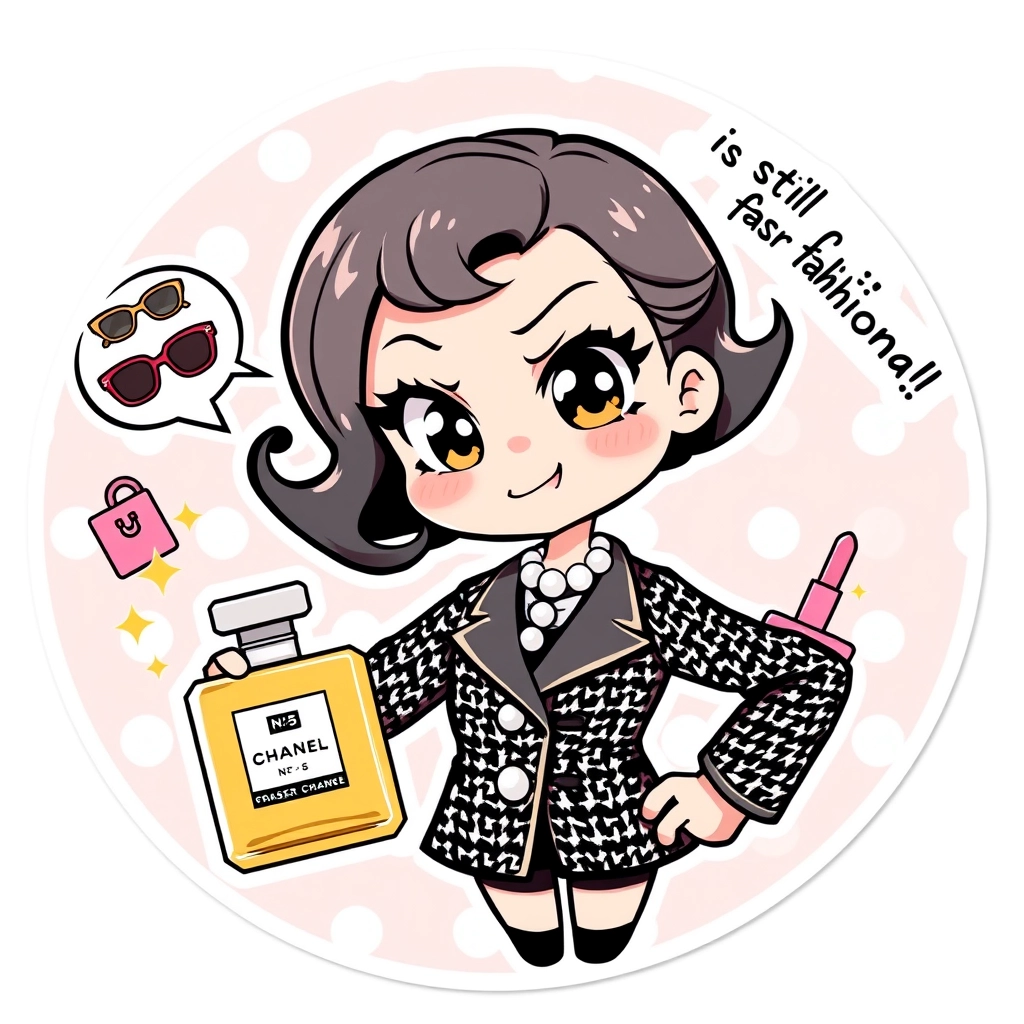
Chibi anime-style Coco Chanel with exaggerated large eyes and a mischievous smirk, wearing her iconic black and white tweed suit and pearl necklace. Her hair styled in a short bob with a playful curl. She's striking a sassy pose with one hand on her hip and the other holding an oversized perfume bottle labeled "No. 5". The background features a pastel pink and white polka dot pattern with floating cartoon-style fashion items like sunglasses, handbags, and lipsticks. Coco has a speech bubble exclaiming "Fashionably late is still fashionable!" in a cute font. The art style combines clean lines with soft shading, creating a kawaii effect. Add sparkles and small stars around Coco to enhance the charming atmosphere. The overall composition is circular, perfect for a sticker format, with a thin white border around the edge.
Flux AI 圖像提示的詳細分析
分析使用 Flux AI 圖像生成器生成圖像所使用的詳細提示。
探索 Flux AI 圖像生成器的提示
如何通過 Flux.1 schnell
遵循以下四個簡單步驟來創建您想要的圖片。
步驟 1:輸入您的文字 (可自由調整提示以獲得更好的結果)
步驟 2:選擇圖片的縱橫比
步驟 3:選擇您的 Flux 模型:
步驟 4:點擊生成按鈕並等待幾秒鐘獲取您的圖片
與提示相關的 Flux AI 工具 Flux.1 schnell
發現來自 Flux AI 的高級工具,提升您的創意工作流程。